
The best gaming PC for Warzone is one that holds a steady high frame rate rather than the highest possible peak: for 1440p at 144 Hz or more, aim for a Ryzen 7 9800X3D or similar fast CPU with an RTX 5070 or Radeon RX 9070 class card, drop to an RTX 5060 Ti or RX 9060 XT class card for 1080p, and step up to an RTX 5070 Ti or RX 9070 XT class card for 4K or maximum settings. Warzone is a large, CPU-heavy battle royale, so processor, memory and storage matter as much as the graphics card.
- What Warzone Asks of a PC
- At a Glance: Build Tiers
- CPU: Where Warzone Gains the Most
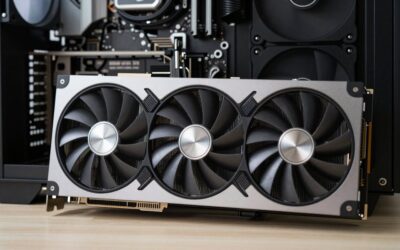
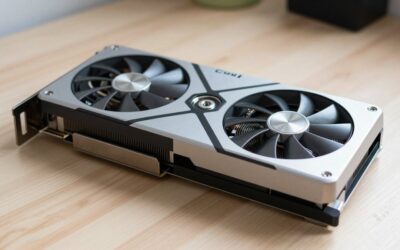
- GPU: Match It to Your Monitor
- Memory and Storage
- Power Supply, Cooling and Case
- Network and Peripherals
- Prebuilt or Self-Built
- Pick X If… Decision Table
- Alternatives
- Settings That Protect Frame Rate
- Fit and Compatibility Notes
- Budget Trade-offs
- Streaming and Recording
- Cooling and Noise
- Frequently Asked Questions
What Warzone Asks of a PC
The publisher lists minimum and recommended requirements on its support pages, and they change as the game updates, so read those pages for the current numbers. In practice, competitive players care about three things: a stable frame rate with strong one-percent lows, low input latency, and a quick storage drive because the install is very large. Players commonly lower shadows and effects in the settings to protect the frame rate, so a powerful CPU often matters more than raw graphics power for high refresh play.
Warzone supports modern upscaling technologies, including NVIDIA DLSS and AMD FSR, which can raise frame rates at the cost of some image sharpness. Competitive players often choose native resolution with lowered effects, while casual players enjoy upscaling to hit 4K.
At a Glance: Build Tiers
| Tier | Example parts | Best for | Limits |
|---|---|---|---|
| Entry | Ryzen 5 9600X or Ryzen 7 7700 class CPU, RTX 5060 or RX 9060 XT, 16GB to 32GB DDR5 | 1080p at 120 to 144 Hz | Settings reduced for stable lows |
| Mid-range | Ryzen 7 9800X3D or 7800X3D, RTX 5070 or RX 9070, 32GB DDR5-6000, 1TB NVMe | 1440p at 144 to 240 Hz | 4K needs upscaling |
| High | Ryzen 7 9800X3D, RTX 5070 Ti or RX 9070 XT, 32GB DDR5-6000, 2TB NVMe | 1440p max settings or 4K with upscaling | Larger power supply and case needed |
| Premium | Ryzen 7 9800X3D or 9950X3D, RTX 5080 class card, 32GB or more, 2TB NVMe | 4K high refresh, streaming alongside play | Costs more than gameplay benefit suggests |
CPU: Where Warzone Gains the Most
Warzone’s large map, many players and heavy simulation reward processors with strong single-thread speed and large cache. Reviewers consistently rank AMD’s X3D chips at the top for gaming, with the Ryzen 7 9800X3D leading the Ryzen 9000 lineup. Previous-generation parts such as the Ryzen 7 7800X3D remain strong and may cost less. Intel Core Ultra 200S processors are good all-round chips, particularly if you also do creative work, but AMD X3D is the usual pick for pure frame rate. If you stream while playing, extra cores help, though a modern GPU encoder handles much of that work.
GPU: Match It to Your Monitor
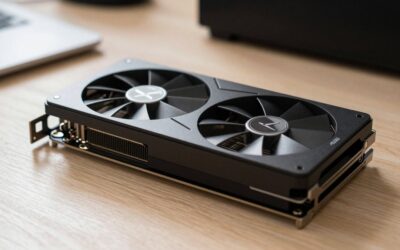
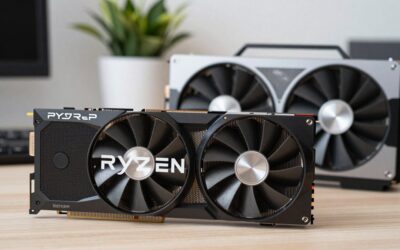
- 1080p: An RTX 5060 Ti or RX 9060 XT class card is enough for high-refresh play.
- 1440p: An RTX 5070 or RX 9070 class card hits the target for many competitive players.
- 4K: An RTX 5070 Ti, RX 9070 XT or faster card, with DLSS or FSR enabled, makes sense.
Pairing a very expensive GPU with a 1080p monitor wastes money, since the CPU becomes the limit. Pairing a weak GPU with a high-resolution monitor forces lower settings.
Memory and Storage
Use 32GB of DDR5. Many guides name DDR5-6000 CL30 with an EXPO profile as the best fit for Ryzen, and XMP-capable kits as the equivalent for Intel. Faster is not necessarily better. For storage, the install is very large, so a 1TB drive fills quickly with other titles. Choose a 2TB NVMe SSD if you keep several large games installed. A PCIe 4.0 drive is plenty, and PCIe 5.0 is not needed for Warzone.
Power Supply, Cooling and Case
Pick a reputable 750W unit for mid-range cards and 850W for higher-end cards, following the GPU maker’s recommendation. The 9800X3D is easy to cool with a dual-tower air cooler or a 240 mm liquid cooler. Choose a case with a mesh front and good fan placement, because long sessions with sustained high load will heat the system.
Network and Peripherals
- Wired Ethernet: Reduces packet loss compared with WiFi, though a good WiFi 7 router and adapter are acceptable.
- Monitor: A 1440p monitor at 165 Hz or higher is a popular competitive choice. Check the stand and panel response time listed by the maker.
- Mouse and headset: A lightweight mouse and a good headset help with aim and positional audio.
Prebuilt or Self-Built
Self-building usually gives better parts for the money, particularly in the power supply and motherboard. Prebuilts save time and include a warranty and support. If you buy one, read the specification list carefully for the exact CPU, GPU model, memory speed and power supply, because some systems cut corners on non-headline parts.
Pick X If… Decision Table
| Pick this | If you… |
|---|---|
| Entry build | Play at 1080p on a 144 Hz monitor with a tighter budget |
| Mid-range 9800X3D and RTX 5070 or RX 9070 | Want 1440p high refresh and consistent lows |
| High build with RTX 5070 Ti or RX 9070 XT | Play at 4K or want headroom for other games |
| Premium build | Stream, record and play at the same time |
| Prebuilt | Prefer a warranty and no assembly |
Alternatives
- Previous-generation parts: Ryzen 7 7800X3D and RTX 40-series or RX 7000 cards can offer value if you find them at good tier prices.
- Gaming laptop: Portable, but cooling limits sustained performance.
- Console: Cheaper, but locked to lower frame rates and without PC tuning.
Settings That Protect Frame Rate
Competitive players often lower shadow quality, particle effects and volumetric settings first, because these cost frame rate with little effect on visibility. Texture quality depends on video memory, so cards with more VRAM can keep high textures. Keep the in-game frame cap just below your monitor’s refresh rate if you use variable refresh, and use a frame rate counter to confirm that the one-percent lows stay steady. Update graphics drivers when the maker releases a game-ready version, and keep the game on a fast SSD to reduce stutter.
Fit and Compatibility Notes
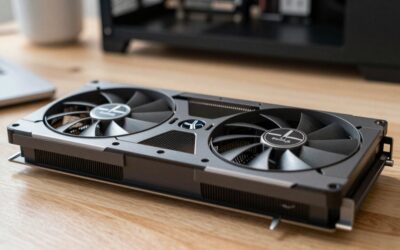
- GPU size: RTX 5070 Ti and RX 9070 XT cards are often long, so compare the case limit with the card’s dimensions.
- Power: Use a unit with the 12V-2×6 connector where the card needs it, and avoid adapters when a native cable is available.
- Motherboard: A B850 board is enough for a 9800X3D; X870 adds extras you may not need.
- Memory: Use a matched two-module DDR5-6000 CL30 EXPO kit on Ryzen.
- Anti-cheat: The game uses its own protection system, and the publisher’s support page lists any platform settings it requires.
Budget Trade-offs
At a budget tier, drop the graphics card one step before you drop the processor, since Warzone is more CPU-bound at competitive settings. At the mid tier, prioritize a good power supply and case so the system stays cool during long sessions. At the premium tier, extra money mostly buys resolution and streaming headroom rather than a larger competitive edge, so decide whether you actually need them.
Streaming and Recording
Modern GPUs include hardware video encoders, such as NVIDIA’s NVENC and AMD’s equivalent, that capture gameplay with a small performance cost. This makes streaming possible on mid-range builds without a second PC. Extra CPU cores help if you use software encoding or run several apps, and a fast second drive keeps recordings from competing with the game’s own storage. Capture at the resolution and bitrate your platform supports, and test the settings before a live session so frame rate stays stable.
Cooling and Noise
Warzone sessions run long, which means the system sits at high load for hours. A case with mesh intake, a decent tower cooler and two or three intake fans keeps temperatures in check. Set fan curves so the system ramps up gradually, rather than spiking, and clean dust filters every few months. If noise matters, a larger cooler with slower fans is usually quieter than a small one at high speed.
Frequently Asked Questions
Does Warzone need an X3D processor?
No, but it benefits. The game is demanding on the CPU, and reviewers show large cache chips giving better lows. A fast non-X3D Ryzen or Intel chip still runs it well.
How much memory does Warzone need?
32GB is a safe target for gaming plus background apps. 16GB can work for basic play, though it leaves little headroom. Use a matched two-module kit.
Is a high-end GPU or a fast CPU more important?
It depends on your resolution. At 1080p and 1440p with competitive settings, the CPU limits frame rate first. At 4K the GPU becomes the limit.
Should I use DLSS or FSR?
Upscaling raises frame rates and is useful at 4K or on weaker cards. Competitive players sometimes prefer native resolution for clarity. Try both options in your own settings.
How big an SSD do I need?
The install is large and updates add more, so 1TB fills quickly. A 2TB drive is more comfortable if you play several big titles. Check the current install size on the publisher’s page.
Is WiFi okay for Warzone?
It works, and WiFi 7 is much better than older standards. A wired Ethernet connection is still more stable and avoids interference. Use it where possible.

Write Your Review
No reviews yet. Be the first to share your experience!