
- Top Pick: DJI Osmo Pocket 3 Creator Combo, Vlogging Camera with 1'' CMOS & 4K/120fps | 3-Axis Stabilization, Spotlight Follow, Fast Focusing, Mic Included for Clear Sound, Small Camera for Photography
- Best Value: Lmzour 4K Vlogging Camera, Pocket Digital Camera, 330° Rotating Lens | Auto subject framing and WiFi sharing for YouTube, TikTok and travel, includes 16GB card, mini tripod and carrying bag
- Premium Choice: DJI Osmo Pocket 3 Vlogging Camera with 1'' CMOS & 4K/120fps Video | 3-Axis Stabilization, Fast Focusing, Spotlight Follow, 2" Rotatable Touchscreen, Video Camera Camcorder for Photography
For most new vloggers who want room to grow, the Sony ZV-E10 II is the camera guides name most often, the DJI Osmo Pocket line suits travel and quick setups, and a compact such as the Canon PowerShot V1 or the older G7 X Mark III fits creators who want something pocketable. The right choice depends on whether you value image quality and lens choice or portability and built-in stabilization.
As an Amazon Associate we earn from qualifying purchases at no extra cost to you.




What Matters in a Vlogging Camera
- Stabilization: Walking shots need either in-body or lens stabilization or a gimbal. Digital stabilization usually crops the frame.
- Flip-out or rotating screen: You need to see yourself while filming.
- Autofocus: Reliable face and eye tracking keeps you sharp while you talk and move.
- Audio: A good built-in microphone, a mic jack and ideally a hot shoe help, since poor audio hurts a video more than a soft picture.
- Heat and battery: Long takes can be limited by overheating or short battery life.
- Wide lens: A wide field of view lets you hold the camera at arm’s length.
At a Glance
| Camera | Best for | Key stated or reported specs | Limits |
|---|---|---|---|
| Sony ZV-E10 II | Growing YouTube channels | Interchangeable lenses; 4K up to 60 fps with 10-bit 4:2:2 recording, oversampled from 5.6K, per reviewers; larger NP-FZ100 battery | No in-body stabilization; digital mode adds a crop; reports of overheating after roughly an hour and a quarter of 4K60 in one outlet’s test |
| DJI Osmo Pocket 3 and newer Pocket models | Travel, walking, quick clips | Compact gimbal-stabilized camera with a rotating screen, built for vertical and horizontal video | Fixed lens; small sensor compared with mirrorless; check the maker for the latest model in the line |
| Canon PowerShot V1 | Compact stills and video | Described as a compact vlogging camera with a built-in fan and a wide lens, around 17 mm equivalent in video | Fixed lens; fewer accessory options |
| Canon PowerShot G7 X Mark III | Lower-cost compact | Reviewers note uncropped 4K at about 30 fps and a pocketable body | Older design; limited 4K frame rates |
| Sony ZV-E1 | Low light, full frame | Full-frame sensor in a vlogging-focused body | Premium tier; larger lenses |
| Canon EOS R50 / Nikon Z30 | Entry-level mirrorless | Interchangeable lenses, simple controls | Fewer pro video features |
Camera Types and Trade-offs
Mirrorless with interchangeable lenses
The ZV-E10 II, Canon R50, Nikon Z30 and ZV-E1 give you shallow depth of field, strong low-light performance and lenses you can swap as your skills grow. They are bigger, need extra lenses, and benefit from a small gimbal or stabilized lens for walking shots. Amateur Photographer describes the ZV-E10 II as a step up for filmmakers thanks to LUT support and an improved battery, while noting it costs more than the original model.
Gimbal pocket cameras
The Osmo Pocket 3 is picked by several reviewers as the easiest way to get smooth walking footage. Lens and Shutter calls it the best choice for most vloggers because it is small, stabilized and quick to set up. Amateur Photographer reports that DJI replaced the Pocket 3 with a newer Pocket model in 2026, so many roundups are older than the product line. The trade-off is a smaller sensor, so low light looks weaker than on mirrorless cameras.
Premium compacts
The Canon PowerShot V1 and G7 X Mark III fit in a jacket pocket and offer a better sensor than a phone. The V1 is described as the newer choice, with a fan to help with heat. The G7 X Mark III is treated as a budget option, and TechRadar notes it was displaced by Sony’s ZV-1 line as a preferred compact.
Budget Tiers
| Tier | Direction | Trade-off |
|---|---|---|
| Budget | Older compact such as the G7 X Mark III, or Sony ZV-1F | Easy to carry; older sensors and 4K limits |
| Mid-range | ZV-E10 II with kit lens, Canon R50, Osmo Pocket line | Best balance of quality and ease |
| Premium | Sony ZV-E1 or a similar full-frame body with fast lenses | Best low light; costs and weighs more |
Accessories That Matter
- Microphone: A small shotgun or wireless lavalier gives a bigger quality jump than a lens upgrade.
- Spare batteries: Real video use drains batteries faster than the rated photo count suggests.
- Memory cards: Use cards that meet the recording format’s write speed, listed in the camera manual.
- Grip or small tripod: Improves handling and gives a stable base for desk shots.
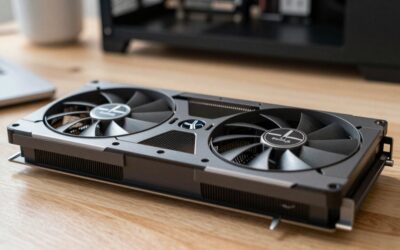
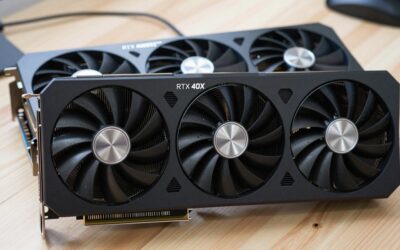
- Editing PC: 10-bit 4:2:2 footage is demanding; a recent GPU with hardware decoding, such as an RTX 50-series card, makes editing smoother.
Pick X If… Decision Table
| Pick this | If you… |
|---|---|
| Sony ZV-E10 II | Want a camera you can build a system around |
| DJI Osmo Pocket line | Travel often and want smooth footage with little setup |
| Canon PowerShot V1 | Want a compact with a wide lens for talking to camera |
| Canon G7 X Mark III | Need a lower-cost pocket camera |
| Sony ZV-E1 | Shoot indoors or at night and can accept a bigger kit |
| Canon R50 or Nikon Z30 | Want simple entry-level mirrorless |
Alternatives
- Modern smartphone: Good enough to start, especially with an external microphone and a gimbal.
- Action cameras: Very durable and stabilized, but lens and low-light quality are weaker for talking-head content.
- Webcam setup: For desk-based streaming and gaming content, a quality USB camera is cheaper and simpler.
Fit and Compatibility Notes
Lenses and mounts
A mirrorless camera ties you to a lens mount. Sony E-mount has a large range of lenses from Sony and third-party makers, while Canon RF-S and Nikon Z mounts have fewer low-cost options. A wide lens in the 10 to 20 mm range suits arm’s-length vlogging, and a stabilized lens helps with walking. Fixed-lens compacts and the Osmo Pocket line skip this decision, but you cannot change the field of view.
Cards, batteries and storage
Check the camera’s manual for the card speed class and format it supports, since high-bitrate 10-bit video can fail on slow cards. Plan for at least two spare batteries, and consider a USB power bank if the camera can charge or run from USB. Footage also fills drives quickly, so a computer with a large fast NVMe drive helps with editing.
Webcam use
Many of these cameras can act as a USB webcam, which suits streamers and meeting use. Look for the maker’s webcam software or driver, and confirm that it supports your operating system.
Tips for Better Vlog Footage
- Face a window or a soft light source rather than sitting under a harsh overhead light.
- Set the frame rate to match your editing project, commonly 24, 25, 30 or 60 fps.
- Use log profiles or LUT settings only if you plan to grade the footage, otherwise stick to standard color.
- Record a few seconds of room tone to help with audio cleanup.
- Record a full-length practice take before an important shoot, to see if heat or battery will stop it.
Editing on a PC
Long 4K clips and 10-bit 4:2:2 footage strain older machines. A recent six or eight-core processor, 32GB of memory and a graphics card with modern hardware decoding give smooth timelines. Editors using a Ryzen 7 9800X3D or an Intel Core Ultra 200S processor with an RTX 50-series or Radeon RX 9000 card benefit from faster exports, though support for hardware encoders varies by editing software, so read your editor’s documentation.
Who Should Skip a Dedicated Camera
If you post a few short clips a month, a recent phone with a clip-on microphone is a sensible starting point and costs nothing extra. A dedicated camera starts to pay off when you shoot regularly, need better low light, want longer recording, or want the choice of lenses. Starting with a phone and upgrading when you hit its limits is a reasonable path, and the lessons about lighting and audio carry over to any camera.
Frequently Asked Questions
Is a mirrorless camera better than a pocket gimbal for vlogging?
It depends on what you film. Mirrorless gives better image quality, low light and lens choice. A pocket gimbal is easier to carry and gives smoother walking footage.
Do I need 4K for vlogging?
Not strictly, since many platforms play back at 1080p. Shooting in 4K gives you room to crop and reframe in editing. It also needs more storage and a stronger editing computer.
What is the biggest drawback of the ZV-E10 II?
Reviewers point to the lack of in-body stabilization. Digital stabilization adds a crop, so a stabilized lens or a gimbal helps. One outlet also reported heat limits in extended 4K60 recording.
Is the Canon G7 X Mark III still worth buying?
It can still be a budget pocket option, but it is an older design and newer compacts like the V1 are preferred by recent roundups. Check the maker’s specifications for frame rates and microphone input.
What audio gear should I add first?
A clip-on or wireless microphone is generally the best first upgrade, since distance to the mic matters more than the camera’s built-in audio. Confirm your camera has a compatible input or hot shoe.
What computer do I need to edit vlog footage?
For 1080p, most modern PCs work. For 10-bit 4K footage, a recent multi-core processor, 32GB of memory and a GPU with hardware decoding make timelines far smoother.




Write Your Review
No reviews yet. Be the first to share your experience!