
A Ryzen 7 9800X3D build at this budget ceiling works best when the graphics card gets the largest share of the money: pair the processor with an RTX 5070 Ti or Radeon RX 9070 XT class card for 1440p and entry 4K gaming, and step down to an RTX 5070 or RX 9070 if you want more left for the board, storage and power supply. The 9800X3D is already the top gaming chip in its class, so everything else in the parts list should be sized to match it without waste.
- Why the 9800X3D Anchors the Build
- At a Glance: Suggested Parts by Role
- Choosing the Graphics Card
- Platform, Memory and Storage
- Power Supply, Case and Cooling
- Budget Tiers
- Pick X If… Decision Table
- Where to Save and Where Not To
- Alternatives
- Sample Build Logic
- Compatibility Notes
- Monitor and Peripherals
- Upgrade Path
- Frequently Asked Questions
Why the 9800X3D Anchors the Build
The Ryzen 7 9800X3D is an eight-core AM5 processor with AMD’s 3D V-Cache, and reviewers widely describe it as the leading gaming CPU in its generation. Because its large cache reduces dependence on fast memory, you can buy sensible parts around it rather than premium ones. That frees the budget for a stronger graphics card, which is where most extra frame rates come from at 1440p and 4K.
The processor uses the AM5 socket, DDR5 memory and supports PCIe 5.0 on compatible boards. It also leaves room for a later upgrade, since AMD has kept AM5 in use across several generations. Always read AMD’s specification page for the exact cache size, boost clock and thermal limits before finalizing the cooler.
At a Glance: Suggested Parts by Role
| Part | Best for | Example options | Limits |
|---|---|---|---|
| CPU | Top gaming performance | Ryzen 7 9800X3D | Eight cores; heavy rendering favors more cores |
| GPU, mid-range | 1440p high refresh | RTX 5070, Radeon RX 9070 | Less headroom for 4K ultra |
| GPU, upper tier | 1440p max, 4K gaming | RTX 5070 Ti, Radeon RX 9070 XT | Takes more of the budget; needs a stronger power supply |
| Motherboard | Value AM5 | B850 boards from ASUS, MSI, Gigabyte, ASRock | Fewer extras than X870 |
| Memory | Sweet spot | 32GB DDR5-6000 CL30 EXPO | Faster kits add little |
| Storage | Fast, simple | 1TB to 2TB PCIe 4.0 or 5.0 NVMe | PCIe 5.0 drives cost more and run hotter |
| Power supply | Headroom | 750W to 850W ATX 3.1 unit with a 12V-2×6 cable | Check the card maker’s recommended wattage |
| Cooler | Quiet cooling | Dual-tower air cooler or 240/360 mm AIO | Check case clearance |
Choosing the Graphics Card
RTX 5070 and RX 9070: the balanced pick
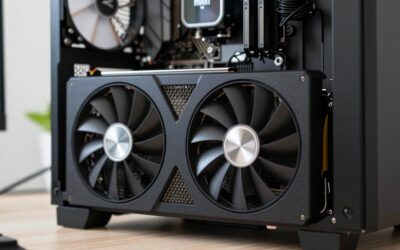
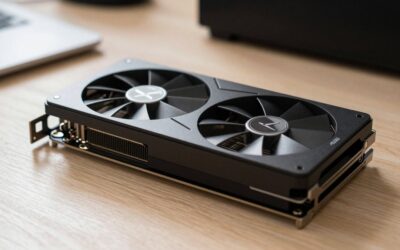
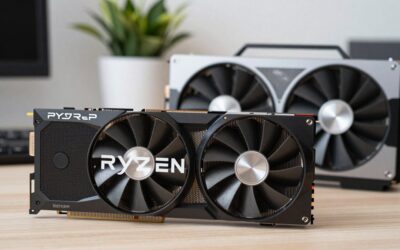
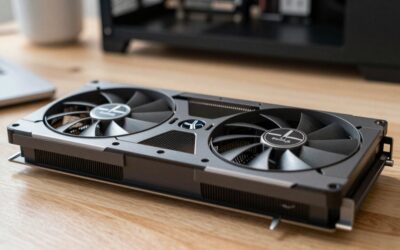
These cards target 1440p at high settings and deliver strong results with upscaling at 4K. They suit buyers who play fast competitive games and AAA titles at 144 Hz or higher. They draw less power, so a 750W unit is usually enough, and they fit many compact cases.
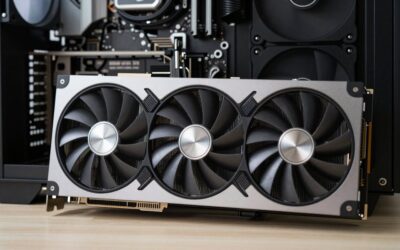
RTX 5070 Ti and RX 9070 XT: the performance pick
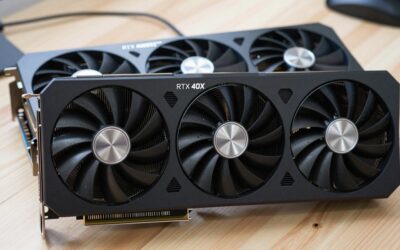
Both are commonly shown with the 9800X3D in builder showcases, including 4K builds. Reviewers describe them as the point where 4K at high settings with upscaling becomes comfortable. The RTX cards offer DLSS and strong ray tracing, while the Radeon side offers FSR and competitive raster performance. Which one is better value depends on the tier prices you see when you buy, so compare listings rather than relying on launch numbers.
When to go lower
If your monitor is 1080p, an RTX 5060 Ti or RX 9060 XT class card combined with the 9800X3D is still a very strong gaming setup, and you can put the saved money into a better monitor.
Platform, Memory and Storage
A B850 board gives you the features most builders need: PCIe 5.0 for the GPU slot or an M.2 drive on many models, WiFi 7 on a number of boards, and USB4 on some. Choose X870 only if you want extra connectivity or more lanes. Match the memory to the guidance in our RAM discussion: 32GB of DDR5-6000 CL30 with an EXPO profile is the standard answer for Ryzen. For storage, a 1TB drive is the minimum for a modern games library, and 2TB is more comfortable.
Do not overspend on a PCIe 5.0 SSD. Reviewers note that game load times differ little from a good PCIe 4.0 drive, and the fastest models need a heatsink and airflow.
Power Supply, Case and Cooling
Choose a reputable ATX 3.1 power supply with the 12V-2×6 connector used by current graphics cards. Aim for 750W with a mid-range card and 850W with a Ti or XT class card, then adjust to the manufacturer’s recommendation. The 9800X3D is reasonably efficient, so a dual-tower air cooler or a 240 mm liquid cooler is generally enough. For the case, pick a mesh-front model with two or three intake fans. Check the maximum graphics card length and the cooler height limit before buying.
Budget Tiers
| Tier | Build direction | Trade-off |
|---|---|---|
| Lower | 9800X3D, RTX 5060 Ti or RX 9060 XT, B850, 32GB, 1TB | Excellent for 1080p and 1440p, limited 4K |
| Middle | 9800X3D, RTX 5070 or RX 9070, 32GB, 1TB to 2TB, 750W | Balanced; the most common choice |
| Upper | 9800X3D, RTX 5070 Ti or RX 9070 XT, 32GB, 2TB, 850W | Pushes the budget; basic case and board |
Pick X If… Decision Table
| Pick this | If you… |
|---|---|
| RTX 5070 / RX 9070 build | Play at 1440p and want a balanced budget |
| RTX 5070 Ti / RX 9070 XT build | Want 4K options and are happy to trim the case and board |
| RTX 5060 Ti / RX 9060 XT build | Play at 1080p or want to save for a monitor |
| RTX option | Value DLSS, ray tracing and streaming encoders |
| Radeon option | Value raster performance and a more open upscaler |
Where to Save and Where Not To
- Save on: RGB, premium RAM, PCIe 5.0 storage, a flagship motherboard.
- Do not skimp on: the power supply, case airflow and a quality cooler.
- Peripherals: Remember that a monitor and input devices are not covered by the parts list above.
Alternatives
- Ryzen 7 7800X3D: Previous generation, often cheaper, and still strong for gaming.
- Ryzen 9 9950X3D: Costs more and mainly helps if you also do heavy creative work.
- Intel Core Ultra 200S: A choice for mixed productivity, though reviewers generally place AMD X3D ahead in gaming.
Sample Build Logic
A practical way to plan is to rank the parts by their effect on gaming. The graphics card comes first, the processor second, then memory and storage, and finally the case, cooler and extras. Starting from a Ryzen 7 9800X3D, a B850 board, 32GB of DDR5-6000 CL30, a 1TB or 2TB NVMe drive and a 750W to 850W power supply, you fill the remaining budget with the best graphics card that still leaves a decent case and cooler. If the total is over the ceiling, trim the SSD to 1TB, choose a simpler board, and pick air cooling before you step down the GPU tier.
Compatibility Notes
- BIOS: A B850 or X870 board is built for Ryzen 9000, so a BIOS update is rarely needed, but older B650 boards might need one to recognize the chip.
- Cooler mounting: Most AM5 sockets reuse the AM4 cooler hole pattern, but confirm that the cooler lists AM5 support.
- Power connector: Current RTX 50-series cards use the 12V-2×6 connector. Make sure the cable is fully seated, and follow the maker’s guidance on cable bends.
- Case clearance: Many RTX 5070 Ti and RX 9070 XT models are long and thick, so compare the case limit with the specific card.
- Memory: Use two modules and enable EXPO in the BIOS.
Monitor and Peripherals
A powerful PC is held back by a weak display. For a 9800X3D with an RTX 5070 class card, a 1440p monitor at 144 Hz or higher is a sensible match. With an RTX 5070 Ti or RX 9070 XT class card, a 4K 120 Hz or 144 Hz monitor is a good partner. Set aside part of the total for this, as well as for a keyboard, mouse and an operating-system licence, which are not included in the parts list above.
Upgrade Path
AM5 has stayed in use across several processor generations, so a board bought now can accept later chips. The graphics card is the part most likely to be replaced first, which is why a power supply with spare capacity and a case with generous clearance are worth buying at the start. Memory and storage can be added later as prices and needs change.
Frequently Asked Questions
Is the 9800X3D worth it over a cheaper Ryzen?
For high-refresh gaming, reviewers say yes, because its cache gives a large lead in many titles. At 4K the gap narrows since the graphics card becomes the limit. If you mostly play at 4K, a cheaper chip with a stronger GPU may be better.
Should I spend more on the CPU or the GPU?
With the 9800X3D already chosen, extra money gives more frame rates on the graphics card. A weak GPU will bottleneck the build far sooner than the processor.
How much power supply do I need?
Many builders pick 750W for a mid-range card and 850W for a Ti or XT class card. The card maker’s specification page lists a recommended minimum, which you should follow. Choose a unit with the correct 12V-2×6 cable.
Do I need a liquid cooler?
No. A good dual-tower air cooler handles the 9800X3D, and liquid coolers mainly add looks or help in tight cases. Confirm the cooler’s AM5 mounting support.
Is DDR5-6000 enough?
Yes. Faster memory gives very small gains with X3D chips. A 32GB DDR5-6000 CL30 EXPO kit is the standard recommendation.
Will this build run 4K?
The 5070 Ti and RX 9070 XT class builds can handle 4K in many games with upscaling. Demanding titles at ultra settings may need lower presets, so set expectations by game rather than by headline resolution.



Write Your Review
No reviews yet. Be the first to share your experience!