
- Top Pick: DalaiTech Open Frame & DIY PC Case ExclusiveGraphics Card Anti-Sag Holder, PCIe Slot Universal GPU Support Stand with Screws Included
- Best Value: LIAN LI Universal 4-Slots GPU KIT – White
- Premium Choice: Lian Li Universal 4- Slots Vertical GPU kit (with Gen 4 Riser) Black, Compatible with O11 Vision / O11D EVO XL / O11D EVO – VG4-4-V2X
The Short Answer
GPU slot width describes how many rear expansion-slot openings a graphics card occupies in a PC case. A standard expansion slot is about 0.79 inch (20 mm) tall at the rear of the case, so a “2-slot” graphics card takes roughly two adjacent openings, while a 3.5-slot card needs nearly four.
This number matters because the card’s cooler extends below the PCIe connector, not because the card’s metal rear bracket is necessarily that wide. A graphics card marketed as 3 slots wide may physically measure 2.4 to 2.7 inches thick, while a 3.5- or 4-slot model can exceed 3 inches. Always check the manufacturer’s stated thickness in millimeters or inches alongside the number of case slots available.
As an Amazon Associate we earn from qualifying purchases at no extra cost to you. Product prices and availability are accurate as of the date shown and are subject to change.


For most modern builds in 2026, a case with seven horizontal expansion slots accommodates a standard motherboard and most large GPUs. However, the GPU’s thickness can block neighboring PCIe slots, limit access to bottom-mounted fans, or create clearance problems with a side panel or vertical-mount kit.
Standard Sizes
Case slot counts are a useful shorthand, but measurements are more reliable. The table below uses the standard approximately 20 mm spacing between adjacent expansion-slot positions. Actual graphics-card shrouds can extend slightly beyond these nominal figures.
| GPU Width Rating | Approximate Space Occupied | Typical Physical Thickness Range | What It Usually Means |
|---|---|---|---|
| 1 slot | 0.79 in / 20 mm | 0.71–0.87 in / 18–22 mm | Low-profile, workstation, or compact single-fan card |
| 1.5 slots | 1.18 in / 30 mm | 0.98–1.30 in / 25–33 mm | Compact card with a modest cooler |
| 2 slots | 1.57 in / 40 mm | 1.38–1.77 in / 35–45 mm | Traditional mainstream dual-slot graphics card |
| 2.5 slots | 1.97 in / 50 mm | 1.77–2.17 in / 45–55 mm | Common dual- or triple-fan performance card |
| 3 slots | 2.36 in / 60 mm | 2.17–2.56 in / 55–65 mm | Large air cooler; may cover adjacent PCIe slots |
| 3.5 slots | 2.76 in / 70 mm | 2.56–2.95 in / 65–75 mm | Extra-thick high-performance cooler |
| 4 slots | 3.15 in / 80 mm | 2.95–3.35 in / 75–85 mm | Very large cooler or vertically mounted GPU assembly |
Do not confuse slot width with GPU length or height. Length runs from the rear I/O bracket toward the front of the case and commonly ranges from 6.7 to 14.5 inches (170 to 368 mm). Height runs upward from the motherboard and is especially important for side-panel and power-cable clearance; many current cards are 5.0 to 5.9 inches (127 to 150 mm) tall.
Most ATX mid-tower cases provide seven horizontal expansion slots. Micro-ATX cases commonly have four, and Mini-ITX cases generally have two or three. The number of openings does not set the maximum GPU thickness by itself, but it determines whether the card can physically sit in the intended PCIe position and what other add-in cards it will obstruct.
How to Measure Your Space
- Check the graphics card specification page. Record its exact length, height, and thickness. Favor the listed metric dimensions, such as 320 x 140 x 62 mm, over a simple “3-slot” label.
- Count the open rear expansion slots. Look at the back of the case. A conventional horizontally installed GPU uses the top full-length PCIe slot on the motherboard and extends downward across additional openings.
- Measure thickness clearance from the motherboard outward. With the side panel removed, measure from the PCIe slot area toward the panel. Compare this with the card’s thickness. Leave at least 0.4 inch (10 mm) beyond the shroud where possible for airflow and installation tolerance.
- Measure GPU length from the rear bracket to the front obstruction. Check for front radiator fans, drive cages, pump tubes, or cable channels. If a case lists 13.0 inches (330 mm) of GPU clearance and the card is 12.8 inches (325 mm), the fit is technically possible but uncomfortably tight.
- Measure side-panel clearance for power connectors. A card may fit lengthwise and still press its 8-pin or 16-pin power cable against the glass. For tall cards, allow about 1.4 to 1.8 inches (35 to 45 mm) from the connector face to the panel for a cable bend without sharp strain.
- Inspect the slots below the GPU. A 3-slot card installed in the top PCIe x16 slot can cover one or two lower PCIe slots. This matters if you need a capture card, sound card, Wi-Fi adapter, or other expansion card.
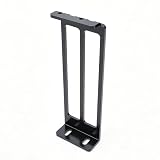
- Plan for support. Long, heavy cards can sag. Cards weighing roughly 3.3 pounds (1.5 kg) or more benefit from a bracket or support stand. Basic adjustable anti-sag supports are often around $8 to $20; the DalaiTech open-frame support is an example priced around $9.90.
By Room or Use Case
Small Bedroom or Apartment Desk Setup
For a compact desk, Mini-ITX and small micro-ATX cases save floor space but demand careful measurements. A 2-slot card is the easiest fit, while 2.5-slot models are common in compact gaming builds. Avoid assuming that a two-slot Mini-ITX case will accept every two-slot GPU: front-mounted radiators can reduce available length by 1.0 to 2.2 inches (25 to 55 mm), and narrow cases may limit cooler thickness to about 2.0 inches (50 mm).
Choose a shorter card when possible, ideally under 11.0 inches (280 mm), and prioritize a case with a published maximum GPU thickness rather than only a slot count.
Home Office Workstation
A standard ATX mid-tower is usually the most flexible choice for a work-from-home PC with a powerful GPU, multiple storage drives, or add-in cards. Look for seven expansion slots, at least 2.8 inches (70 mm) of GPU thickness clearance, and room for a card 12.6 inches (320 mm) long or more.
If you need a capture card, 10Gb Ethernet card, or additional USB expansion card, a 2- or 2.5-slot GPU leaves more useful motherboard slots open than a 3.5-slot model. This is often a more important practical consideration than whether the case itself has seven rear openings.
Living Room Media or Console-Style Build
Living room cases tend to be low and wide, which changes the fitting problem. Many use a PCIe riser cable so the GPU lies parallel to the motherboard. In these cases, check the maximum GPU thickness particularly closely. A card that is 2.75 inches (70 mm) thick may fit in a conventional tower but be too thick for a slim horizontal chassis.
Also account for heat. A GPU cooler needs breathing room beside its intake fans. Aim for at least 0.5 inch (13 mm) between the fan face and a vented side panel; 0.8 inch (20 mm) or more is preferable for a quieter build.
Showpiece, Glass-Side, or Vertical GPU Build
Vertical mounting displays the GPU’s fan side or backplate, but it uses more case depth and can place the fans close to the side glass. A vertical kit commonly occupies four rear case slots even if the graphics card itself is only 2.5 or 3 slots thick. Universal four-slot vertical kits generally cost about $70 to $90, with the LIAN LI Universal 4-Slots GPU Kit listed around $77.99.
Confirm four separate points: the case supports vertical mounting, the kit fits its slot spacing, a compatible PCIe riser is included or budgeted for, and the GPU fans will not sit against glass. Leave at least 0.8 inch (20 mm) of fan-to-panel space when possible. A cramped vertical installation can raise noise because fans must work harder to draw air through a narrow gap.
Common Sizing Mistakes
Buying by slot number alone. “3-slot” is not a universal physical measurement. One 3-slot card may be 58 mm thick and another 65 mm thick. Use exact dimensions.
Forgetting the side panel. GPU thickness tells only part of the story. Tall cards and stiff power cables can contact a tempered-glass panel even when the cooler itself clears.
Ignoring radiator and fan clearance. A front radiator plus fans can take 2.0 to 3.2 inches (50 to 80 mm) from stated GPU length capacity.
Blocking required PCIe expansion. A thick GPU can cover lower slots on the motherboard. Map out capture cards, networking cards, and storage adapters before choosing a 3-slot-plus card.
Using a vertical kit without checking airflow. A four-slot bracket may install correctly but position the GPU too close to glass. Fit is not the same as usable cooling clearance.
FAQ
What does a 3-slot GPU mean?
A 3-slot GPU occupies about 2.36 inches (60 mm) of rear expansion-slot space and generally has a cooler around 2.17 to 2.56 inches (55 to 65 mm) thick. It will usually block the expansion slots directly below the main PCIe x16 slot.
Will a 3-slot GPU fit in a 7-slot ATX case?
Usually, yes. A seven-slot ATX case has enough rear openings for a conventional 3-slot GPU. You still need to verify the case’s maximum GPU length, thickness clearance, height clearance, radiator arrangement, and side-panel cable space.
How many slots does a vertical GPU mount need?
Many universal vertical GPU mounts require four case expansion slots. That requirement applies to the mounting bracket, not necessarily the graphics card’s own cooler width. Check the kit’s case compatibility and whether it includes a PCIe Gen 4 riser cable.
Is a GPU anti-sag bracket necessary?
It is not mandatory, but it is sensible for long or heavy cards, especially models around 12 inches (305 mm) or longer and those weighing more than about 3.3 pounds (1.5 kg). A simple support stand or bracket helps keep the card level and reduces long-term strain on the PCIe slot.







Write Your Review
No reviews yet. Be the first to share your experience!