
- Top Pick: GIGABYTE GeForce RTX 5070 Ti Gaming OC 16G Graphics Card, 16GB 256-bit GDDR7, PCIe 5.0, WINDFORCE Cooling System, GV-N507TGAMING OC-16GD Video Card
- Best Value: ASUS Dual NVIDIA GeForce RTX 5060 Ti 16GB GDDR7 OC Edition Graphics Card, (PCIe 5.0, DLSS 4, HDMI 2.1b, DisplayPort 2.1b, 2.5-Slot, Axial-tech Fan, 0dB Technology), 3 Year Warranty
- Premium Choice: PNY NVIDIA Quadro P4000
Simulation games are a special breed. Titles like Microsoft Flight Simulator, city builders, and detailed racing sims stress hardware in ways shooters never do, demanding high VRAM for sprawling scenery, strong single-threaded performance, and steady frame times over raw peak numbers. Add multi-monitor cockpits and VR headsets to the mix, and the GPU requirements climb quickly. Choosing the right card keeps your world detailed and your frame rate smooth.
This roundup highlights the best Nvidia GPUs for simulation gaming in 2026, from high-VRAM RTX 50-series cards to professional Quadro options for the most complex setups. Whether you fly airliners across photoreal terrain or manage a million-citizen metropolis, these picks handle the draw distance and memory demands that make sims tick.
As an Amazon Associate we earn from qualifying purchases at no extra cost to you.


⚡ Save on Your Next PC — Amazon Prime
Prime members get fast free shipping on the systems above, plus early access to Prime Day & Black Friday PC deals. New members get a 30-day free trial.
Watch: The Best Nvidia GPUs for Simulation Games (Flight Sim, etc.) — Video Review
How to Choose
- VRAM for scenery: Flight and city sims load enormous texture and terrain data. Aim for 12GB or more, and 16GB for photoreal scenery with add-ons at high settings.
- Frame-time consistency: Sims reward smooth, stutter-free delivery over peak frames. A card with ample memory avoids the hitches that break immersion.
- Multi-monitor and VR: Cockpit setups and headsets multiply the rendering load. Choose a stronger card if you run triple screens or VR.
- Professional vs. gaming cards: Quadro-class cards offer huge VRAM and certified stability for extreme setups, while GeForce cards deliver better value for typical sim gaming.
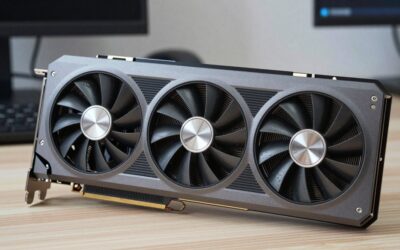
- Cooling for long sessions: Sim flights and campaigns run for hours. Prioritize a cool, quiet triple-fan design for sustained performance.
The Best Picks Reviewed
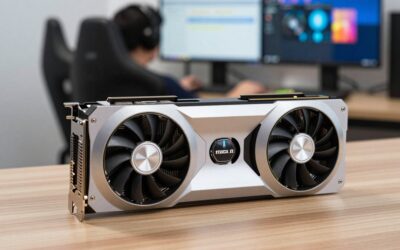
GIGABYTE GeForce RTX 5070 Ti Gaming OC 16G
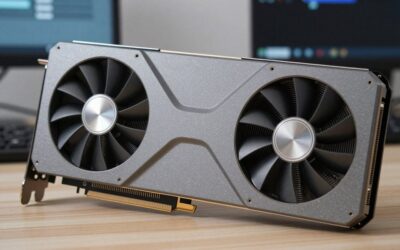
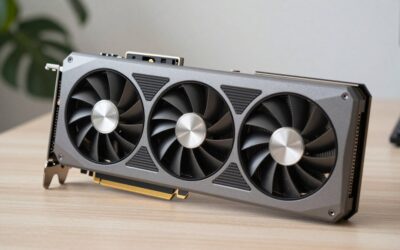
The 5070 Ti is the sim enthusiast’s sweet spot, with 16GB of fast GDDR7 that soaks up photoreal scenery and dense city textures without stutter. Its strong performance and modern DLSS 4 support keep frame times smooth even in demanding flight sims, making it the best all-around pick here.
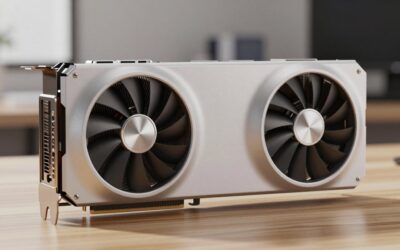
ASUS Dual NVIDIA GeForce RTX 5060 Ti 16GB GDDR7 OC
The 5060 Ti brings a generous 16GB buffer to a mid-range price, ideal for sim fans who want scenery headroom without flagship spending. It handles high-detail flight and building sims at 1080p and 1440p, and the large VRAM future-proofs against add-on-heavy scenery.
PNY NVIDIA RTX A6000
For the most extreme setups, the professional RTX A6000’s massive 48GB of memory and certified drivers handle enormous scenery databases, complex simulations, and multi-display cockpits with ease. It is overkill for casual play but unmatched for professional-grade simulation and training rigs.
GIGABYTE GeForce RTX 5070 Gaming OC 12G
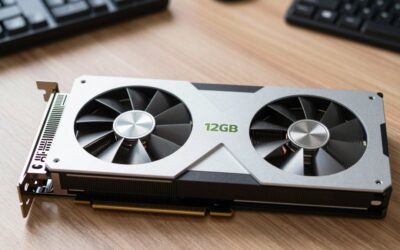
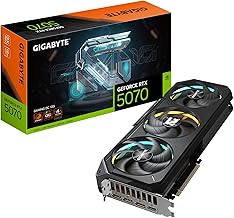
The 5070 delivers modern performance and 12GB of GDDR7 at a friendlier price, a solid choice for single-monitor sim gaming at high settings. It balances scenery detail and frame smoothness well, making it a dependable pick for most flight and management sim players.
PNY NVIDIA Quadro P4000
The Quadro P4000 is a compact, single-slot professional card with certified stability for CAD-adjacent and simulation workloads. It is a niche pick for workstation-style sim setups that value reliability and pro driver support over gaming frame rates.
Frequently Asked Questions
How much VRAM do simulation games need?
More than most genres. Photoreal flight sims and detailed city builders benefit from 12GB minimum, with 16GB recommended for high settings, scenery add-ons, or multi-monitor cockpits.
Do simulation games need a professional GPU?
Not usually. A GeForce card like the RTX 5070 Ti handles nearly all sim gaming beautifully. Professional cards like the A6000 only make sense for extreme scenery databases or professional training simulators.
Why do sims stutter even on powerful GPUs?
Sims stream huge amounts of terrain and texture data, and insufficient VRAM or CPU bottlenecks cause hitches. Ample memory and a strong CPU with fast storage are key to smooth, stutter-free simulation.
Is VR harder to run in flight sims?
Yes, significantly. VR roughly doubles the rendering workload and demands high, steady frame rates. Choose a stronger card with plenty of VRAM if you fly in VR to avoid discomfort from dropped frames.
Final Thoughts
Simulation games reward VRAM and frame-time consistency above all, and the RTX 5070 Ti hits that balance perfectly for most players with its 16GB buffer and smooth performance. Budget-minded sim fans get great value from the 5060 Ti, while professional setups can lean on the enormous memory of the A6000. Match the card to your scenery detail, monitor count, and VR ambitions, and your virtual worlds will stay detailed and fluid.

Write Your Review
No reviews yet. Be the first to share your experience!