
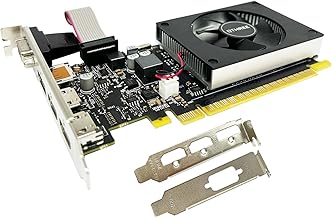
- Top Pick: QTHREE GeForce GT 730 4GB Graphics Card,2X HDMI, DP,VGA,DDR3,64 Bit,Low Profile Video Card for PC,Computer GPU,PCI Express X8,SFF,DirectX 12,Support Winows 11
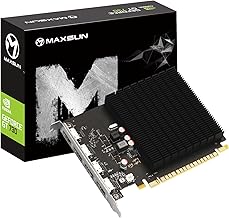
- Best Value: GT 730 Graphics Card 4GB DDR3 64-bit, 2 HDMI, DisplayPort, VGA, Video Card | Maximum 4 Displays, Entry-level Computer GPU for Video Output and Light Desktop, Kepler Architecture for Windows 11
- Premium Choice: PNY NVIDIA NVS 510 Graphics Card with DisplayPort Accessories VCNVS510DP-PB
Not every dual-monitor setup needs a gaming powerhouse. If your goal is two, three, or four screens for productivity, trading, coding, or a home office, what you actually need is enough display outputs, reliable multi-display drivers, and low power draw, not raw frame rates. Choosing the right Nvidia GPU for a multi-monitor build is about matching outputs and efficiency to your workload.
This roundup walks through the best Nvidia cards for dual and multi-monitor setups in 2026, spanning ultra-efficient low-profile cards for office PCs to a capable RTX option for those who also game. Whether you are wiring up two 1080p panels or a four-screen trading wall, the right card keeps every display sharp and stable.
As an Amazon Associate we earn from qualifying purchases at no extra cost to you.




⚡ Save on Your Next PC — Amazon Prime
Prime members get fast free shipping on the systems above, plus early access to Prime Day & Black Friday PC deals. New members get a 30-day free trial.
Watch: Building a Dual-Monitor Setup: Choosing the Right Nvidia GPU — Video Review
How to Choose
- Count your outputs: Match the card’s ports to your monitors. Some low-profile cards drive up to four displays via a mix of HDMI, DisplayPort, and VGA.
- Low-profile fit: Small-form-factor and office PCs need low-profile cards. Confirm the bracket and card height fit your case before buying.
- Gaming or pure productivity: If you only need desktop, spreadsheets, and video, a GT 730-class card suffices. If you also game, step up to an RTX 3050.
- Resolution and refresh: For high-refresh or 4K panels, ensure the card’s outputs support the bandwidth. Older cards may cap at 60Hz or lower resolutions.
- Passive vs. active cooling: Fanless low-profile cards run silent for a quiet office, while active-cooled cards handle heavier multi-display loads.
The Best Picks Reviewed
QTHREE GeForce GT 730 4GB (2x HDMI, DP, VGA)
The QTHREE GT 730 is the multi-monitor value champion, driving up to four displays through its varied output selection. With 4GB of DDR3 and low power draw, it is perfect for office, trading, or dashboard setups where you need screens, not frames. A silent, no-fuss workhorse.
maxsun GeForce GT 730 4GB Single Slot
The maxsun GT 730 fits the tightest single-slot cases and small-form-factor office PCs. It delivers dependable dual and triple-monitor output for productivity at minimal power cost, making it an easy upgrade for a prebuilt desktop lacking enough video ports.
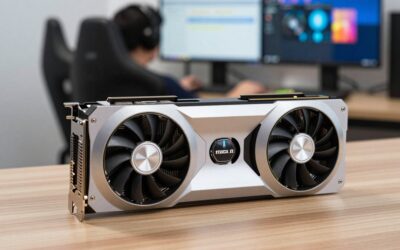
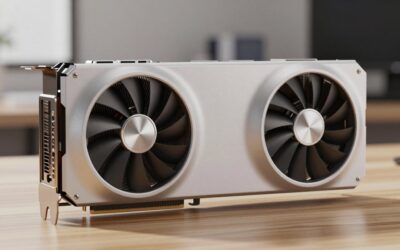
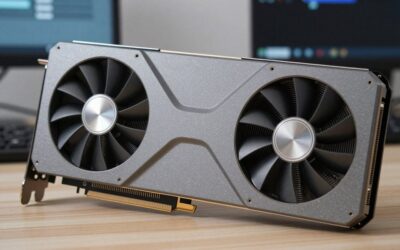
ASUS Dual NVIDIA GeForce RTX 3050 6GB OC Edition
If your multi-monitor rig doubles as a gaming machine, the RTX 3050 is the sweet spot. It drives multiple displays comfortably while offering real 1080p gaming, DLSS support, and modern outputs, all in a compact dual-fan design that fits most cases.
PNY NVIDIA NVS 510 (DisplayPort)
The NVS 510 is a professional multi-display card built specifically for four-monitor DisplayPort walls. It is the pick for trading desks and control rooms that need certified stability across many screens rather than gaming performance.
Glorto GeForce GT 730 4GB Low Profile
The Glorto low-profile GT 730 brings four-display capability to slim cases with its HDMI, DP, and VGA outputs. It is an inexpensive way to expand an existing office PC to a dual or triple-monitor setup without upgrading the power supply.
Frequently Asked Questions
Do I need a powerful GPU for dual monitors?
No. For productivity, browsing, and video across two screens, a modest card like a GT 730 is plenty. You only need a stronger card if you game or do GPU-accelerated creative work on those displays.
How many monitors can one GPU support?
Most modern Nvidia cards support up to four displays, limited by the number and type of outputs. Check the port layout against your monitors’ connectors before buying.
Can a low-profile card drive high-resolution monitors?
Basic cards handle multiple 1080p screens easily, but 4K or high-refresh panels need a card with modern DisplayPort or HDMI outputs. Verify the supported resolution and refresh on each port.
Should I choose a fanless card for my office?
If silence matters and your workload is light, a passively cooled low-profile card is ideal. For heavier multi-display or gaming loads, an actively cooled card like the RTX 3050 stays cooler under pressure.
Final Thoughts
Building a dual-monitor setup is about outputs and stability, not horsepower. For pure productivity, a low-profile GT 730 drives multiple screens silently and cheaply; for a professional display wall, the NVS 510 delivers certified reliability; and if you game too, the RTX 3050 covers both bases. Count your ports, confirm the card fits your case, and you will have a rock-solid multi-monitor workspace.

Write Your Review
No reviews yet. Be the first to share your experience!