
- Top Pick: ASUS Dual NVIDIA GeForce RTX 5060 Ti 16GB GDDR7 OC Edition Graphics Card, (PCIe 5.0, DLSS 4, HDMI 2.1b, DisplayPort 2.1b, 2.5-Slot, Axial-tech Fan, 0dB Technology), 3 Year Warranty
- Best Value: ASUS Dual NVIDIA GeForce RTX 3050 6GB GDDR6 OC Edition Gaming Graphics Card – PCIe 4.0, HDMI 2.1, DisplayPort 1.4a, 2-Slot Design, Axial-tech Fan Design, Steel Bracket, 3 Year Warranty
- Premium Choice: Nvidia RTX 2000 ADA 16GB Graphics Card
NVIDIA Studio Driver vs Game Ready is a choice every GeForce owner faces, and picking the wrong one can mean either missing day-one game optimizations or trading away rock-solid stability in your creative apps. If you are unsure which branch to install, this comparison settles it. We will lay out exactly how the two differ, which one suits gamers, creators, and mixed users, whether you can switch between them, and how to choose the right branch for your specific workflow.
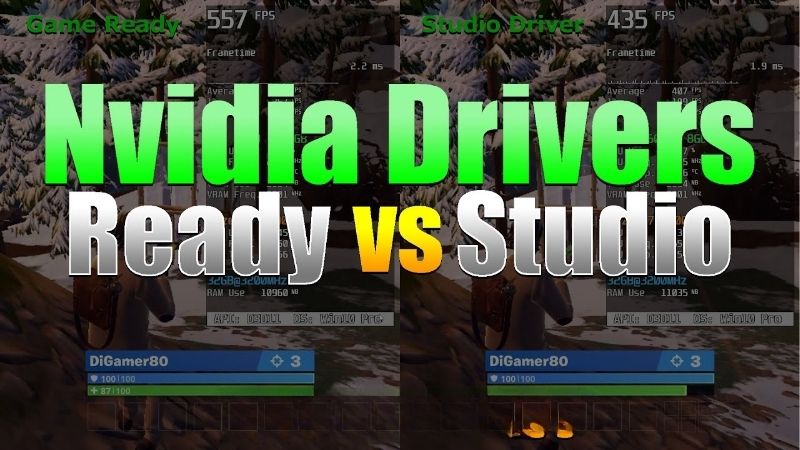
The Quick Verdict: Studio vs Game Ready
For the impatient: install Game Ready if you mainly play games, and install Studio if you mainly create content in applications like video editors and 3D software. Both use the same GPU and deliver similar raw performance; the difference is what each is tuned and tested for.
That shared foundation is why the choice feels bigger than it is. You are not picking between a fast driver and a slow one, but between two versions of the same driver, each polished for a different kind of user.
If You Play the Latest Games
Game Ready drivers are built for players. Nvidia releases them alongside major game launches, so you get day-one optimizations and the smoothest possible experience in new titles.
If your PC is primarily for gaming and you like playing new releases at launch, Game Ready is the obvious choice, since it delivers the performance tuning those games are designed around.
It is also the branch most reviewers and benchmarks use, so if you like comparing your performance against published numbers, Game Ready keeps you on the same footing as the results you read online.
If You Create Content
Studio drivers prioritize stability and reliability in creative applications. They are validated against professional software like video editors, 3D renderers, and design tools to minimize crashes during demanding work.
For creators who cannot afford a crash mid-render or mid-edit, the Studio branch trades day-one game tuning for the dependable consistency that professional workflows demand.
The reliability payoff shows up most on long, complex jobs, where a single crash can cost hours of work. For anyone whose time or income depends on a render finishing cleanly, that dependability easily outweighs the slower update pace.
The Short Answer
Match the branch to your main use. Gamers take Game Ready for the latest optimizations; creators take Studio for validated stability. If you do both, the tie-breaker is which activity matters more to you, a question the later sections help answer.
One reassuring point up front: this is a low-stakes decision because it is fully reversible. Whichever branch you start with, you can move to the other in minutes if your needs change, so there is no wrong first choice to regret.
That freedom to change your mind later is worth remembering whenever a driver decision starts to feel high-stakes, because in this case it genuinely is not, and a quick reinstall fixes any regret.
The rest of this comparison explains the real differences so you can choose confidently rather than guessing.
Studio Driver vs Game Ready: Key Differences
On the surface these branches look identical, but they differ in release cadence, tuning focus, and testing. Understanding those distinctions is what lets you match the right branch to how you actually use your card, so here is how they compare on the fundamentals.
| Aspect | Game Ready Driver | Studio Driver |
|---|---|---|
| Primary focus | Latest games | Creative apps |
| Update frequency | Frequent, around launches | Less frequent |
| Optimized for | Day-one game performance | App stability |
| Validation | New game titles | Professional software |
| Best user | Gamers | Creators, professionals |
| Gaming performance | Latest optimizations | Solid, slightly behind on day one |
Update Frequency
Game Ready drivers release often, timed to major game launches so you always have the newest optimizations available. If you play new releases, this cadence keeps you current.
Studio drivers update less frequently, focusing on stability rather than chasing every new title. For creators, fewer updates mean fewer disruptions to a stable, known-good setup.
This difference in cadence reflects the different priorities. Gamers benefit from frequent updates tied to new releases, while creators often prefer stability, where an unnecessary update is a risk rather than a reward.
Optimization Focus
The core difference is what each branch is tuned for. Game Ready targets peak performance and smoothness in the latest games, delivering the day-one tuning those titles expect.
Studio targets consistency in creative applications, prioritizing reliable behavior in editing, rendering, and design software over squeezing out the last frame in a brand-new game.
Because both branches share the same underlying driver technology, this is a difference of emphasis rather than a fundamental divide. Each is simply tuned and validated for the workload its users care about most.
Stability and Validation
Both branches are stable, but they are validated differently. Game Ready is tested heavily against new games, while Studio undergoes additional validation with professional creative applications.
This extra validation is why creators favor Studio: it is specifically vetted for the software they rely on, reducing the risk of a crash during a long render or an important project.
For hobbyists the difference is smaller, but for professionals it is significant. When a deadline is on the line, a driver specifically vetted against your software removes one more variable from an already demanding workflow.
Deep Dive: Which One for Your Workflow
The right choice depends on what you do most, so it helps to look closely at how each branch performs where it matters. Comparing them by real-world scenario, rather than by label, makes the decision straightforward for your situation.
Gaming Performance Compared
For gaming, Game Ready is the better fit purely because of timing. Its optimizations arrive with new releases, so you get the intended performance from day one.
Studio drivers still run games perfectly well, and away from launch day the performance difference is often negligible. The gap is mainly about day-one tuning rather than raw capability.
In practice, a gamer on Studio drivers would rarely notice a problem outside of major launch windows, but a gamer who wants every optimization the moment a game arrives should run Game Ready.
The takeaway is that Studio is not a penalty for gamers so much as a slight delay in receiving new-game tuning. Outside of the days around a major launch, most players would be hard-pressed to tell which branch they are running.
Creative App Stability
For creative work, Studio’s validation is the deciding factor. The branch is tested against professional applications, which reduces crashes and glitches during demanding editing and rendering.
Game Ready drivers can run creative apps too, but they lack that extra professional validation, so a heavy creative user may encounter more instability during long, intensive sessions.
If your livelihood or serious hobby depends on stable creative software, Studio is the safer, more dependable choice, and the peace of mind is worth the less frequent updates.
Pros and Cons of Each Branch
Game Ready’s pros are day-one game optimizations, frequent updates, and the smoothest experience in new titles; its con is slightly less validation for professional creative software. It is the clear gaming choice.
Studio’s pros are rock-solid stability in creative apps, professional validation, and fewer disruptive updates; its cons are a slower cadence and the occasional wait for day-one game tuning. For creators, that trade strongly favors Studio, while for pure gamers the balance tips the other way.
The reassuring reality is that neither branch is a bad choice for the other group. A gamer on Studio still games well, and a creator on Game Ready still creates; the branches simply optimize the experience for their intended audience.
Switching, Mixing, and Choosing
You are not locked into one branch forever, and understanding your flexibility makes the decision far less stressful. Knowing how to switch, and what to do on a machine used for both gaming and creation, rounds out the picture so you can commit without worry.
Can You Switch Between Them?
Yes, switching between Studio and Game Ready is straightforward. You simply download the branch you want and install it, ideally with a clean install to avoid leftover conflicts.
This flexibility means your choice is never permanent. If your needs change, or you want to test which branch behaves better for you, moving between them is a quick, low-risk process.
The one habit worth keeping is to do a clean install when switching, which clears out the previous branch’s settings and avoids the rare conflicts that can arise from layering one driver directly over another.
This makes experimentation genuinely safe. If you are unsure which branch suits a mixed workload, you can try one for a while, switch cleanly to the other, and judge from direct experience rather than guesswork.
What About a Mixed Gaming and Creative PC?
Many people use one PC for both gaming and content creation, which makes the choice less obvious. The practical guidance is to pick the branch that matches your more demanding or more important activity.
If gaming is your priority and creative work is occasional, run Game Ready. If your creative work is serious or income-generating, run Studio and accept that games will still run well, just without the very newest day-one tuning.
In truth, most mixed users are perfectly happy on either branch, since the day-to-day difference is small outside of launch windows and demanding professional sessions. Pick the one that covers your most important use and stop worrying about it.
Final Recommendation
The simplest rule is to follow your dominant use. Most gamers should run Game Ready, most creators should run Studio, and mixed users should choose based on which activity they cannot afford to compromise.
Whichever branch you pick, keeping it current and installing cleanly matters more than the branch itself for day-to-day stability. And if your card struggles regardless of driver, the hardware may be the limit, in which case the recommended GeForce GPUs linked here are a strong starting point.
For the vast majority of users, though, the honest advice is to pick the branch that matches your main activity and then stop thinking about it. The difference is real but modest, and obsessing over it yields far less than simply keeping whichever branch you choose current.
See More:
Final Verdict: NVIDIA Studio Driver vs Game Ready
The NVIDIA Studio Driver vs Game Ready choice really comes down to one question: are you primarily a gamer or a creator? Game Ready delivers day-one game optimizations and frequent updates for players, while Studio offers professionally validated stability for creative applications, with both running the same hardware at similar raw performance.
Gamers should install Game Ready, creators should install Studio, and mixed users should follow their most important workload, safe in the knowledge that switching later is easy. Keep whichever branch you choose current and install it cleanly, and if your card can no longer keep up in the software you rely on, compare the recommended GeForce cards linked throughout this comparison for an upgrade that will.
Frequently Asked Questions
What is the real difference between the two?
They are built from the same code base but validated differently. Game Ready drivers are tested and tuned against upcoming game releases and ship on launch days. Studio drivers undergo extended testing against creative application versions such as Adobe, Autodesk, Blender and DaVinci Resolve, and release less frequently.
Will Studio drivers slow my games down?
No, gaming performance is essentially identical for titles that already existed when the Studio branch was validated. What you lose is day-one optimization for brand new releases, which can be a meaningful frame rate difference in the first weeks after a major game launches.
Do Game Ready drivers break creative apps?
Rarely, but it happens. Because they release quickly to hit game launch dates, they occasionally introduce regressions in specific plugin or GPU acceleration paths in professional software. If your income depends on a stable render pipeline, the Studio branch is the safer default.
Which should a streamer or hybrid user pick?
If you play new releases and also edit videos casually, stay on Game Ready. If deadlines depend on your editing software behaving predictably and you play mostly established titles, choose Studio. Both include the same NVENC encoder, so streaming quality is unaffected either way.
Can I switch between them freely?
Yes. Both branches install over each other from the same installer or the NVIDIA App, where a toggle lets you choose your preferred type. Running the clean installation option when switching avoids any leftover configuration from the previous branch causing odd behaviour.
As an Amazon Associate we earn from qualifying purchases at no extra cost to you.


Ready to decide? Our #1 pick for 2026 is the Primary focus.
Live price & availability on Amazon.











Write Your Review
No reviews yet. Be the first to share your experience!