
Nvidia TensorRT-LLM has quietly become one of the most important tools for anyone deploying large language models efficiently, yet many people are unsure exactly what it is or when to use it. In simple terms, it is an open-source library that squeezes maximum inference performance out of NVIDIA GPUs, letting you serve more users faster and at lower cost. This guide explains what TensorRT-LLM is, the key features that make it fast, who should use it, and how to get started with it.
What Is Nvidia TensorRT-LLM?
Before diving into features, it helps to understand what TensorRT-LLM actually is and the specific job it does, because it sits in a part of the AI workflow that many newcomers overlook. It is not a model or a chatbot, but rather the engine that makes running language models on NVIDIA hardware as efficient as possible, and understanding that role clarifies everything that follows.
The Basics
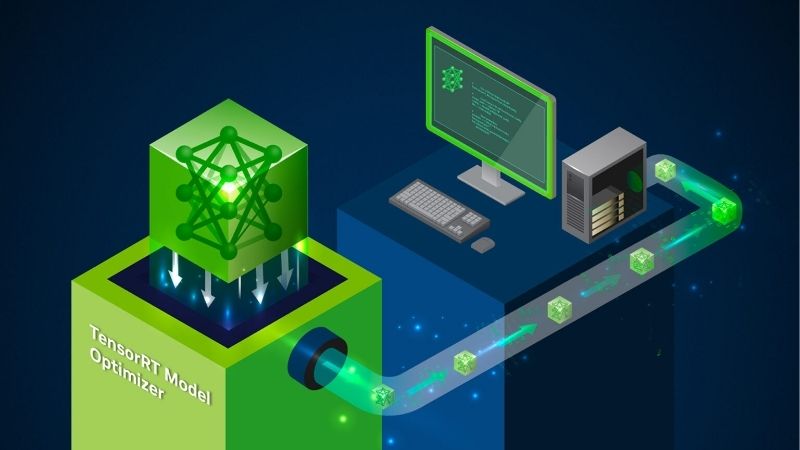
TensorRT-LLM is an open-source library built by NVIDIA to deliver high-performance, real-time inference for large language models on NVIDIA GPUs. It works whether you are running on a workstation or across a data center.
It provides an easy-to-use Python API, along with a command-line interface, that lets developers define models and build highly optimized runtimes. Its recent architecture is built natively on PyTorch, making it approachable for many developers.
Because it is open source and freely available on GitHub and NVIDIA’s software catalog, anyone can download it and start optimizing their model deployments without a licensing barrier.
This open, free nature is a big reason it has spread so quickly through the AI community. Developers can inspect exactly how it works, adapt it to their needs, and rely on it in production without worrying about vendor lock-in or licensing costs, which lowers the barrier to adopting serious inference optimization.
What Problem It Solves
Running large language models in production is expensive, because they demand enormous compute and can be slow to respond without optimization. TensorRT-LLM tackles exactly this cost-and-speed problem.
By optimizing how a model runs on the GPU, it lets you serve more users in parallel while minimizing operational costs and delivering fast, responsive experiences. In practice this can mean dramatically higher throughput from the same hardware.
For any team paying for GPU time to run an LLM, that efficiency translates directly into lower bills and a better user experience, which is why the library has become so widely adopted.
The gap between an unoptimized and an optimized deployment can be dramatic, sometimes several times the throughput on identical hardware. For a business running inference around the clock, that difference compounds into very large savings, which is why serious teams rarely skip this optimization step once their traffic grows.
How It Fits Nvidia’s Stack
TensorRT-LLM does not work in isolation; it integrates with the broader NVIDIA inference ecosystem, including serving frameworks and orchestration tools for large-scale deployment. It is one piece of a larger puzzle.
It connects with NVIDIA’s distributed inference and serving frameworks, letting optimized models scale seamlessly across many GPUs and nodes. It also underpins NVIDIA’s packaged inference microservices.
Understanding this ecosystem role matters, because TensorRT-LLM is often the optimization layer beneath higher-level tools, quietly doing the performance work while other components handle serving and management.
This layered design is deliberate, letting teams adopt only the pieces they need. A small project might use TensorRT-LLM on its own, while a large enterprise combines it with serving frameworks, orchestration, and monitoring to run inference reliably at massive scale across many machines.
Key Features and How It Works
The reason TensorRT-LLM delivers such strong performance comes down to a set of specific techniques that squeeze more out of each GPU. You do not need to master all of them to benefit, but knowing the main ones explains where the speed comes from and helps you understand what the library is doing on your behalf.
Quantization for Speed and Efficiency
One of the biggest performance levers is quantization, which runs models at lower numerical precision to save memory and boost speed. On recent hardware, TensorRT-LLM supports very low-precision formats.
On Hopper-generation and later GPUs it supports an 8-bit format that can roughly double performance and halve memory use with minimal accuracy loss. On the newest Blackwell GPUs it can use an even lower 4-bit format for further gains.
This means the same model can run faster and fit in less memory, letting you serve more requests from a given GPU, a crucial advantage when hardware is expensive and demand is high.
Quantization does require care, since reducing precision too aggressively can affect accuracy, but the formats used here are designed to preserve quality. In practice, most deployments see a large speed and memory benefit with little noticeable change in output, which is why the technique is so central to efficient serving.
In-Flight Batching and Paged Attention
Two clever runtime techniques keep the GPU busy and efficient. In-flight batching dynamically manages incoming requests so the GPU is not left idle waiting, processing new work as capacity frees up.
Paged attention manages memory more efficiently during generation, reducing waste and allowing more concurrent requests. Together these techniques maximize GPU utilization and cut latency.
The practical result is that a server running TensorRT-LLM can handle many users at once smoothly, rather than bogging down, which is essential for real-world applications with lots of simultaneous traffic.
Without techniques like these, a naive setup would waste much of the GPU’s power waiting on individual requests. By keeping the hardware continuously busy and managing memory intelligently, TensorRT-LLM extracts far more useful work from each chip, which is exactly what makes large-scale serving affordable.
Multi-GPU and Multi-Node Scaling
Large models often cannot fit on a single GPU, so TensorRT-LLM includes built-in support for splitting a model across multiple GPUs and even multiple servers. This is handled through various parallelism strategies.
It supports tensor, pipeline, and expert parallelism, letting enormous models run efficiently across a cluster. This scalability is what makes it viable for the very largest language models.
For teams deploying frontier-scale models, this seamless distributed inference is one of the library’s most valuable capabilities, turning a fleet of GPUs into a single efficient serving system.
This scalability is increasingly important as state-of-the-art models grow ever larger. The ability to spread a single enormous model across many GPUs, while keeping the coordination overhead low, is what allows organizations to serve frontier models that would be impossible to run on any single piece of hardware.
Who Should Use It and Getting Started
TensorRT-LLM is a powerful tool, but it is not the right choice for every situation, so it helps to know where it shines and where a simpler option might serve better. This section covers the ideal use cases, the honest trade-offs, and how to begin experimenting with the library yourself.
Ideal Use Cases
TensorRT-LLM is the right call when your model is stable, you are running at or near capacity, and you need to extract every bit of performance from your hardware. That is when its optimizations pay off most.
It suits production deployments where throughput and cost efficiency matter, such as serving a chatbot to many users or running high-volume inference workloads. The efficiency gains scale with your traffic.
For quick experimentation or frequently changing models, a more flexible tool may be a better starting point, since TensorRT-LLM’s build step is best amortized over a stable, high-volume deployment.
A useful way to decide is to consider how often your model changes and how much traffic you serve. If both point toward a stable model under heavy, sustained load, TensorRT-LLM is almost certainly worth the setup; if you are still experimenting or serving light traffic, the extra optimization effort may not yet pay off.
Pros and Cons
Pros: excellent inference performance, lower operational costs, support for the latest low-precision formats, seamless multi-GPU scaling, open-source availability, and a developer-friendly Python API built on PyTorch.
Cons: it targets NVIDIA GPUs specifically, its build-and-optimize step adds a step compared with just running a model directly, and it is aimed at developers rather than casual users.
On balance, for developers serving LLMs on NVIDIA hardware at scale, the performance and cost benefits strongly outweigh the added complexity, which is why it has become a go-to optimization layer.
It is also worth remembering that these trade-offs shift as a project matures. A team might reasonably start with a simpler tool during development and then adopt TensorRT-LLM once the model stabilizes and usage grows, treating it as the optimization they graduate into rather than something to reach for on day one.
See More:
Getting Started
Getting started is straightforward: you can install TensorRT-LLM on Linux through a simple package install or use the ready-made containers available from NVIDIA’s software catalog. The documentation includes a quick-start guide.
Because it is open source, you can explore the code, try the included examples, and experiment with optimizing your own models at no cost. The community and documentation are active and helpful.
To run it, you will of course need a capable NVIDIA GPU, and for local experimentation a modern RTX card works well. If you are looking to build a development machine, you can compare current NVIDIA GPUs through the links on this page.
Nvidia TensorRT-LLM is the optimization engine behind efficient large language model deployment on NVIDIA GPUs, turning expensive, slow inference into fast, cost-effective serving through smart techniques like quantization and in-flight batching.
Whether you are deploying a chatbot or running high-volume inference, Nvidia TensorRT-LLM is worth understanding, and with the right NVIDIA GPU underneath, it can dramatically improve both the speed and the economics of running language models.
Frequently Asked Questions
What does TensorRT-LLM actually do?
It is an open-source library that compiles large language models into optimised inference engines for Nvidia GPUs. It applies kernel fusion, quantisation, paged attention for the key-value cache, and in-flight batching so incoming requests join a running batch instead of waiting, which substantially raises throughput under concurrent load.
Which GPUs does it support?
It targets modern Nvidia data centre and workstation hardware, generally Ampere generation and newer, with the most advanced features such as FP8 and FP4 quantisation depending on Hopper and Blackwell tensor core support. Older architectures without the relevant tensor core formats fall back to higher-precision paths and lose much of the benefit.
How does it compare to vLLM?
vLLM is easier to deploy, swaps models freely and is often fast enough. TensorRT-LLM generally wins on raw throughput and latency on Nvidia hardware once you invest in building an engine for a specific model, precision and batch profile. Choose vLLM for flexibility and iteration, TensorRT-LLM for a stable production workload at scale.
Does quantisation hurt output quality?
FP8 typically costs very little measurable quality on most tasks while roughly halving memory and improving throughput. More aggressive 4-bit formats can degrade reasoning and long-context behaviour depending on the model and calibration data. Always evaluate on your own prompts rather than trusting a benchmark average before deploying a quantised engine.
How does it fit with Triton Inference Server?
TensorRT-LLM provides the optimised execution backend, while Triton supplies the serving layer with request scheduling, model management, metrics and multi-model hosting. The common production pattern is to build a TensorRT-LLM engine and serve it through Triton, which handles concurrency, batching policy and observability around it.
As an Amazon Associate we earn from qualifying purchases at no extra cost to you.












Write Your Review
No reviews yet. Be the first to share your experience!