
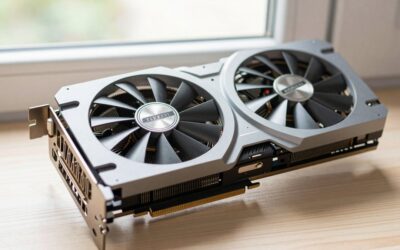
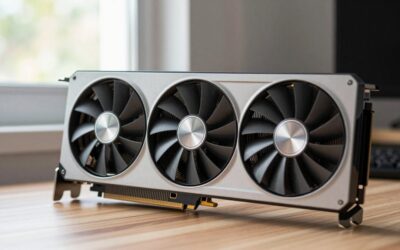
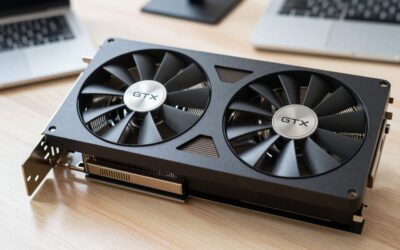
Short answer: Yes, the RTX 3060 12GB is still a good card in 2026 — but for a specific reason. Its 12GB frame buffer, unusually large for a mid-range GPU, lets it hold high textures at 1440p and run Stable Diffusion and 12B-class local models that choke an 8GB RTX 4060. Raw speed is now entry-level.
Most “is it still good” questions get answered with frame rates. For this card that misses the point. The RTX 3060 12GB was an oddity at launch in February 2021: NVIDIA gave a $329 GPU a 192-bit bus and 12GB of GDDR6, more memory than the RTX 3070, RTX 3080 or, later, the RTX 4060 Ti 8GB. Five years on, that decision is the only reason people are still shopping for one — and the reason it beats a newer card at certain jobs.
Is the RTX 3060 12GB still good in 2026?
It depends entirely on what you point it at. As a pure gaming chip it has aged into the territory the GTX 1060 occupied around 2021: capable at 1080p, workable at 1440p with upscaling, out of its depth with heavy ray tracing. As a cheap CUDA card with a large frame buffer, it is one of the best value propositions on the used market, and there is no modern equivalent under $300.
The specs explain both halves of that. GA106 gives you 3,584 CUDA cores, 28 RT cores and 112 Tensor cores at around 1.78 GHz boost — roughly half the shader throughput of an RTX 4070. Memory bandwidth is 360 GB/s over a 192-bit bus, which is actually higher than the RTX 4060’s 272 GB/s, because the 4060 leans on a large L2 cache instead. Board power is 170W through a single 8-pin connector, so almost any 550W supply handles it.
1080p and 1440p Frame Rates
These are representative figures at High presets with ray tracing off and no upscaling, the way most people actually play. Treat them as an editorial baseline rather than a lab result — CPU, RAM speed and game patches move these numbers by 10% either way.
| Game (High preset, RT off) | 1080p | 1440p | 1440p + DLSS Quality |
|---|---|---|---|
| Counter-Strike 2 | ~210 fps | ~150 fps | n/a |
| Fortnite (Performance mode) | ~160 fps | ~110 fps | ~140 fps |
| Call of Duty (current release) | ~95 fps | ~68 fps | ~90 fps |
| Forza Horizon 5 (Ultra) | ~85 fps | ~62 fps | ~80 fps |
| Baldur’s Gate 3 (Act 3) | ~70 fps | ~50 fps | ~66 fps |
| Cyberpunk 2077 | ~62 fps | ~44 fps | ~58 fps |
| Hogwarts Legacy | ~57 fps | ~40 fps | ~54 fps |
| Alan Wake 2 | ~42 fps | ~29 fps | ~40 fps |
The pattern is consistent: 1080p High is comfortable in nearly everything, 1440p needs DLSS Quality to stay above 60 in modern titles, and the newest path-traced showcases are a lost cause regardless of settings. That is a perfectly normal place for a five-year-old mid-range card to land, and it is why the honest recommendation is a 1080p 144Hz or 1440p 75Hz panel rather than a high-refresh 1440p monitor.
The 12GB VRAM Advantage Is Real
Texture quality is the setting with the biggest visual payoff and the smallest performance cost — as long as the assets fit in memory. When they don’t, you get stutter, pop-in and sudden 1% low collapses that no amount of shader horsepower fixes. This is exactly where 8GB cards started failing from 2023 onward, and where the 3060 keeps quietly working.
| Game (1440p, highest textures) | Typical VRAM allocated | Comfortable on 8GB? | Comfortable on 12GB? |
|---|---|---|---|
| Counter-Strike 2 | ~4 GB | Yes | Yes |
| Cyberpunk 2077 (RT off) | ~7.5 GB | Borderline | Yes |
| Hogwarts Legacy | ~9.5 GB | No — texture pop-in | Yes |
| The Last of Us Part I | ~10 GB | No — must drop textures | Yes |
| Resident Evil 4 (max textures) | ~10.5 GB | No | Yes |
| Indiana Jones and the Great Circle | ~10-11 GB | No | Tight but usable |
Allocation is not the same as strict requirement — engines cache opportunistically — but the practical result holds up in play: on the 3060 you keep High or Ultra textures where an 8GB card forces you down to Medium. If you want the longer explanation of allocation versus actual need, our breakdown of how much VRAM a modern game really uses goes through the measurement methods.
RTX 3060 12GB vs RTX 4060 8GB
This is the comparison that decides most purchases, and it does not have a clean winner.
| Spec | RTX 3060 12GB | RTX 4060 8GB |
|---|---|---|
| Architecture | Ampere (GA106) | Ada Lovelace (AD107) |
| CUDA cores | 3,584 | 3,072 |
| Memory | 12GB GDDR6, 192-bit | 8GB GDDR6, 128-bit |
| Bandwidth | 360 GB/s | 272 GB/s |
| Board power | 170W | 115W |
| PCIe interface | 4.0 x16 | 4.0 x8 |
| DLSS upscaling | Yes (incl. transformer model) | Yes |
| DLSS Frame Generation | No | Yes |
| AV1 encode | No (decode only) | Yes |
In raw rasterisation the 4060 is roughly 15-20% faster at 1080p, pulls far less power, and has frame generation and AV1 encoding the 3060 simply lacks. If you stream, or you play single-player games where frame generation smooths a 45 fps baseline into something that feels like 80, the 4060 is the better gaming card and it is not close.
Flip to anything memory-hungry and the order reverses. Maximum textures at 1440p, heavily modded Skyrim or Cities: Skylines II, 4K video timelines, and above all local AI work all favour the extra 4GB. The 4060’s narrow 128-bit bus and x8 PCIe link also make it hurt more when it does spill into system memory. Our fuller RTX 4060 review covers where that card earns its keep, and the guide to what DLSS 4 enables on older RTX cards explains which features actually carried back to Ampere.
Local AI and Stable Diffusion: Where the 3060 Wins
For anyone running models at home, VRAM is a hard wall, not a performance slider. A model either fits or it doesn’t. That single fact makes a cheap 12GB card more useful than a faster 8GB one.
On 12GB you can run SDXL at 1024×1024 without memory-saving flags, generate comfortably in ComfyUI or Automatic1111 with a ControlNet or two loaded, train LoRAs at reasonable resolutions, and run quantised Flux variants. On the LLM side, 12GB holds a 12B-14B parameter model at 4-bit quantisation entirely in VRAM, which is the difference between roughly 30 tokens per second and a painful 3-4 when layers spill to the CPU. An 8GB card caps you around 7-8B, and SDXL work needs low-VRAM modes that slow generation noticeably.
The 3060 is not fast at this — an RTX 4070 or 5060 Ti 16GB will finish the same batch in half the time. But on a budget it is the cheapest sane entry point into local generation, which is why it remains a staple in builds aimed at Stable Diffusion.
Used Pricing and What to Check
New stock is effectively gone, so this is a second-hand decision. The 12GB model has held value unusually well precisely because of the AI demand described above — expect it to sit noticeably above where a GTX 1080 Ti or RTX 2070 lands. Watch out for the 8GB RTX 3060 variant, a later cut-down card with a 128-bit bus that shares the name but none of the reason to buy it. Confirm the memory size in GPU-Z before paying.
Beyond that: ask whether the card was used for mining (not fatal, but ask about fan replacement and thermal pads), run a 20-minute stress test if you can inspect in person, and check that hotspot temperatures stay under roughly 95°C. The general checklist in our used GPU buying guide applies here without modification.
Should You Upgrade From It?
Upgrade if you have moved to a 1440p high-refresh monitor, if you want playable ray tracing, or if your AI work has outgrown 12GB. Keep it if you play at 1080p, mostly play competitive or older titles, or bought it for generative work that still fits in memory — in that last case the sensible next step is a 16GB card, not a faster 8GB one.



The step that actually feels like an upgrade is roughly a 4070-class card or better, which typically doubles frame rates and adds frame generation. Anything less is a sidegrade that trades memory for a modest clock bump. If you are weighing the options, compare against the field in our roundup of the best GPUs for 1440p gaming and the current 60-class generation review before committing.
Frequently Asked Questions
Is the RTX 3060 12GB good enough for 1440p gaming in 2026?
For older, competitive and less demanding titles, yes — it will hold 60 fps or better at 1440p High. In current AAA releases you should plan on enabling DLSS Quality to keep frame rates above 60, and on turning ray tracing off entirely. The 12GB frame buffer means you can keep textures maxed at that resolution, which matters more visually than most other settings.
Does the RTX 3060 support DLSS 4 and frame generation?
It supports DLSS upscaling, including the newer transformer-based model that improved image quality across all RTX generations, and it supports ray reconstruction. It does not support DLSS Frame Generation, which requires the Ada optical flow hardware in RTX 40-series cards or newer. If frame generation is important to you, the 3060 is the wrong card and no driver update will change that.
Why does the RTX 3060 have more VRAM than the RTX 4060?
It comes down to bus width. The 3060 uses a 192-bit memory bus, which populates naturally with either 6GB or 12GB, and NVIDIA chose 12GB. The 4060 uses a 128-bit bus, which gives 8GB or 16GB, and NVIDIA chose 8GB to hit a price point, compensating with a much larger L2 cache instead of raw bandwidth.
How much power does the RTX 3060 12GB use and what PSU do I need?
The reference board power is 170W, drawn through a single 8-pin PCIe connector, with partner cards occasionally pushing a little higher. A quality 550W power supply is comfortable for a typical build pairing it with a mid-range six or eight-core CPU. A 650W unit gives headroom for overclocking, extra drives and a future GPU upgrade without a second purchase.
Is the RTX 3060 12GB better than the RTX 3060 Ti for AI work?
For gaming the 3060 Ti is clearly faster, typically by 25-30%. For AI the answer flips: the Ti ships with only 8GB, so it cannot load models that fit on the 12GB card at all. When a workload fits in both, the Ti finishes sooner; when it does not fit, the 3060 12GB simply completes the job and the Ti fails or crawls.

Write Your Review
No reviews yet. Be the first to share your experience!