
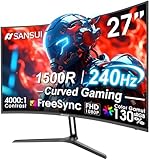
- Top Pick: SANSUI 27 Inch Curved 240Hz Gaming Monitor FHD 1080P, up to 280Hz Screen | 1500R Curve Computer Monitor, 130% sRGB, 4000:1 Contrast, HDR, FreeSync, MPRT 1Ms, Low Blue Light, HDMI DP Ports, Metal Stand
- Best Value: Sceptre Curved 27-inch Prime Gaming Monitor 1500R 100Hz HDMI X2 DisplayPort 1ms 100% sRGB, Build-in Speakers Machine Black 2025 (C275W-FW100T Series)
- Premium Choice: New! Sceptre Curved 27-inch Prime Gaming Monitor DisplayPort x2 180Hz HDMI x2 180Hz 1500R 1ms Build-in Speakers, Machine Black 2027 (C275B-FW180T Series)
If you want a 27-inch curved gaming monitor in 2026, the Samsung Odyssey G7 (C27G75T) is the premium-leaning pick for fast 1440p play, the MSI MAG 275CQRF QD and LG UltraGear 27GS60QC are the value picks, and the AOC C27G4ZXE covers budget 1080p players who care about very high refresh rates. A 27-inch panel is also where curve matters least, so the decision comes down to resolution, refresh rate, panel type, and your GPU more than the bend.
As an Amazon Associate we earn from qualifying purchases at no extra cost to you.


Is a curve worth it at 27 inches?
PC Gamer and others note that the effect is subtle at this size compared with 32-inch or ultrawide models. A 1000R curve, the tightest common spec, wraps the panel around your field of view at a normal desk distance. If you sit close and play shooters or racing games, many users like it. If you do photo work or share the screen with friends, a flat panel may be simpler. Buy for the specs first, and treat curvature as a bonus.
At a glance
| Monitor | Best for | Stated specs (maker or reviewers) | Limits |
|---|---|---|---|
| Samsung Odyssey G7 (C27G75T) | Fast competitive 1440p, premium tier | 27 in, 1440p, 240 Hz, 1000R curve | Costs more than rivals; HDR is limited per GamesRadar |
| MSI MAG 275CQRF QD | Value 1440p | 27 in Rapid VA, 1000R, 170 Hz, quantum dot | VA panels can show smearing in dark scenes |
| LG UltraGear 27GS60QC | Balanced value | 27 in QHD, 180 Hz, 1000R | Standard HDR support, so highlights are modest |
| AOC C27G4ZXE | Budget high refresh at 1080p | 27 in, 280 Hz per PC Gamer | 1080p looks softer at this size |
Model lines change often and regional variants differ, so match the exact model number on the box to the maker’s listing before you buy.
The specs that matter
Resolution
1440p is the sweet spot at 27 inches, giving a sharper image than 1080p without the GPU load of 4K. If you own a mid-range graphics card, 1440p at high settings is a realistic target. At 1080p on a 27-inch screen, pixels become visible, which is why the budget AOC suits esports players with modest GPUs more than people who play for visuals.
Refresh rate
Higher rates help only if your system can feed them. A card pushing 90 frames per second gains little from a 240 Hz screen compared with a 165 Hz one. Match the monitor to the frame rates you realistically hit in your games.
Panel type
Most curved monitors use VA panels, which offer deep contrast. The trade-off is slower dark-pixel transitions, which can show as smearing. IPS panels are scarcer in curved form. Reviewers also tend to prefer faster VA implementations, like Rapid VA from MSI, for competitive use.
Adaptive sync
FreeSync Premium or G-Sync Compatible labels indicate variable refresh support. Check that your GPU and the monitor’s DisplayPort or HDMI versions allow it at the full refresh rate. Cable and port limits are a common reason a screen runs below its rated speed.
HDR claims
Entry-level HDR labels such as HDR10 on a non-local-dimming panel add little. GamesRadar points out the Odyssey G7 lacks true HDR, so do not pay a premium expecting it.
Ports and ergonomics
Look for DisplayPort for the full refresh rate, HDMI for consoles, and a stand that adjusts height and tilt. If the stand is limited, a VESA mount helps.
Budget tiers explained
Budget tier
The AOC C27G4ZXE targets players who want a 280 Hz refresh rate at 1080p. It suits esports on mid-range hardware, and image sharpness is the compromise.
Mid-range tier
The MSI MAG 275CQRF QD and LG 27GS60QC are 1440p value choices with 170 to 180 Hz. They fit most gamers with a modern mid-range GPU.
Premium tier
The Odyssey G7 raises the refresh ceiling to 240 Hz at 1440p, and is aimed at people with a strong GPU who want maximum motion clarity.
Pick X if … decision table
| Pick this | If you |
|---|---|
| Odyssey G7 C27G75T | play fast shooters, own a capable GPU, and want 240 Hz at 1440p |
| MSI MAG 275CQRF QD | want 1440p, a tight curve, and a good price-to-spec ratio |
| LG 27GS60QC | prefer a well-known brand with a straightforward 180 Hz QHD spec |
| AOC C27G4ZXE | play competitive titles at 1080p and want the highest refresh rate on a budget |
| A flat monitor instead | do creative work or want OLED or IPS options |
Alternatives to consider
- Flat 27-inch IPS or OLED: better color accuracy and viewing angles, and in OLED form much faster response, but at a premium.
- 32-inch curved 1440p or 4K: the curve is more noticeable and the larger area suits single-player games.
- 34-inch ultrawide: a different experience for sim and racing fans.
Common mistakes
- Chasing refresh rate over resolution. A very fast 1080p screen may disappoint at 27 inches.
- Using the wrong cable. Plugging into HDMI 1.4 or an old DisplayPort cable can limit the refresh rate. Use the cable in the box.
- Skipping the settings. Enable the maximum refresh rate in your operating system display settings and the monitor’s OSD.
- Ignoring dark-scene behavior. VA smearing varies by model, so read reviews that measure it.
- Ordering without checking the exact model. Similar names exist with different panels and specs.
Setting up a curved monitor
Sit about an arm’s length away so the edges sit comfortably in your peripheral vision. Place the monitor directly in front of you rather than off to one side, since the curve is designed around a centered viewing position. Reduce glare by angling it away from windows. In Windows, confirm the refresh rate under advanced display settings, and enable the adaptive sync option in the GPU control panel if it is not on by default. Use the monitor’s built-in overdrive settings conservatively: the middle setting often balances speed and artifacts best.
Frequently Asked Questions
Is 1000R better than 1500R?
A lower number means a tighter curve. At 27 inches, 1000R follows your eye’s curve more closely, but whether it is better is a matter of taste. If you dislike the effect, a flatter or flat panel is the safer choice.
Does a curved monitor help with gaming performance?
The curve itself does not raise frame rates or cut latency. It can make the image feel more immersive, but resolution, refresh rate, and response time determine performance.
Do I need a 240 Hz monitor?
Only if your PC regularly delivers frame rates near that number in the games you play. Otherwise a 165 to 180 Hz screen gives most of the benefit for less.
Is VA or IPS better for a curved monitor?
VA offers stronger contrast and dominates curved models, while IPS offers wider viewing angles and usually faster, cleaner transitions. Most buyers choose by what is available at their target resolution and refresh rate.
Will a curved monitor work with a console?
Yes, via HDMI. Check the maker’s spec to see whether HDMI supports the refresh rate you want, because many monitors cap HDMI below what DisplayPort allows.
Are curved monitors bad for work?
Many people use them for office tasks without trouble. Straight lines may look slightly bent in drawing or CAD work, so designers often prefer flat panels.





Write Your Review
No reviews yet. Be the first to share your experience!