
- Top Pick: Ozeino Gaming Headset for PC, Ps4, Ps5, Xbox Headset with 7.1 Surround Sound Gaming Headphones with Noise Canceling Mic, LED Light Over Ear Headphones for Switch, Xbox Series X/S, Laptop, Mobile White
- Best Value: NUBWO HG04L Gaming Headset for PC, PS5/PS4, Xbox Series X|S/Xbox One | 40mm Speakers, Clear Unidirectional Mic, 250g Lightweight, Soft Memory Earmuffs, 3.5mm Jack for Gaming & Work
- Premium Choice: BENGOO G9000 Stereo Gaming Headset for PS4 PC Xbox One PS5 Controller, Noise Cancelling Over Ear Headphones with Mic, LED Light, 7.1 Surround Sound, Soft Memory Earmuffs for Nintendo Xbox Series X|S
The HyperX Cloud Stinger 2, Logitech G435, Razer BlackShark V2 X and SteelSeries Arctis Nova 1 are the entry lines most PC gamers shortlist: wired 3.5 mm or USB if you want zero battery worries, wireless if you want a clear desk. Which one fits depends on mic needs, comfort for long sessions and whether you also use the headset with a console or phone.
As an Amazon Associate we earn from qualifying purchases at no extra cost to you.
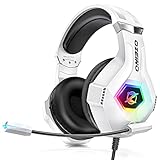
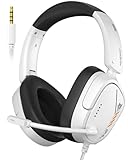


Comparison of budget-friendly PC headsets
| Headset line | Best for | Connection (as listed by maker) | Limits |
|---|---|---|---|
| HyperX Cloud Stinger 2 | Lightweight wired comfort | 3.5 mm wired; a USB sound card version is sold as a separate variant | Basic build; no wireless |
| Logitech G435 | Wireless on a small budget | Lightspeed dongle and Bluetooth | Light plastic build; battery-powered |
| Razer BlackShark V2 X | Competitive shooters | 3.5 mm wired with a detachable-style cardioid mic design per the maker | Not wireless; fit is firm on larger heads |
| SteelSeries Arctis Nova 1 | Comfort and a clean look | 3.5 mm wired with a retractable microphone | Less bass emphasis than some rivals |
| Corsair HS-series entry models | Plain, durable wired sound | 3.5 mm or USB, by model | Features differ across the series |
What to look for in a cheap PC headset
Wired or wireless
Wired headsets avoid charging, have no audio delay from compression, and tend to cost less. Wireless models remove the cable, but budget versions often use a USB dongle or Bluetooth. Bluetooth alone can add noticeable lag in fast games, so a 2.4 GHz dongle is the better choice for play. If you want a headset for a phone as well, a model that supports both is handy.
Microphone quality
Entry headsets usually have a boom or retractable microphone that is clear enough for team chat but not for streaming. Reviewers at outlets like RTINGS and PC Gamer note that built-in mics rarely rival a separate USB microphone. Look for noise-cancelling mics, a mute button or a flip-to-mute boom.
Comfort and weight
Long sessions make clamping force and ear-cup depth important. Memory-foam or soft leatherette pads are common. Lighter headsets under roughly a third of a kilogram are easier to wear for hours, though each maker lists its own weight on the product page.
Sound signature and drivers
Most budget headsets use 40 mm or 50 mm drivers. Larger drivers do not guarantee better sound. Look for a balanced profile that keeps footsteps and voices clear, rather than a heavily boosted bass that masks details in competitive titles.
Compatibility
Check whether the headset uses a single four-pole 3.5 mm plug (works with consoles, phones and most laptops) or a split pair of plugs for older desktop sound cards. A USB option bypasses the motherboard audio and can help if your onboard audio is noisy.
Pick X if … decision table
| If you | Consider | Why |
|---|---|---|
| Want to avoid cables on a small desk | Logitech G435 | Wireless dongle and Bluetooth in a light body |
| Want a simple wired model for long sessions | HyperX Cloud Stinger 2 | Lightweight and widely stocked |
| Play competitive shooters | Razer BlackShark V2 X | Tuned for positional clarity per the maker |
| Want comfort and a clean look | SteelSeries Arctis Nova 1 | Soft pads and retractable mic |
| Need a headset for office calls and games | A model with a mute-flip boom and USB option | Clear calls and easy plug-and-play |
Common mistakes
- Buying on surround-sound marketing. Virtual 7.1 is a software effect; many players prefer plain stereo.
- Ignoring the connection type and finding the headset does not work with a desktop with split jacks.
- Choosing Bluetooth-only for fast games.
- Skipping fit. A headset that clamps too tightly gets tiring fast, especially with glasses.
- Expecting streamer-quality voice from a boom mic on a budget model.
Software and tuning
Many makers offer companion apps that let you adjust equalizers or microphone gain. Even without software, Windows sound settings let you set the default device and communication behaviour. Turn off audio enhancements if you notice distortion. If your mic sounds quiet, check both the app and Windows input level before assuming a hardware fault.
Care and longevity
Replace worn ear pads where the maker sells them, keep cables from sharp bends, and charge wireless models according to the manual. Avoid leaving the headset in direct sun or hot cars because heat can warp plastic and degrade batteries.
Alternatives
- Open-back or studio headphones plus a clip-on mic. Often better sound for the same budget tier, but you need a separate mic.
- Wired earbuds with an inline mic. Light and cheap, fine for casual play.
- Last-generation headsets from the same makers. They sometimes sit at lower tiers while remaining solid.
Frequently Asked Questions
Is a cheap gaming headset better than regular headphones?
It depends on the model. Gaming headsets bundle a microphone and are convenient, while regular headphones paired with a separate mic often sound better. Pick based on whether you need a built-in mic.
Do I need a USB headset on PC?
No, a 3.5 mm headset works on most PCs. USB models include their own sound processing, which can help if your motherboard audio is noisy or lacks a combined headset jack.
Is wireless audio lag noticeable?
A 2.4 GHz dongle usually keeps delay low enough for gaming. Bluetooth-only connections can lag, which is more noticeable in fast-paced games and video.
Does 7.1 surround help in games?
Virtual surround is a software effect and results vary by title. Many players find well-tuned stereo gives clearer directional cues.
How can I stop my headset mic from sounding bad?
Position the mic about a thumb’s width from the corner of your mouth, reduce input gain if it clips, and use noise suppression if the software offers it. Check the Windows input level first.
Will these headsets work on consoles?
Wired 3.5 mm models generally work with controllers that have a headset jack. Wireless dongles depend on platform support, so read the maker’s compatibility list before buying.
Fitting a headset to your setup
Before buying, count the audio jacks on your case and motherboard. A desktop with separate green and pink sockets needs either a splitter cable or a USB headset, while a laptop or controller usually has one combined four-pole jack. If you wear glasses, look for pads with a softer inner layer because stiff pads can press the frame arms against the temple. Players with larger heads should read the maker’s notes on headband extension. If you share a room, closed-back designs leak less sound than open-back designs, though they may feel warmer. Consider where the cable will run: an inline volume wheel and a mute switch are more useful than they sound when you must react quickly in a match. For wireless units, find out how the battery is charged and whether the headset can be used while plugged in, since that matters if the battery dies mid-session. Finally, check the maker’s warranty terms and the availability of replacement ear pads, because pads are the first part to wear out on most headsets.







Write Your Review
No reviews yet. Be the first to share your experience!