
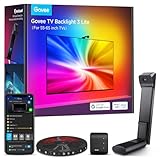
- Top Pick: Govee TV Backlight 3 Lite, 11.8ft LED Strip Lights Sync with 55-65 Inch TVs | Upgraded Camera with Fish-Eye Correction Function, RGBICW Screen Sync Lighting, 4 Colors in 1 Lamp Bead, Voice & APP Control
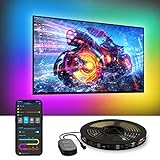
- Best Value: Govee TV LED Backlight, RGBIC Smart LED Strip Lights for 55-65 inch TVs | 99+ Scene Modes, Music Sync, Bluetooth and Wi-Fi APP Control, Works with Alexa & Google Assistant, Adapter, 12.5ft/114 LEDs
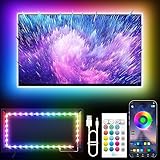
- Premium Choice: KANTUTOE LED Lights for TV, 16.4ft LED Lights for 45-75 Inch TVs, RGB TV Backlight Behind, Music Sync Bluetooth APP & Remote Control Strip Lights USB Powered for Bedroom, Gaming, Home Décor
For most people, a camera-based TV backlight kit from Govee or a Philips Hue Play gradient lightstrip gives the best match between screen color and wall glow, while simple non-synced USB strips are enough if you only want soft bias lighting behind a monitor or TV.
- What TV Backlights Do
- At a Glance
- Camera-Based Kits
- HDMI Sync Systems
- Gradient Lightstrips
- Specs to Compare
- Pick X If…
- Budget Tiers
- Installation and Safety
- Common Mistakes
- Alternatives
- Setup Tips for Better Results
- Smart Home and App Control
- Room and Wall Considerations
- Gaming Considerations
- Frequently Asked Questions
As an Amazon Associate we earn from qualifying purchases at no extra cost to you.

What TV Backlights Do
Bias lighting places a light source behind the TV, which reduces contrast between the bright screen and a dark wall. Many gamers like it for comfort in dim rooms. Smarter kits go further and copy the colors on screen to the edges in real time.
At a Glance
| Product type | Examples | Best for | Limits |
|---|---|---|---|
| Camera-synced strip | Govee DreamView and Envisual TV backlight kits | Streaming and console gaming with color sync | Camera needs a clear view; sync lag on fast action |
| HDMI box sync | Philips Hue Play HDMI Sync Box with Hue strips, Nanoleaf 4D | Low latency sync, multi-device input | More components and setup |
| Gradient strip | Philips Hue Play gradient lightstrip | Premium, smooth color flow | Needs Hue Bridge ecosystem |
| Static USB strip | Generic USB LED bias lights | Budget bias light, simple on/off | No screen sync |
| Light bars | Govee and Hue light bars | Rooms where strip adhesive is unwanted | Less even edge lighting |
Camera-Based Kits
Govee sells TV backlight kits that pair a small camera with a LED strip. The maker describes the camera reading the screen and the strip responding to colors. These are popular because they work with any HDMI source, including consoles, without extra hardware, though results depend on the camera position and ambient light.
HDMI Sync Systems
Philips Hue Play HDMI Sync Box passes video through and drives Hue lights directly from the signal, as the maker explains. Reviewers generally credit this approach with tighter timing than camera-based systems, but it requires a Hue Bridge and compatible lights and adds another box to your setup. Check the sync box’s stated HDMI and HDR capabilities against your console or PC.
Gradient Lightstrips
Hue’s gradient lightstrips are designed to wrap TV backs with multiple color zones, so different parts of the strip show different colors. They suit large setups and users already invested in Hue.
Specs to Compare
- Length: match the strip to your TV size; makers list supported sizes per kit.
- Sync method: camera, HDMI box or none.
- Connectivity: Wi-Fi, Bluetooth, Matter or Hue Bridge.
- Power: USB from the TV’s port or an AC adapter.
- Latency: HDMI boxes tend to be faster than camera kits.
- App and voice assistant support.
Pick X If…
| If you… | Choose |
|---|---|
| Want easy color sync with any source | Camera-based Govee-style kit |
| Play fast games and want low delay | HDMI sync system |
| Already own Hue lights | Hue gradient strip with sync box |
| Just want a calm glow | Static USB bias strip |
| Dislike sticking strips to the TV | Light bars |
Budget Tiers
| Tier | Expect | Trade-off |
|---|---|---|
| Budget | USB static or basic app-controlled strips | No sync |
| Mid-range | Camera-based sync kits | Slight lag, camera setup |
| Premium | Hue Sync Box ecosystem, gradient strips | More equipment and a larger investment |
Installation and Safety
- Clean the TV back with a dry cloth before applying adhesive, and follow the maker’s guidance.
- Do not cover vents; keep strips clear of heat-generating parts.
- Use the supplied power supply and avoid cutting strips except at marked points.
- Place camera kits below or above the screen as the manual directs, without obstructing the view.
- If a strip feels hot or smells, unplug it and contact the maker.
Common Mistakes
- Buying a strip too long or short for the TV.
- Mounting the camera at an angle that skews colors.
- Expecting camera sync to match competitive-game speed.
- Choosing very bright settings; bias lighting works best at low brightness.
Alternatives
- Light bars behind a monitor.
- Smart bulbs and lamps: bias lighting without strips.
- TV built-in ambient features: some brands offer their own lighting systems.
Setup Tips for Better Results
Start by measuring the TV’s back edge so you buy a kit sized for it. Position the strip a few centimeters in from the edge so the glow washes the wall, not the room. For camera kits, mount the camera where it sees the whole screen without glare, and run the in-app calibration the maker provides.
Set brightness low for dark rooms. Many users find that a soft, steady light suits movies, while saturated sync suits games and music videos. Test with a bright scene and a dark scene to confirm the colors respond reasonably.
Smart Home and App Control
Most kits work through a phone app and support routines and scenes. Some support voice assistants and Matter, so confirm the platform you use is listed. If you already run a smart home hub, a kit that joins it can dim the lights automatically when you start a movie.
Room and Wall Considerations
A white or light-colored wall reflects the glow best. Dark or textured walls absorb light, so you may need to increase brightness slightly. If the TV sits on a stand pushed against the wall, leave a small gap for the light to spread and for airflow.
Gaming Considerations
Gamers should weigh latency and color accuracy together. Competitive players often prefer a static or slowly changing glow that does not distract, while story-driven games benefit from full sync. If you play on a console and a PC, an HDMI box with several inputs avoids re-aiming a camera. Also note that some kits struggle with letterboxed content, because the camera sees black bars and dims the strip; the app may offer a setting to adapt to screen area.
For HDR content, strips respond to the picture the camera sees, not to the HDR signal itself, so colors can look more muted than the screen. HDMI sync boxes read the signal directly, and the maker lists which HDR formats pass through.
Frequently Asked Questions
Do TV backlights reduce eye strain?
They can make a dim room more comfortable by lowering contrast around the screen. If you have eye discomfort, see an eye care professional.
Are camera kits accurate?
They approximate screen colors with some delay. They work well for movies and casual gaming, less so for fast-paced competitive play.
Do I need an HDMI sync box?
Only if you want tighter timing and have the ecosystem for it. For many people a camera kit is enough.
Will they work with a monitor?
Many kits list supported screen sizes, and some are designed for monitors. Match the kit’s stated range to your display.
Can I power the strip from the TV?
Some strips run on USB, but power draw varies. Follow the maker’s instructions and use the supplied adapter if the TV port is limited.
How long are the strips?
Length depends on kit and TV size. Makers list suitable TV ranges, and extra strip may need to be trimmed at marked points.







Write Your Review
No reviews yet. Be the first to share your experience!