
- Top Pick: AULA F75 Pro Wireless Mechanical Keyboard,75% Hot Swappable Custom Keyboard with Knob,RGB Backlit,Pre-lubed Reaper Switches,Side Printed PBT Keycaps,2.4GHz/USB-C/BT5.0 Mechanical Gaming Keyboards
- Best Value: Redragon Mechanical Gaming Keyboard Wired, 11 Programmable Backlit Modes, Hot-Swappable Red Switch, Anti-Ghosting, Double-Shot PBT Keycaps, Light Up Keyboard for PC Mac
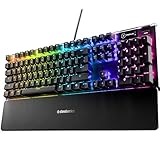
- Premium Choice: SteelSeries USB Apex 5 Hybrid Mechanical Gaming Keyboard – Per-Key RGB Illumination – Aircraft Grade Aluminum Alloy Frame – OLED Smart Display (Hybrid Blue Switch)
For most PC gamers on a tight budget, the Keychron C3 Pro is the safest starting point because it pairs hot-swappable switches with QMK/VIA remapping in a wired 80% body, while the Royal Kludge RK84 suits anyone who wants wireless on a budget and the Redragon K552 or K617 suit buyers who want the lowest entry cost. The picks below are grouped by what a keyboard in this price band can realistically offer, using maker listings and published reviews from outlets such as RTINGS and MakeUseOf.
- What “under 50” really buys you
- At a glance
- Keychron C3 Pro: best all-round wired board
- Royal Kludge RK84: best wireless pick in this range
- Redragon K552 Kumara: lowest-cost TKL
- Redragon K617 Fizz: best 60% for small desks
- Fit, size and compatibility notes
- Pick X if …
- Alternatives worth considering
- Frequently Asked Questions
As an Amazon Associate we earn from qualifying purchases at no extra cost to you.


What “under 50” really buys you
Keyboards in this band are mostly wired, with plastic cases and mid-grade switches from Chinese makers such as Outemu, Gateron-style clones or in-house designs. Reviewers consistently point out that the stock switches are the weak link, which is why hot-swap sockets matter: they let you replace switches later without soldering. Prices move around with sales and regional stock, so this guide sticks to budget tiers instead of exact figures. Think of it this way: the budget tier gets you a working mechanical board, while the upper end of this tier occasionally adds wireless or software remapping.
- Wired vs wireless: wired boards avoid battery worries and latency concerns; tri-mode boards add Bluetooth and a 2.4 GHz dongle for laptops and living-room setups.
- Hot-swap: supported on the Keychron C3 Pro, Royal Kludge RK84 and the Redragon K617, according to the makers or their retail listings.
- Layout: full-size, tenkeyless (TKL), 75% and 60% each trade keys for desk space.
- Software: QMK/VIA is the most open route; several budget brands ship their own Windows-only tools that reviewers describe as basic.
At a glance
| Keyboard | Best for | Key stated specs | Limits |
|---|---|---|---|
| Keychron C3 Pro | Everyday wired gaming and typing | 80% compact layout, wired, hot-swappable, QMK/VIA support, shine-through keycaps (Keychron) | Wired only; switch options vary by listing |
| Royal Kludge RK84 | Wireless on a budget | 75% layout, 84 keys, Bluetooth 5.0, 2.4G and USB-C, 3750 mAh battery, hot-swap, RGB | Software described by reviewers as rough; sold as “80%” but is really 75% |
| Redragon K552 Kumara | Lowest-cost wired TKL | 87-key TKL, Outemu Blue or Red switches, metal-and-ABS build, anti-ghosting | Switch options and hot-swap vary by listing |
| Redragon K617 Fizz | Small desks, FPS players | 60%, 61 keys, hot-swappable red switches, detachable USB-C cable, RGB | No arrow keys or function row without layers; maker software does not run on Mac |
| Royal Kludge RK61 | Compact wireless | Named by RTINGS as its cheap mechanical pick | 60% layout; details vary by variant |
Keychron C3 Pro: best all-round wired board
Keychron lists the C3 Pro as an 80% compact wired keyboard with hot-swappable switches, QMK/VIA firmware support and a shine-through keycap design for the RGB lighting. Setup Insider names it the best budget mechanical keyboard for most people, citing pre-lubed switches, and RTINGS put a Keychron C-series model (the C1 Pro and C2 Pro) in its best budget mechanical slot in its October 2026 update.
QMK/VIA matters for gamers because you can remap keys, build layers and store macros on the board, so the setup follows the keyboard to any PC without background software. The 80% layout keeps the arrow keys, function row and a small navigation block while dropping the number pad, which frees desk space for mouse movement.
Who should skip it
Anyone who wants Bluetooth or a dongle. The C3 Pro is a cabled design, so a laptop on a couch or a tablet is better served by a tri-mode board.
Royal Kludge RK84: best wireless pick in this range
The RK84 is a 75% board with 84 keys that connects over 2.4 GHz, Bluetooth 5.0 or USB-C. Retail listings give a 3750 mAh battery, and MakeUseOf’s review describes clean, compact, smooth typing for the money. The PCB takes 3-pin or 5-pin switches without soldering, the board has RGB lighting and onboard storage, and the listing mentions two USB 2.0 pass-through ports. Switch variants include Blue, Red and Brown RK switches, with a limited edition using yellow linear switches.
Royal Kludge markets the RK84 as an 80% keyboard, but the layout is a 75% with an 84-key count. That matters if you are comparing against a TKL, because the compact arrangement squeezes the navigation keys. MechKeyReview lists it as its budget pick, while one reviewer notes that the Royal Kludge software feels rough. The case is plastic, so expect less heft than aluminum boards.
Wireless gaming notes
For competitive play, use the 2.4 GHz dongle or the USB-C cable rather than Bluetooth, which is usually aimed at work devices. The maker lists all three modes, so the choice is yours per session. Battery life varies with lighting; reviewers cite roughly a week of use with typical settings, and turning the RGB down extends that.
Redragon K552 Kumara: lowest-cost TKL
The Redragon K552 Kumara is a wired tenkeyless keyboard with 87 keys, Outemu Blue (clicky) or Red (linear) switches, a metal-and-ABS build, double-shot keycaps and anti-ghosting, according to retail listings. It is one of the most widely sold budget boards, and reviewers often use it as the price floor for a real mechanical keyboard. One regional Redragon listing says the board is hot-swappable, while others do not mention it, so confirm the exact SKU before buying if swapping switches matters.
The tradeoff is switch longevity. WFH Lounge advises against the ultra-budget Redragon boards unless you are curious, because the stock switches do not age as well as pricier ones. Blue switches are loud, so pick Red for shared rooms and gaming where a quick, quiet actuation helps.
Redragon K617 Fizz: best 60% for small desks
The K617 Fizz is a 61-key 60% wired keyboard with hot-swappable Redragon Red linear switches, a detachable USB-C cable, N-key rollover and up to 20 preset lighting modes. Redragon rates the switches for 50 million keypresses. Software supports custom effects and macros but does not run on Mac. A separate K617 M uses magnetic switches and lists an 8,000 Hz polling rate, which is a different product at a higher tier.
A 60% board drops the arrows, function row and navigation keys, which are reached through a function layer. This works well for FPS games where mouse space matters, but it is awkward for work that needs arrow keys or spreadsheets.
Fit, size and compatibility notes
- Desk space: a TKL like the K552 is about 35 cm wide per Redragon’s listing; a 60% like the K617 is about 29 cm. The RK84 is about 31.5 cm wide.
- Operating systems: all of these work as standard USB keyboards on Windows; software for Redragon and Royal Kludge is Windows-focused, while QMK/VIA runs in a browser-based or desktop tool.
- Consoles: wired USB keyboards generally work on PS5 and Xbox for typing, but game support depends on the title.
- Switch types: linear (Red) for fast repeated presses, tactile (Brown) for balanced typing, clicky (Blue) for audible feedback.
- Replacement parts: hot-swap boards accept 3-pin and 5-pin switches, so you can upgrade later.
Pick X if …
| If you want … | Pick | Why |
|---|---|---|
| One board that handles games and typing | Keychron C3 Pro | QMK/VIA, hot-swap, 80% layout |
| Wireless without moving to a premium tier | Royal Kludge RK84 | Bluetooth 5.0, 2.4G and wired in one board |
| The lowest entry cost with a full TKL layout | Redragon K552 | 87 keys, metal-and-ABS build |
| Maximum mouse room for FPS | Redragon K617 | 60%, hot-swap, detachable cable |
| Quiet office-safe typing | Logitech K650 (non-mechanical) | RTINGS names it a budget pick but it is not mechanical |
Alternatives worth considering
Keychron C1 Pro and C2 Pro
RTINGS highlights these in its October 2026 budget update as its best budget mechanical keyboard. They sit in the same wired, QMK-friendly family as the C3 Pro and offer a different layout choice depending on whether you want a number pad.
Royal Kludge RK68 and RK61
MechKeyReview names the RK68 as a budget 65% pick with hot-swap and Bluetooth, and RTINGS picks the RK61 as its cheap mechanical option. Both suit buyers who want a smaller footprint than the RK84.
Logitech G413 SE
Reviewers note the aluminum top plate of the G413 SE. It is a conventional wired design from a mainstream brand, which suits buyers who value a known warranty route over hot-swap flexibility.
Frequently Asked Questions
Is a mechanical keyboard worth it at a budget price?
Yes, if you value durable, replaceable switches and a consistent key feel. Budget boards do not match premium builds for sound dampening or stabilizers, but they offer a clear step up from most membrane keyboards.
Which switch type is best for gaming?
Linear switches such as Red are common for gaming because they have no tactile bump and repeat quickly. Tactile switches suit mixed typing and play, and clicky switches are loud enough to bother housemates.
Do I need a wireless keyboard for gaming?
Not necessarily. Wired boards avoid battery management, while tri-mode boards like the RK84 let you use the 2.4 GHz dongle for play and Bluetooth for other devices.
What does hot-swappable mean?
It means the switches plug into sockets on the circuit board instead of being soldered. You can pull and replace them with a switch puller, which helps when a stock switch wears out or you want a different feel.
Is a 60% keyboard practical for everyday use?
It works well for FPS and compact desks, but arrow keys, function keys and navigation keys live on layers. If you type documents or edit spreadsheets a lot, an 80% or TKL layout is easier to live with.
Are these keyboards compatible with consoles?
Most wired USB keyboards work on PS5 and Xbox for text entry, while game support varies by title. Check the manufacturer’s compatibility notes for wireless dongles before relying on them with a console.





Write Your Review
No reviews yet. Be the first to share your experience!