
- Top Pick: YAWYORE Gaming PC Desktop Computer AMD R5 5600GT 16GB 1TB NVMe Towers WiFi | 16GB DDR4 3200MHz, 1TB M.2 NVMe PCIe, 550W 80PLUS PSU, WiFi BT, Game Design Office Console
- Best Value: Skytech Gaming PC Desktop, Intel i5 14400F, RTX 5060, 16GB RAM, 1TB SSD | Windows 11, NVMe SSD, DDR5 6000, 750W GOLD PSU, Wi-Fi 5, Archangel 5 Series
- Premium Choice: iBUYPOWER Element Gaming Desktop PC – AMD Ryzen 9 9900X, AMD RX 9070 GRE | 16GB DDR5 RAM Memory, 1TB NVMe SSD Storage, Liquid Cooled, Windows 11 Home, RGB Keyboard Mouse with Aesthetic Gaming PC Case
A mid-range gaming desktop in 2026 is best built around an RTX 5060 Ti (16GB preferred) or an RTX 5070, a six- to eight-core processor, 32GB of DDR5 if you can get it, and a 1TB NVMe drive: the Skytech O11 Vision suits buyers who want the strongest CPU, the iBuyPower Element SE suits memory-heavy users, and the MSI Codex Z2 suits value-minded 1080p and light 1440p players. The sections below explain what separates one mid-range tower from another and where makers cut corners.
- What Counts as Mid-Range Right Now
- Comparison Table
- The Picks in Detail
- Features That Separate Good Mid-Range Desktops From Weak Ones
- Buying Guide by Player Type
- Fit and Compatibility Notes
- Alternatives
- Mid-Range Desktop Versus Gaming Laptop
- Cooling, Noise and Case Choices
- Upgrade Planning
- Software and Accessories That Complete the Setup
- Warranty, Support and Return Policy
- Reading Reviews Carefully
- Final Buying Checklist
- Frequently Asked Questions
As an Amazon Associate we earn from qualifying purchases at no extra cost to you.

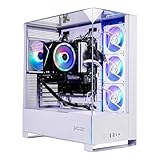


What Counts as Mid-Range Right Now
Mid-range gaming desktops sit between entry systems built for 1080p and high-end towers built for 4K. Reviewers generally place the RTX 5060 Ti and RTX 5070 here. NVIDIA lists the RTX 5060 Ti 16GB with 4,608 CUDA cores, 16GB of GDDR7, a 128-bit bus, 448GB/s of bandwidth and 180W of board power, and it also sells an 8GB version of the 5060 Ti. The RTX 5070 is the step up, with 12GB of GDDR7, and it is the card reviewers mention when ray tracing and higher settings matter.
At this tier you should expect high-refresh 1080p and comfortable 1440p at high settings in most current titles, with upscaling helping in the most demanding games.
Comparison Table
| Desktop | Best for | Reported specs | Trade-off |
|---|---|---|---|
| Skytech O11 Vision | CPU strength and longevity | Ryzen 7 7800X3D, RTX 5060 Ti 16GB, 32GB DDR5, 1TB Gen4 NVMe | Priced at the upper edge of mid-range per one roundup |
| iBuyPower Element SE | Multitasking and streaming | Ryzen 7 8700F, RTX 5060 Ti, 32GB DDR5 per TechRadar | 8GB graphics memory in the version TechRadar described |
| MSI Codex Z2 | Value | RTX 5060 Ti, 16GB RAM, 1TB | Only 16GB of RAM |
| CyberPowerPC Gamer Xtreme i7 | Intel preference | Core i7-14700F, RTX 5060 Ti 8GB, 16GB DDR5, 1TB PCIe 4.0 SSD | 8GB graphics memory |
Exact configurations vary by seller and change often. Use the table as a map to what reviewers reported, and read the specification sheet on the exact unit.
The Picks in Detail
Skytech O11 Vision
The pairing of a Ryzen 7 7800X3D and a 16GB RTX 5060 Ti with 32GB of DDR5 is the most balanced mix in this group. A roundup that names it best overall credits the X3D CPU and the 16GB graphics memory for its expected lifespan. AM5 also leaves room for processor upgrades. Because it sits at the top of the mid-range band, it is the right choice only if you want the extra CPU strength.
iBuyPower Element SE
TechRadar describes a configuration with an RTX 5060 Ti, a Ryzen 7 8700F and 32GB of DDR5. The extra memory makes it appealing for streaming and productivity. The caution TechRadar raises concerns the 8GB graphics memory, which can run tight at ultra textures and higher resolutions. If you can find a 16GB-GPU variant, prefer it.
MSI Codex Z2
Guides call it the value pick, noting strong 1080p and competent 1440p. Its single constraint is 16GB of RAM, which is enough for most games, and RAM is usually the easiest component to expand later. Check the number of free memory slots.
CyberPowerPC Gamer Xtreme i7
This Intel build lists a Core i7-14700F, an RTX 5060 Ti 8GB, 16GB DDR5 and a 1TB PCIe 4.0 SSD. The CPU is strong for multitasking, but the older generation and 8GB graphics card limit longevity.
Features That Separate Good Mid-Range Desktops From Weak Ones
- VRAM size: the biggest differentiator within one GPU name. Choose 16GB when offered.
- RAM configuration: look for two sticks of DDR5. Coverage of 2026 reports memory shortages that have led some systems to ship with a single DDR4 stick.
- Cooling: a tower cooler or liquid cooler from a known maker, and a case with mesh front panel airflow.
- Power supply: a named brand, 80 Plus rated, with headroom above the GPU’s rated power.
- Motherboard: at least two M.2 slots and four RAM slots allow upgrades.
- Front I/O and Wi-Fi: USB-C on the front, and Wi-Fi 6 or newer if you cannot run an Ethernet cable.
- Warranty: check parts and labor coverage terms from the maker.
Buying Guide by Player Type
| Player | Choose | Why |
|---|---|---|
| Competitive esports fan with a 144 Hz or faster monitor | Skytech O11 Vision | Large-cache CPU, plenty of GPU |
| Streamer or video editor | iBuyPower Element SE | 32GB of DDR5 reported |
| Casual 1440p player on a budget | MSI Codex Z2 | Reviewers call it strong value |
| Intel loyalist | CyberPowerPC Gamer Xtreme i7 | Core i7-14700F |
Fit and Compatibility Notes
- Desk space: mid-tower cases need room for airflow. Check width and depth.
- Monitor ports: make sure the GPU’s DisplayPort and HDMI versions match your monitor.
- Operating system: confirm whether Windows is included and whether it is activated.
- Upgrading later: proprietary power supplies or motherboards in some prebuilts limit part swaps. Prefer standard ATX parts.
Alternatives
- Self-built mid-range tower: more control over parts, though RAM prices matter.
- An RTX 5070 prebuilt: reviewers cite more headroom for ray tracing and high settings, at a higher tier.
- Entry RTX 5060 system: an 8GB card aimed at 1080p, cheaper but with less headroom.
Mid-Range Desktop Versus Gaming Laptop
A desktop at this tier usually outperforms a laptop with a similarly named GPU because it has more cooling headroom and standard parts that can be swapped later. A laptop wins on portability. If you do not need to move, the desktop gives more per unit of budget and a longer upgrade path.
Cooling, Noise and Case Choices
Mid-range GPUs such as the RTX 5060 Ti are listed at 180W board power, which is modest, so cooling is rarely the limiting factor. Noise depends on the fan curves and case design. Mesh-front cases pass more air but also more fan sound, and solid-front cases can run quieter with a temperature trade-off. If the system lives on your desk, look for reviewer notes on fan noise at load.
Upgrade Planning
- RAM first: moving from 16GB to 32GB is the simplest upgrade if the board has free slots.
- Storage second: add a second NVMe drive if the board has a spare M.2 slot.
- GPU third: check the power supply wattage and case clearance before swapping in a larger card.
- CPU last: AM5 systems have more upgrade room than older platforms.
Software and Accessories That Complete the Setup
A mid-range desktop needs a monitor that matches its capability, ideally 1440p with a high refresh rate, a wired keyboard and mouse that suit your games, and a headset or speakers. Budget for these before choosing a tower, because a strong PC paired with an old display cannot show its strengths. Keep GPU drivers current, and use the maker’s utilities only if they are needed, as some prebuilt bundles add unnecessary software.
Warranty, Support and Return Policy
Prebuilt makers differ in how they handle faults. Some cover parts for a set number of years and labor for a shorter period, and others require you to ship the whole tower. Read the terms before choosing, and keep the original packaging for the first weeks in case of a return. Check whether opening the case to upgrade RAM or storage affects the warranty, since policies vary and the maker’s support page is the authority.
Reading Reviews Carefully
Most buying guides at this tier are roundups that summarize listings rather than lab reports, as one search of current coverage showed. Treat a ranking as a starting point, look for outlets that name the exact configuration, and be wary of reviews that praise a system without naming its RAM, storage and power supply. Configurations change between production runs, so two units with the same product name can differ.
Final Buying Checklist
Before you commit, confirm the GPU memory size, RAM type and channel count, storage capacity, power supply brand, motherboard slots and warranty terms. Match the system to your monitor, and keep a short list of two or three candidates so that a configuration change does not leave you stuck.
Frequently Asked Questions
Is RTX 5060 Ti or RTX 5070 better for a mid-range desktop?
The RTX 5070 offers more headroom for ray tracing and higher settings, while the RTX 5060 Ti 16GB offers more graphics memory at a lower tier. Pick by monitor resolution and the games you play.
How much RAM should a mid-range gaming desktop have?
Sixteen gigabytes is the floor, and 32GB is better for streaming or heavy multitasking. Dual-channel configurations are preferred.
Are X3D processors worth it?
For gaming-focused buyers, reviewers often favor them because the large cache helps many games. For general use, a good non-X3D chip is acceptable.
Should I buy a prebuilt or build my own?
A prebuilt gives you a single warranty and no assembly. Building gives you control over the power supply, board and cooling. Memory shortages in 2026 have narrowed the price gap.
How long will a mid-range desktop last?
That depends on your target settings. A system with 16GB of graphics memory and an AM5 platform has the best chance of staying useful across several years, and upgrades are possible.
Do I need a better monitor to benefit?
Yes. A 60 Hz 1080p display will not show what a mid-range desktop can do. A 1440p high-refresh monitor makes the most of it.






Write Your Review
No reviews yet. Be the first to share your experience!