
An RTX 4090 is rarely the slow part of a PC. The processor is. At 1440p and below, a flagship card can finish frames faster than a modest CPU can prepare them, which is why the right partner is a fast eight-core with large cache, not a bargain six-core. For gaming, start with the 9800X3D or its newer sibling the 9850X3D; the 7800X3D is the value route. For a machine that also renders and edits, the 9950X3D keeps the gaming lean and adds cores. Every processor in this set is an AMD Ryzen, so there is no Intel option to compare here.
Picks at a glance



As an Amazon Associate we earn from qualifying purchases. Product prices and availability are accurate as of the date/time indicated.


As an Amazon Associate we earn from qualifying purchases. Product prices and availability are accurate as of the date/time indicated.


As an Amazon Associate we earn from qualifying purchases. Product prices and availability are accurate as of the date/time indicated.


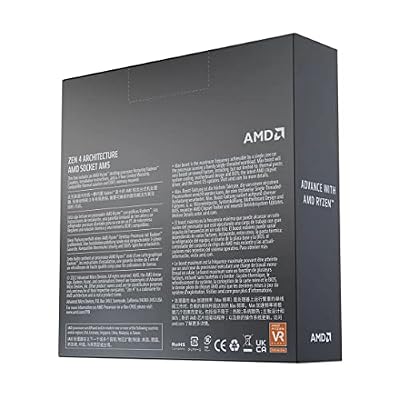
As an Amazon Associate we earn from qualifying purchases. Product prices and availability are accurate as of the date/time indicated.
| Model | Key point from the listing title | Price tier | Best for |
|---|---|---|---|
| Ryzen 7 9800X3D | 8 cores, 16 threads | Premium | High-refresh 1080p and 1440p |
| Ryzen 7 9850X3D | Desktop processor, cores not stated | Premium | Newest eight-core X3D |
| Ryzen 9 9950X3D | 16-core processor | Premium | Gaming plus content creation |
| Ryzen 7 7800X3D | 8 cores, 16 threads | Mid to premium | Cache gaming at a lower tier |
| Ryzen 7 5800X3D | 8 cores, 16 threads, 3D V-Cache | Mid | AM4 owners keeping a 4090 |
| Ryzen 7 9700X | 8 cores, 16 threads, unlocked | Mid | 4K play with cooler running |
| Ryzen 5 9600X | 6 cores, 12 threads, unlocked | Budget | 4K play on a tight budget |
| Ryzen 9 9950X | 16 cores, 32 threads, unlocked | Premium | Production first, gaming second |
| Ryzen 9 9900X | 12 cores, 24 threads, unlocked | Mid to premium | Balanced work and play |
| Ryzen 5 7600X | 6 cores, 12 threads, unlocked | Budget | Entry AM5 pairing |
Where the bottleneck actually shows up
A bottleneck is a ceiling set by the slowest part in the chain. Pair a flagship graphics card with a modest processor and the card waits for instructions. That waiting shows as a frame rate that stops climbing when you lower graphics settings. At 4K the work per frame is large enough that the GPU becomes the limit, so differences between processors narrow. At 1080p and 1440p with high refresh monitors, the reverse is true, and processor choice shows up clearly in published reviews.
This is why the same card can justify very different chips. A 4K gamer playing slower cinematic titles may be fine with the 9700X or even the 9600X, and put the savings into a better monitor. A competitive player at 1440p and 240Hz is the person X3D cache was designed for.
Platform matters a little too. AM5 boards offer PCIe 5.0 for the graphics slot and fast storage, while the RTX 4090 itself uses a PCIe 4.0 x16 link, so you will not lose graphics bandwidth on any AM5 board. Check the board maker’s lane diagram if you plan several NVMe drives plus extra add-in cards, since some lanes are shared.
How these were picked
The set is based on published specifications, manufacturer documentation and buyer reviews. Titles supply core and thread counts; everything else points you to the maker’s page. Chips are sorted by how well they suit a flagship graphics card at different resolutions, not by a single score. Nobody on the team used or measured these units.
The ten processors
AMD Ryzen 7 9800X3D
Eight cores, 16 threads, X3D cache. This is the chip people usually name first for a flagship card, because the stacked cache helps in the exact situation where a 4090 outruns its processor: high frame rates at 1080p and 1440p. Picture a 1440p 240Hz monitor and a fast shooter, where each extra frame of CPU headroom is visible in smoothness.
- Pros: cache-heavy eight-core design; strong match for a flagship GPU at high refresh; modest core count keeps heat in check.
- Cons: premium tier; no cooler stated in the title; little extra benefit if you only play 4K.
Check the listing and AMD’s page for rated power, then plan a solid cooler. A flagship card dumps a lot of heat into the case as well, so airflow for the whole system matters more than a single hot component. Ask yourself whether your monitor can even show the extra frames: a 60Hz or 144Hz panel hides most of what this chip adds.
AMD Ryzen 7 9850X3D
The title offers only the model name. The naming suggests a higher-clocked eight-core variant in the same family as the 9800X3D, so confirm cores and boost clock on the maker’s page. It fits buyers who always buy the newest top part and are ready to pay for a small step. If the price gap over the 9800X3D is large, the older model is the better pairing for the same card.
- Pros: newest eight-core X3D in the set; AM5 platform; same upgrade path as other 9000 chips.
- Cons: no specs in the title; premium tier; likely a modest gain over the 9800X3D.
Ask whether the extra spend would do more good as a better monitor or faster storage. Also read the listing for the box contents, because a premium chip with no cooler adds another purchase on top of an already expensive build.
AMD Ryzen 9 9950X3D
Sixteen cores with X3D cache in the title. A flagship GPU plus a flagship CPU suits someone who games on weekends and renders or edits during the week, since the GPU can accelerate creative work too. AMD has described its dual-chiplet X3D parts as putting extra cache on only part of the processor, so look at the maker’s notes on game scheduling. In pure gaming, it behaves like an eight-core X3D with extra cores to spare.
- Pros: 16 cores for production; X3D cache for games; one CPU for both roles.
- Cons: top price tier; higher rated power than eight-core X3D chips; most games ignore the extra cores.
Before buying, estimate how many hours a week you spend rendering or compiling. If the answer is under a few, an eight-core X3D plus the money saved is usually the smarter pairing with a flagship card. If the answer is many, the extra cores will pay for themselves in waiting time.
AMD Ryzen 7 7800X3D
Eight cores, 16 threads and cache, from the earlier AM5 generation. It suits a builder who wants the cache benefit with a flagship card but prefers a lower price than the 9000 series X3D parts. Many buyers pair it with a quality B650 or X670 board and spend the savings on a better case, cooler or storage. Check current listing prices, because this older chip can sit close to the newer ones.
- Pros: cache-driven eight-core design; AM5 and DDR5; often easier on the budget.
- Cons: previous generation; limited multi-core muscle; stock and price can swing.
Ask how the price compares with the 9800X3D before committing. Since both use AM5, the board, memory and cooler you buy for one will serve the other, so the decision comes down to the price gap on the day and nothing else in the platform.
AMD Ryzen 7 5800X3D
The only AM4 chip here, with 8 cores, 16 threads and 3D V-Cache in the title. It is the stretch pairing for a 4090: capable for 4K play and an inexpensive swap for people who already own an AM4 board, but held back by DDR4 and an end-of-line platform. For anyone building new, it is the least sensible partner for a card this fast.
- Pros: cache on an inexpensive platform; no new board or RAM for AM4 owners; eight cores.
- Cons: DDR4 only; older platform; may limit the card at high refresh rates.
Check your board’s BIOS compatibility and be honest about the resolution you play. If you game at 4K and already own the board, this is a sensible hold-over until you can afford a full platform change; if you play at high refresh rates, the CPU will probably leave frames on the table.
AMD Ryzen 7 9700X
Eight cores and 16 threads without stacked cache. With a flagship GPU at 4K, where the card sets the pace, this chip can be a calm, cooler-running partner. At 1080p or 1440p with high refresh, X3D parts may pull ahead in published reviews. It suits an enthusiast who values low heat and quiet over the last few frames.
- Pros: low rated power; eight cores; AM5 with DDR5.
- Cons: no cache boost; gaps to X3D show at lower resolutions.
Ask which resolution you will actually play. Confirm cooler status on the listing. Quiet builders sometimes prefer this chip because a lower rated power lets a mid-range air cooler hold temperatures, which leaves the case fans free to focus on the large graphics card.
AMD Ryzen 5 9600X
Six cores, 12 threads. This is the budget way to run a 4090 at 4K, where the CPU matters less. It is not the chip for 1440p at very high refresh with a flagship card, because a six-core part is the first to become the limit. Think of it as a placeholder you can replace later on the same socket.
- Pros: lowest cost in the set; cool and quiet; same AM5 upgrade path.
- Cons: six cores can limit the card; weak match for modern heavy games at high refresh.
Before buying, ask whether the money saved here is worth the GPU performance left idle. Consider the 9700X as the minimum. A flagship card at 4K in slower games will still look excellent with this chip, and the AM5 socket keeps an upgrade open.
AMD Ryzen 9 9950X
Sixteen cores, 32 threads, unlocked, no cache stacking. It fits someone using the 4090 for rendering, AI-assisted creative tools or video work, where both processor and GPU stay busy for hours. For games it acts like a fast eight-core with spare capacity. Power and cooling needs are high, so budget for them.
- Pros: 16 cores and 32 threads; strong for production; AM5 platform.
- Cons: high rated power; no X3D cache; expensive for games alone.
Check the cooler requirement and your power supply headroom. When a 4090 and a 16-core chip both run flat out in a render, total system draw is at its highest, so this is the pairing that most needs the power budget worked out in the example below.
AMD Ryzen 9 9900X
Twelve cores, 24 threads. A midpoint for people who want more than eight cores for work while keeping lower power than the 16-core chips. With a flagship GPU, it handles 4K gaming well and gives a decent compile or export machine. It is not the best pick for high-refresh competitive play where cache dominates.
- Pros: 12 cores for creative work; easier to cool than 16-core parts; AM5.
- Cons: no stacked cache; premium for the core count; extra cores idle in games.
Ask whether the 9950X3D or an eight-core X3D would suit your mix of work and play better. If your creative work is light, an eight-core will be quicker in games for less; if it is heavy, step up to 16 cores.
AMD Ryzen 5 7600X
Six cores, 12 threads, previous-generation AM5. It is the cheapest way into a platform that can host a 4090 at 4K, but it is an unbalanced pairing for most buyers. If the 9600X is close in price, take that instead. If you are tight on budget and plan to upgrade the CPU later on the same socket, it is a reasonable starting point.
- Pros: low platform entry cost; AM5 upgrade path; adequate for 4K.
- Cons: six cores; older generation; limits high-refresh play.
Check the price gap to the 9600X, and read the listing for the box contents. If a six-core is your only option today, set expectations: it will run the card, but you may see it limiting frame rates in modern heavy games.
Buying guide for a flagship GPU build
Match the chip to your resolution
| Playing at | CPU influence | Sensible choices |
|---|---|---|
| 1080p, high refresh | Very high | 9800X3D, 9850X3D, 7800X3D |
| 1440p, high refresh | High | X3D eight-cores, 9950X3D |
| 1440p, 60 to 120Hz | Moderate | 9700X, 9900X, X3D options |
| 4K | Lower, GPU-limited | 9600X, 9700X, 7600X as budget routes |
| Rendering and editing | Core count matters | 9900X, 9950X, 9950X3D |
Platform and memory notes
Nine of the ten chips use AM5 and DDR5, and the choice of memory speed and capacity is worth a look at the board maker’s qualified list. Sixteen gigabytes is the floor for gaming, and 32GB is a common choice for a build of this class. Pick a board with a strong power stage if you choose a 16-core chip, and check the case supports the cooler you intend to use. The Ryzen 7 5800X3D belongs to the older AM4 platform with DDR4, which cannot be mixed with AM5 parts.
Spec concept table
| Spec concept | What to look for | Why it matters |
|---|---|---|
| 3D V-Cache | X3D models | Raises CPU-limited frame rates |
| Cores and threads | 8 for games, 12+ for production | Sets multitasking headroom |
| PCIe lanes | Board lane diagram | Shared lanes may slow extra drives |
| Rated power | Maker’s page | Sizes cooler and power supply |
| Platform | AM5 and DDR5 | Upgrade path and memory speed |
A bottleneck check you can run yourself
Play a CPU-heavy scene and note the frame rate. Drop the resolution or the render scale by a large step. If the frame rate climbs a lot, you were GPU-limited and a faster CPU adds little. If it barely moves, the processor is the ceiling and a stronger chip will help. Do this with your own games before spending on an upgrade.
Worked example: sizing the power supply
These are planning assumptions, not measurements. Suppose the graphics card is rated around 450W (confirm on NVIDIA’s page), the processor is the 9800X3D at around 120W rated (confirm on AMD’s page), and the rest of the system (board, memory, drives, fans) adds about 100W. Rated figures can be exceeded briefly, so leave headroom.
| Component | Assumed draw |
|---|---|
| RTX 4090-class graphics card | 450W |
| Processor, 120W-class (X3D eight-core) | 120W |
| Processor, 170W-class (16-core) | 170W |
| Board, RAM, drives, fans | 100W |
| Total with 120W-class CPU | about 670W |
| Total with 170W-class CPU | about 720W |
Because transient spikes exceed rated values, many builders choose a quality unit at the wattage NVIDIA recommends for the card, or higher. Treat the totals as a floor, and use the power supply maker’s calculator for a final check.
Cooling and case planning around a flagship card
A 4090-class card is physically large and sheds a lot of heat inside the case. That affects the processor in two ways. First, the cooler you choose has to fit beside or above the card: tall air coolers and radiator mounts can clash with a thick graphics card, so check clearances in the case maker’s documentation. Second, case airflow becomes part of the CPU plan. Intake fans in front, an exhaust at the rear and a clear path across the card keep both parts in a comfortable range. If you pick a 16-core chip, lean toward a 280mm or 360mm liquid unit or a high-end tower cooler; for the 65W-class 9700X and 9600X, a good mid-range tower is typically enough. These are rules of thumb, so follow the cooler maker’s guidance for your exact chip and the manufacturer’s instructions for installation.
Memory and storage for a flagship build
A processor does not work alone, and a flagship graphics card makes weak memory and storage choices more visible. DDR5 speed and timing affect how quickly the CPU reaches data, and AM5 boards have a sweet spot that the board maker documents, so use a kit from its qualified memory list when you can. Capacity matters as well: 32GB is a comfortable level for a build in this class. For storage, a fast NVMe drive cuts load times, and PCIe 5.0 drives are available, but they run hot and add little to frame rates, so a quality PCIe 4.0 drive is often the better value. Treat these as general guidelines and verify compatibility with your board.
Mistakes buyers make
| Mistake | Fix |
|---|---|
| Pairing a six-core with a flagship card for 1440p high refresh | Move up to an eight-core X3D |
| Paying for 16 cores for gaming only | Use an eight-core X3D and spend the difference elsewhere |
| Ignoring the power supply connector | Check for a native 12VHPWR or 12V-2×6 cable |
| Skipping the cooler | Read the listing and budget for a strong cooler |
| Building new on AM4 DDR4 | Choose AM5 for a fresh system |
Verdict by use case
High-refresh gaming: 9800X3D, with the 9850X3D or 7800X3D depending on price. Gaming plus creative work: 9950X3D. Production: 9950X or 9900X. Quiet 4K play: 9700X. Budget 4K: 9600X or 7600X. AM4 holdover: 5800X3D. Confirm everything on the maker’s page.
Related guides
- Low Profile Nvidia Graphics Cards For Small Form Factor Pcs
- Why Is My Gpu Benchmark Score Lower Than Others
- Asus Rog Strix Nvidia Graphics Cards
Frequently asked questions
Will a CPU bottleneck my RTX 4090?
It can, mostly at 1080p and 1440p where the card finishes frames faster than a modest processor can prepare them. At 4K the graphics card is usually the limit, so CPU differences shrink. A simple check: lower the resolution in a game. If the frame rate barely rises, the processor is your ceiling. Pick the chip based on the resolution you play.
Is an X3D chip worth it with an RTX 4090?
For high-refresh gaming at 1080p and 1440p, yes in many titles, since a flagship card exposes CPU limits and X3D cache lifts them. At 4K the benefit usually narrows because the GPU becomes the limit. If you also edit video or render, weigh cores against cache. Published reviews are the best source for your specific games.
Does the RTX 4090 need PCIe 5.0?
No. The RTX 4090 uses a PCIe 4.0 x16 interface, and AM5 boards offer PCIe 5.0 for graphics slots, so you are covered either way. PCIe 5.0 matters more for fast NVMe drives. An older AM4 board still gives the 4090 a PCIe 4.0 link, but its older CPU choices are the weaker part of that pairing.
How big a power supply should I plan for?
NVIDIA publishes a recommended system power figure for the RTX 4090, and many builders follow it with a quality unit that has a native 12VHPWR or 12V-2×6 cable. Add the processor’s rated power, drives and fans, then leave headroom for spikes. Confirm the exact recommendation on NVIDIA’s product page and the power supply maker’s wattage guidance.
Is the Ryzen 7 5800X3D good enough for an RTX 4090?
It can work for 4K play, where the GPU does most of the work, but it is the weakest match here. It sits on the older AM4 platform with DDR4, so it limits memory speed and does not offer the same upgrade path. For a new build, an AM5 chip is the better partner for a flagship card.
Should I wait for a newer processor?
There is always a newer chip coming, so the better question is whether your current games are CPU-limited. If a bottleneck check shows the processor as the ceiling, buy now. If the card is the limit, a processor upgrade adds little. AM5 chips share a socket, so a modest chip today can be replaced later without changing the board.







Write Your Review
No reviews yet. Be the first to share your experience!