
Quick answer: Our top pick in 2026 is the 1440p high-refresh gaming, mostly rasterized titles — our #1 rated choice. See the full ranked comparison, alternatives and buying advice below.
Currency Check
As of October 2026, both cards are shipping, but supply is shaky. Early-2026 press reports said partners called the RTX 5070 Ti constrained or end of life over GDDR7 shortages; ASUS later retracted that and NVIDIA said it would keep shipping all models, so treat “discontinued” as unconfirmed. A Super-style refresh before CES 2027 is rumor only. NVIDIA states DLSS 4.5 is out and DLSS 5 shipped on September 3 for RTX 50 cards only; FSR 4 is limited to RDNA 4 cards.
If you want the safest all-round pick, the RTX 5070 Ti is the stronger feature package, while the RX 9070 XT is the one to choose when your priority is rasterized frame rates per dollar and you do not care about NVIDIA-only features. Both carry 16GB of video memory, a 256-bit bus and a recommended 750W power supply, so the decision comes down to ray tracing, upscaling and frame generation, encoding, and what the cards actually cost where you shop. This guide covers those differences, a worked checklist, and how the listed products fit.
Quick Verdict
| Your situation | Our verdict |
|---|---|
| 1440p high-refresh gaming, mostly rasterized titles | Either card fits. Press comparisons put them close in raster, so the cheaper street price should decide. |
| You want ray tracing or path tracing on regularly | RTX 5070 Ti. Reviewers consistently report NVIDIA ahead in heavy ray tracing, though the margin varies by game. |
| You stream or record with hardware encoding | RTX 5070 Ti is the safer pick: dual ninth-generation NVENC encoders per NVIDIA’s page, and wide streaming-software support. |
| You use Linux or like open drivers | RX 9070 XT is worth a closer look, though confirm driver status for your distribution. |
| You like frame generation in single-player games | RTX 50 cards offer Multi Frame Generation and DLSS 4.5 modes; RDNA 4 offers FSR 4 upscaling and its own frame generation. |
| Budget is capped and 12GB is tempting | Think hard. The 12GB RTX 5070 is a different class of card, covered below. |
What Separates These Two 16GB Cards
Specifications side by side
These figures come from NVIDIA’s and AMD’s product pages; partner models vary in clocks, cooler size and board power limits.
| Spec | RTX 5070 Ti | RX 9070 XT |
|---|---|---|
| Architecture | Blackwell | RDNA 4 |
| Shader units | 8,960 CUDA cores | 4,096 stream processors (64 compute units) |
| Memory | 16GB GDDR7, 256-bit | 16GB GDDR6, 256-bit |
| Memory bandwidth | 896 GB/s (press-reported) | 640 GB/s |
| Board power | 300W | 304W |
| Recommended PSU | 750W minimum | 750W |
| PCIe interface | PCIe 5.0 | PCIe 5.0 x16 |
| Display outputs (reference) | 3x DisplayPort 2.1b, 1x HDMI 2.1b | Varies by partner model |
What the table does not settle is real-world speed. Press comparisons broadly report the cards trading blows in rasterized games, with some outlets giving the NVIDIA card a small edge at 4K and others favoring the AMD card at 1440p. Treat any single percentage as game-dependent and check independent reviews of the exact titles you play.
Ray tracing and path tracing
This is where the difference is most consistent. Coverage from multiple outlets places NVIDIA clearly ahead in heavy ray tracing, with the gap widening in path-traced titles. RDNA 4 improved over earlier Radeon generations, so ray tracing is usable on the RX 9070 XT, but if you buy a card specifically to play path-traced games at high settings, NVIDIA’s lead is the reason to pay more.
Upscaling and frame generation
NVIDIA’s DLSS 4.5 added a second-generation transformer model for Super Resolution to all GeForce RTX cards in January, and Dynamic Multi Frame Generation, with 5X and 6X modes, arrived on March 31 for RTX 50 cards according to NVIDIA. DLSS 5 neural rendering, which NVIDIA says is RTX 50 only, focuses on visual quality rather than speed and is demanding. AMD’s FSR 4 is machine-learning-based and exclusive to RDNA 4. It closed much of the image-quality gap with older FSR versions, but it covers fewer games than DLSS, and frame generation is capped at 2x according to press comparisons. Check that your favorite games support the technology before you pay for it.
Encoding, drivers and extras
Streamers and video editors often lean toward NVIDIA for NVENC support and CUDA-based tools. AMD cards include hardware video encoding as well, and the quality gap has narrowed, but software support is still broader for NVIDIA. Beyond that, think about the ecosystem: NVIDIA Broadcast, RTX Video features and CUDA apps on one side; AMD’s driver-level tuning and its open Linux driver on the other.
Power, size and supply
Both cards want a 750W power supply as a minimum. NVIDIA’s page says the 5070 Ti uses two PCIe 8-pin connectors via an included adapter or a 300W-class PCIe Gen 5 cable, while the RX 9070 XT reference design uses two 8-pin connectors. Partner cards differ, so the listing for your exact model is the final word. Supply is the wildcard: memory constraints reported across 2026 mean stock and street pricing for 16GB cards can swing from month to month.
Memory type and why 16GB matters
The two cards use the same 16GB capacity on the same 256-bit bus, but NVIDIA pairs it with faster GDDR7 while AMD uses GDDR6 and leans on a large on-die Infinity Cache (64MB per press-reported specs) to compensate. Capacity is what decides whether a game stutters when textures overflow; bandwidth decides how quickly data moves once it fits. For current games at 1440p, 16GB is comfortable on both cards. Where the 12GB step down hurts is in high-resolution texture packs, path tracing and frame generation, which all add memory pressure. If you plan to keep the card for four or five years, capacity is the spec most worth protecting.
How to read the review landscape in 2026
Comparison articles for these two cards disagree with each other more than most. Differences in the games chosen, driver versions, resolution and whether upscaling is on can swing a result by several percent in either direction, and some retailer-run sites publish figures without explaining their method. A practical approach is to weigh independent outlets that disclose their methodology, look for results in the specific games you play, and ignore single-number verdicts. Also check the date: drivers for both vendors have improved performance since launch, so older charts understate current results. When two sources conflict on a spec, as happens with memory bus width or bandwidth on some sites, go back to the manufacturer’s own product page.
How to Decide
- Pick your monitor first. As a rule of thumb, both cards target 1440p at high refresh and entry-level 4K. If you run 1080p at 144Hz, either is more card than you need.
- List the five games you play most. Check whether they support DLSS 4.5 or FSR 4, and whether ray tracing is a major feature in them.
- Check the power supply. A rule of thumb is to leave headroom above the card’s board power for the CPU: a 300W card plus a 120W CPU and other parts fits a 750W supply, but weaker or older supplies and heavy overclocking call for a bigger unit. Count PCIe connectors too.
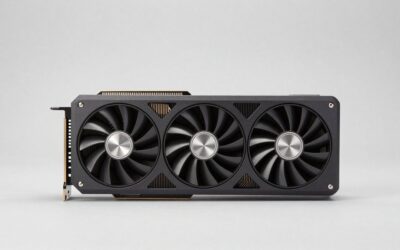
- Measure the case. Triple-fan cards can run well over 300 mm in length and take up about three slots in thickness. Measure from the rear bracket to the front fan mount and compare with the listing’s length in mm, leaving a few millimeters of margin for cables.
- Decide how much you value NVIDIA-only features. If you will not use Multi Frame Generation, path tracing or NVENC, the extra spend buys little. If you will, it buys a lot.
- Compare current prices in your region on the day you buy. The cost gap between these cards has moved considerably this year, and it is the biggest swing factor in the verdict.
Worked example: a 1440p, 165Hz monitor, a mid-range Ryzen CPU and a 750W gold-rated supply fits either card. If the games you play are mostly rasterized and a street-price gap exists, the RX 9070 XT is the economical pick. If you add a camera and stream to a platform, or you play path-traced games, the RTX 5070 Ti justifies the premium.
Products That Fit
The cards below are examples that fit the situations above, not a ranking. The list contains NVIDIA models only, so there is no RX 9070 XT example here; if you lean toward AMD, use the specifications above to shop that card separately.
ASUS Prime GeForce RTX 5070 12GB OC – a lower-tier alternative
As an Amazon Associate we earn from qualifying purchases at no extra cost to you.

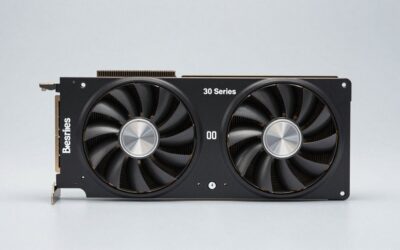
This card does not match the 16GB premise of the title, so treat it as an alternative for someone with a lower budget and a 1080p or 1440p monitor. NVIDIA’s own page lists a lower power draw and a smaller power supply recommendation than the Ti.
- 12GB GDDR7 on a 192-bit bus (NVIDIA lists this for the RTX 5070)
- 250W graphics power and a 650W minimum supply (NVIDIA reference figures)
- OC edition from ASUS; confirm exact clocks on listing
- Single ninth-generation NVENC encoder on the reference design
Caveat: 12GB of memory is less room than 16GB for high-resolution textures and path tracing, so it is not a like-for-like answer to this comparison. Choose it only if budget limits the choice.
PNY GeForce RTX 5070 Ti Epic-X RGB OC – a full-featured 16GB option

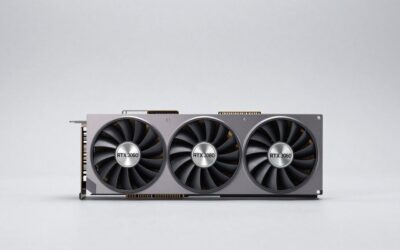
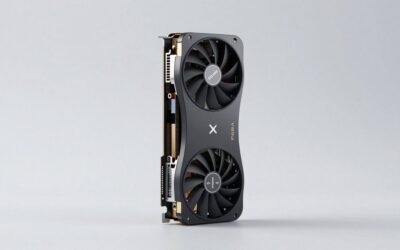
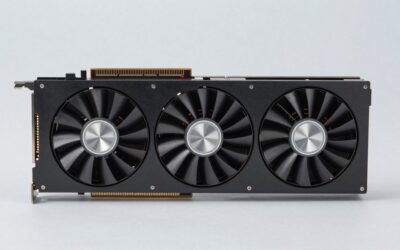
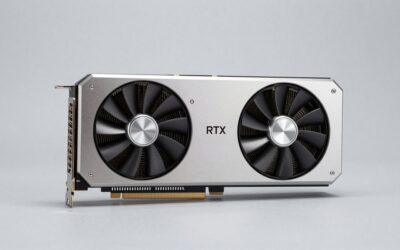
This model matches the 16GB NVIDIA scenario: ray tracing, streaming with NVENC, and frame generation on a high-refresh 1440p monitor. The Epic-X RGB branding signals lighting and a triple-fan cooler.
- 16GB GDDR7, 256-bit memory interface (listing name)
- Boost speed listed at 2640 MHz (listing name)
- PCIe 5.0 interface, HDMI and DisplayPort 2.1 outputs (listing name)
- Triple-fan cooler; confirm card length and slot width on listing
Caveat: RGB lighting adds nothing to performance, and the factory overclock is modest by nature. Verify the power connector type and measure your case before ordering.
PNY GeForce RTX 5070 Ti OC Triple-Fan – the same silicon without the RGB focus

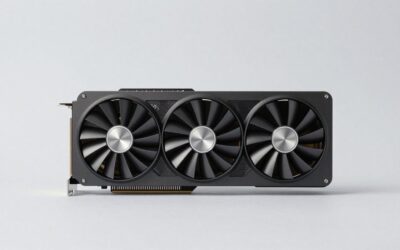
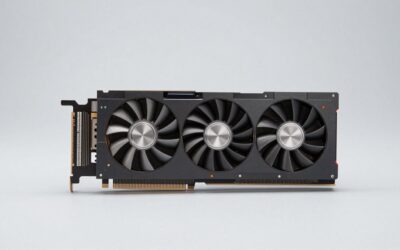
This is the plainer PNY variant for buyers who want the 5070 Ti feature set and do not care about lighting. It suits a quieter, understated build, and it follows the same logic as the previous card for 1440p and path-traced titles.
- GeForce RTX 5070 Ti graphics processor (listing name)
- OC edition with a triple-fan cooler (listing name)
- Memory size, boost clock and connector layout: confirm on listing
- Reference 5070 Ti design lists a 750W minimum supply; confirm the partner card’s connectors on listing
Caveat: PNY’s naming for the two 5070 Ti variants is similar, and the listing text is thin, so compare dimensions and power connectors on both pages before choosing between them.
Common Mistakes
- Buying on a single percentage. A headline “x percent faster” figure hides game-by-game variation. Look for results in your own titles.
- Forgetting the power supply. A 750W recommendation assumes a quality unit with the right connectors. An old or low-grade supply is the usual weak link.
- Ignoring case size. Triple-fan boards are long and thick. Measure before you buy.
- Paying for features you will not use. Skip Multi Frame Generation or NVENC premiums if you do not stream or play supported games.
- Assuming old DLSS or FSR claims still apply. Both ecosystems changed in 2026, so check current support.
- Mixing up 12GB and 16GB models. Names like 5070 and 5070 Ti sound close, but they are different tiers.
Buy Now or Wait?
- Buy now if your current card limits you today and a suitable model is in stock at a fair price. Waiting for a refresh is a gamble.
- Wait if you are not in a hurry and want to see whether a refresh is announced at CES 2027; that timing is rumor.
- Do not wait for a price drop in a supply-constrained market without a fallback plan.
- If a game you want supports only one vendor’s technology, let that decide.
Questions
Is the RTX 5070 Ti or RX 9070 XT better for 4K?
Both are aimed at entry-level 4K with upscaling. Press comparisons show the 5070 Ti slightly ahead at 4K and clearly ahead in ray tracing, but the gap depends on the game.
Do I need a 750W power supply?
Both NVIDIA and AMD list a 750W minimum for these cards. A good-quality unit with the right connectors is more important than headroom beyond that.
Will the RX 9070 XT work with FSR 4 in all games?
No. FSR 4 is limited to supported titles or driver overrides of FSR 3.1 games on DirectX 12, and the number of supported games differs by source. Check AMD’s official list.
Does PCIe 4.0 hold these cards back?
For gaming, press comparisons generally find little difference between PCIe 4.0 x16 and PCIe 5.0 x16 with current cards. The slot generation matters far less than the GPU itself.
Is DLSS 5 available on AMD cards?
NVIDIA says DLSS 5 neural rendering runs only on RTX 50 series cards. Unofficial community ports exist for AMD hardware but are not endorsed.
Is the 12GB RTX 5070 enough?
For many 1080p and 1440p games it is workable, but demanding titles with high-resolution textures use more memory. If you want to keep the card for years, 16GB gives more room.
Update History
- October 14, 2026 – Initial publication.
- Check the product page for current specifications and availability before buying.
Sources and Methodology
Specifications were taken from the manufacturers’ product pages and cross-referenced with press comparisons. Statements about supply, refresh timing and software status are attributed to press coverage or company announcements, and anything that could not be confirmed is labeled as rumor. Product bullets draw on the retailer listing names.
- NVIDIA GeForce RTX 5070 family specification page
- AMD Radeon RX 9070 series product information as reported by press
- NVIDIA GeForce news posts on DLSS 4.5 and DLSS 5
- TechPowerUp, VideoCardz, TweakTown and Tom’s Hardware coverage of supply and driver news
- Retailer listing fields for each card
Ready to decide? Our #1 pick for 2026 is the 1440p high-refresh gaming, mostly rasterized titles.
Live price & availability on Amazon.


Write Your Review
No reviews yet. Be the first to share your experience!