
The RTX 3090 launched with a $1,499 MSRP and a pitch that sounded absurd at the time: 24GB of memory on a consumer graphics card. Today that number is the reason people search for the 3090’s price. Memory capacity has become the scarce resource for local AI models, large 3D scenes, and heavy video work, and a 24GB card is a cheaper way into that territory than most alternatives.
So this is not a pure gaming question. It is a pricing question with three possible buyers: the gamer who wants maximum headroom, the creator who needs the memory, and the person who saw a low listing and is trying to figure out if it is a trap. The advice changes for each.
As an Amazon Associate we earn from qualifying purchases at no extra cost to you.


Quick answer: Our top pick in 2026 is the RTX 3090 24GB — our #1 rated choice. See the full ranked comparison, alternatives and buying advice below.
Is a 3090 Worth It? Only If You Will Use the 24GB
If your goal is simply high frame rates, a newer card with fewer gigabytes can be a better purchase. If your work or hobby actually fills 24GB, the 3090 can be one of the most affordable ways to get that capacity on a single card. The price you should accept depends on how much that memory is worth to you, not on its launch MSRP.
The Reference Prices You Can Trust
The official launch MSRPs are as follows: RTX 3090 at $1,499 with 24GB and 350W; RTX 3090 Ti at $1,999 with 24GB and 450W. These are launch numbers from Nvidia, and neither tells you what a listing costs now. Used and renewed pricing depends on condition, cooler model, and seller, and it changes frequently, so read the live listing.
For perspective, the RTX 4090 launched at $1,599 with 24GB and 450W, and the RTX 5090 launched at $1,999 with 32GB and 575W. Both are newer and faster. A used 3090 only makes sense when its listing price leaves a meaningful gap below those cards or below a new 16GB option such as the RTX 5080 ($999 launch MSRP) or RTX 4080 Super ($999 launch MSRP).
What 24GB Buys You in Practice
- Local AI and machine learning: larger models and larger batch sizes fit in memory. Many people buy a 3090 specifically for this.
- 3D rendering and video editing: big scenes, high-resolution timelines, and complex effects benefit from more memory.
- 4K gaming with maximum textures: fewer compromises in memory-heavy titles.
- Modded games with large texture packs: the headroom prevents stutter caused by running out of VRAM.
For ordinary 1080p or 1440p gaming, most of that memory sits unused. You would be paying for capacity you cannot see on screen.
Hidden Costs Behind the Listing Price
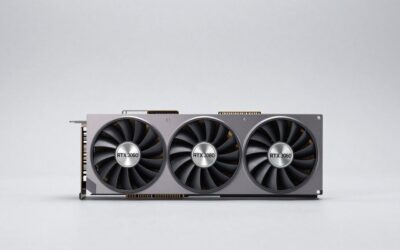
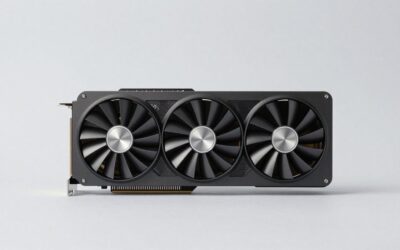
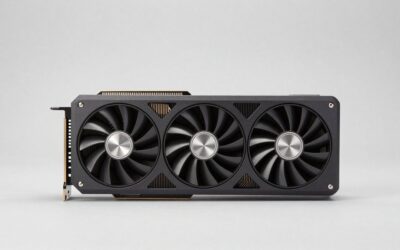
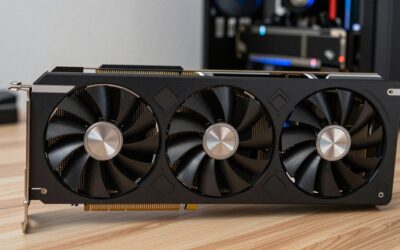
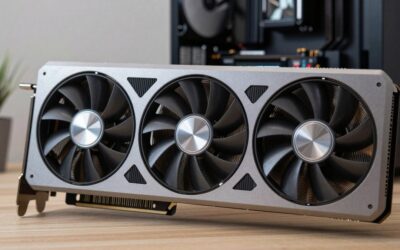
A 3090 is a big, hot card. Partner models are commonly very large and can occupy three slots or more, so check the length and thickness on the listing against your case. The 350W rating means a strong power supply and good airflow are required; check the card’s spec page for the recommended PSU wattage and connectors. The original 3090 places memory on both sides of the board, which makes backplate cooling relevant, so it is worth asking about the cooler design and any thermal pad maintenance on used units.
The Honest Pros and Cons
- Pro: 24GB of VRAM, the same capacity as the much newer RTX 4090.
- Pro: Strong 4K capability with DLSS upscaling for gaming.
- Pro: Full CUDA support for creative and AI workloads.
- Con: 350W board power and large coolers add cost to the rest of the build.
- Con: No Nvidia frame generation (RTX 40 and newer) or multi frame generation (RTX 50 only).
- Con: Used units may have had heavy use, including mining or sustained compute loads.
Who Should Pay for It
Buy a 3090 if you run workloads that regularly fill 16GB and want 24GB without stepping up to a 4090, or if you want a 4K gaming card with generous memory and you are comfortable with a power-hungry card. If the listing comes with a solid return policy and clear photos of the actual unit, so much the better.
Who Should Skip It
Skip it if you game at 1080p or 1440p and care about efficiency, if you want the latest DLSS features, or if the listing price is close to what a newer 16GB card costs. A card like the RTX 5070 Ti 16GB ($749 launch MSRP, 300W) offers a modern feature set with less heat, even though it has less memory.
Where the 3090 Sits Against Other Choices
All figures below are launch MSRPs; compare them with the live price on the listing you are considering.
| Option | Launch MSRP | Trade-off |
|---|---|---|
| RTX 3090 24GB | $1,499 | Large memory pool, 350W, no frame generation. |
| RTX 3090 Ti 24GB | $1,999 | Slightly faster, 450W, and generally pricier on the used market. |
| RTX 4090 24GB | $1,599 | Much more efficient per frame, frame generation support, higher listing prices. |
| RTX 5080 16GB | $999 | Modern features and efficiency, but 8GB less memory. |
| RTX 4070 Ti Super 16GB | $799 | 16GB and 285W, a gentler path if you do not need 24GB. |
FAQ
What was the original price of the RTX 3090?
The launch MSRP was $1,499. The 3090 Ti launched at $1,999. Current prices vary, so check the listing.
Is the 3090 good for local AI in 2026?
The 24GB of VRAM is the draw, since many models are limited by memory capacity. Check the software you plan to use for compatibility and memory needs.
Is a used 3090 safe to buy?
It can be if the seller offers returns and shows the real card. Ask about use history, listen for fan noise, and monitor temperatures when it arrives.
Can my power supply run a 3090?
The card is rated at 350W. Look up the recommended PSU wattage on the spec page, and make sure the supply has the required connectors.
Ready to decide? Our #1 pick for 2026 is the RTX 3090 24GB.
Live price & availability on Amazon.

Write Your Review
No reviews yet. Be the first to share your experience!