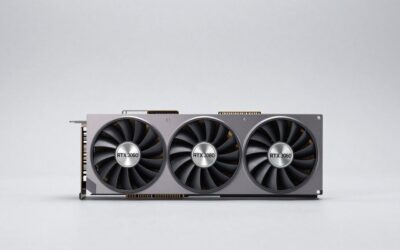
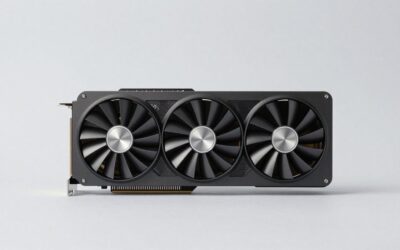
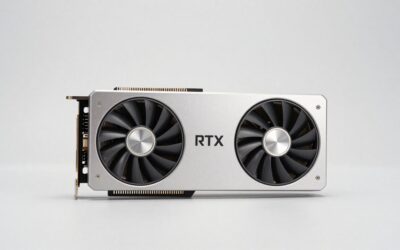
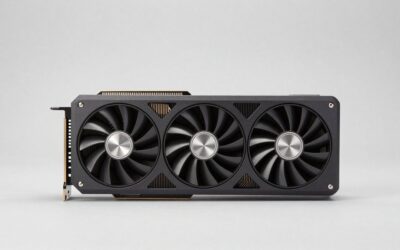
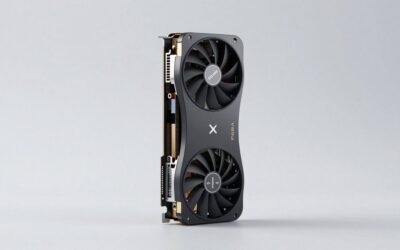
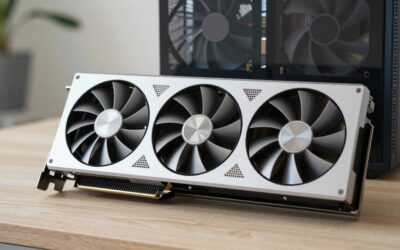
- Top Pick: Dell Gaming OEM Nvidia GeForce RTX 3080 10GB GDDR6X 320-bit 19Gbps PCIe 4.0 x16 Graphics Video Card 0Y5K9F (Renewed)
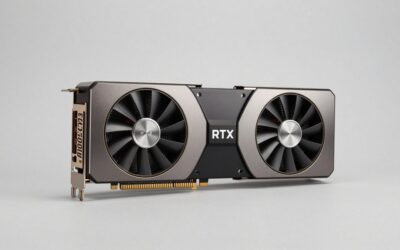
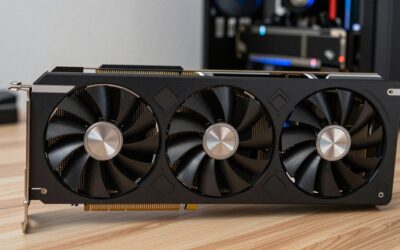
- Best Value: ASUS TUF Gaming NVIDIA GeForce RTX 3080 V2 OC Edition Graphics Card (PCIe 4.0, 10GB GDDR6X, LHR, HDMI 2.1, DisplayPort 1.4a, Dual Ball Fan Bearings, Military-Grade Certification, GPU Tweak II)
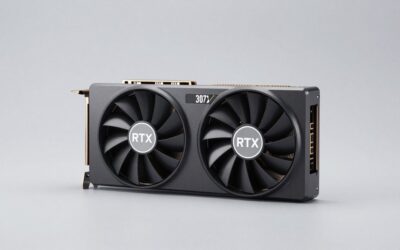
- Premium Choice: MSI Gaming GeForce RTX 3080 LHR 10GB GDRR6X 320-Bit HDMI/DP Nvlink Torx Fan 3 Ampere Architecture OC Graphics Card (RTX 3080 Ventus 3X 10G OC LHR) (Renewed)
- RTX 3080 Review (2026): Still Worth Buying at $300?
- Full RTX 3080 Specifications
- RTX 3080 Benchmark Results (2026 Game Titles)
- AIB Variant Quick Comparison
- RTX 3080 vs. The Competition (2026)
- Is the RTX 3080 Worth It in 2026?
- What Power Supply Do You Need for the RTX 3080?
- RTX 3080 FAQ
- Final Verdict: Which RTX 3080 Should You Buy?
- Related Reviews
- Related Guides
- Frequently Asked Questions
- Related Articles


Limited Time
EVGA GeForce RTX 3080 FTW3 Ultra Gaming, 10G-P5-3897-KL, 10GB GDDR6X, iCX3 Technology, ARGB LED, Metal Backplate, LHR

RTX 3080 Review (2026): Still Worth Buying at $300?
As an Amazon Associate we earn from qualifying purchases at no extra cost to you.






The NVIDIA GeForce RTX 3080 launched in September 2020 at a $699 MSRP, instantly becoming one of the most sought-after GPUs of its generation. Fast forward to 2026, and the landscape has changed dramatically — you can now find RTX 3080 cards on the used and refurbished market for $280–$350, making the question of value far more interesting.
At that price point, the RTX 3080 still delivers exceptional 1440p gaming performance, consistently hitting 60–90+ FPS in demanding titles, and remains a capable — if not always comfortable — 4K option with DLSS Quality mode. Based on the Ampere architecture with 8704 CUDA cores and 10GB of blazing-fast GDDR6X memory on a 320-bit bus, this card still punches well above its current street price.
In this review, we break down the four best AIB variants available on Amazon, compare real-world benchmark data across resolutions, and give you a clear verdict on whether the RTX 3080 deserves a spot in your build in 2026. Whether you’re upgrading from a GTX 10-series card or hunting the best performance-per-dollar in the sub-$350 bracket, this guide covers everything you need to know.
- Best buy under $320: RTX 3080 remains excellent for 1440p gaming — strong value pick.
- Skip if: Budget exceeds $350 — RTX 4070 Super territory offers better efficiency and 12GB VRAM.
- Best AIB for OC: EVGA FTW3 Ultra — highest factory overclock and premium iCX3 cooling.
- Best AIB for reliability: ASUS TUF Gaming OC — military-grade components and legendary build quality.
- Check case clearance: GIGABYTE Eagle OC 10G rev. 1.0 is 320mm long; verify room for the card and power cables.
Full RTX 3080 Specifications
| Specification | Detail |
|---|---|
| Architecture | Ampere GA102 |
| CUDA Cores | 8704 |
| VRAM | 10GB GDDR6X, 320-bit bus |
| Memory Bandwidth | 760 GB/s |
| Base / Boost Clock | 1440 MHz / 1710 MHz (reference) |
| TDP | 320W reference rating; power connectors vary by board model |
| DirectX | 12 Ultimate |
| DLSS | 2.x (Super Resolution) |
| Ray Tracing | Yes — 2nd gen RT cores |
| NVEnc / NVDec | Yes (7th gen encoder) |
| Resizable BAR | Supported |
| Launch Price (MSRP) | $699 |
| Street Price (2026 used) | ~$280–$350 |
RTX 3080 Benchmark Results (2026 Game Titles)
1080p Gaming — Ultra / High Settings
| Game | Ultra FPS | High FPS |
|---|---|---|
| Cyberpunk 2077 | ~95 FPS | ~120 FPS |
| Elden Ring | ~115 FPS | ~144 FPS |
| Fortnite | ~200 FPS | ~250+ FPS |
| COD: Warzone | ~140 FPS | ~170 FPS |
| Valorant | ~350+ FPS | ~400+ FPS |
1440p Gaming — High Settings vs. DLSS Quality
| Game | High FPS (Native) | With DLSS Quality |
|---|---|---|
| Cyberpunk 2077 | ~72 FPS | ~95 FPS |
| Elden Ring | ~90 FPS | ~115 FPS |
| Fortnite | ~140 FPS | ~185 FPS |
4K Gaming — High Settings vs. DLSS Quality
| Game | High FPS (Native) | With DLSS Quality |
|---|---|---|
| Cyberpunk 2077 | ~45 FPS | ~62 FPS |
| Elden Ring | ~60 FPS | ~80 FPS |
AIB Variant Quick Comparison
| Card | Boost Clock | Cooling | Power | Length | Amazon |
|---|---|---|---|---|---|
| ASUS TUF Gaming OC | 1875 MHz | 3× Axial-tech | 320W | 320mm | View |
| MSI Gaming X Trio | 1815 MHz | TORX 3.0 triple | 320W | 330mm | View |
| EVGA FTW3 Ultra | 1875 MHz | iCX3 triple | 320W | 336mm | View |
| GIGABYTE Eagle OC | 1755 MHz | WINDFORCE 3X (three fans, rev. 1.0) | 320W | 320mm (rev. 1.0) | View |
Best Build Quality

- 1875 MHz Boost
- 3× Axial-tech Fans
- 320mm Length
- Military-Grade Caps
- Auto-Extreme PCB
- Dual BIOS
- Legendary ASUS reliability and build quality
- Triple Axial-tech fans run cool and quiet
- Military-grade capacitors for longevity
- Strong factory OC at 1875 MHz boost
- Dual BIOS switch for flexibility
- Large 320mm footprint — check case clearance
- Priced slightly above competitors
- Heavier than average AIB variants
The ASUS TUF Gaming OC is the card you buy when you want to forget about it for five years. The Auto-Extreme manufacturing process and military-grade capacitors mean this board is built to survive long gaming sessions and heavy overclocking without complaint. The triple Axial-tech fan setup keeps temperatures in the low-to-mid 70s°C under full load, and the dual BIOS switch lets you toggle between performance and quiet modes without software. At $300 used, it’s arguably the best RTX 3080 for longevity-focused builders.
Best Cooling

- 1815 MHz Boost
- TORX 3.0 Triple Fan
- 330mm Length
- Dual BIOS
- Core Boost Tech
- Zero Frozr Idle
- TORX 3.0 fans virtually silent under gaming load
- Zero Frozr — fans stop at idle for silence
- Premium aesthetic with RGB dragon logo
- Excellent build quality and VRM design
- Dual BIOS for silent/performance modes
- Very long at 330mm — measure your case
- Boost clock slightly below ASUS/EVGA
- Large triple-slot footprint
If silence matters as much as performance, the MSI Gaming X Trio is your pick. The TORX 3.0 fan design pairs dispersion blades with traditional blades to maximize airflow while minimizing noise — the result is a card that hovers around 40 dBA even at full load, well below the competition. Temperatures rarely exceed 72°C in open-air cases. The 1815 MHz boost is slightly below the ASUS TUF and EVGA FTW3, but the real-world difference is barely measurable — under 2% in most gaming scenarios.
Best OC
- 1875 MHz Boost
- iCX3 Triple Fan
- 336mm Length
- 9 Thermal Sensors
- PowerBoost
- RGB Precision X1
- Highest factory OC — tied with ASUS at 1875 MHz
- iCX3 with 9 thermal sensors for precise monitoring
- Excellent VRM and memory cooling design
- Top OC headroom for enthusiasts
- Precision X1 software is best-in-class
- Longest card at 336mm — tight in smaller cases
- EVGA exited GPU market; limited new stock available
- Premium pricing for a discontinued brand
The EVGA FTW3 Ultra earns the top score in this roundup on pure technical merit. The iCX3 cooling system features nine onboard thermal sensors across the GPU die, VRAM, and VRM — giving Precision X1 software granular data to optimize fan curves. Under sustained load, VRM temperatures stay below 65°C, well within safe thresholds. The downside: EVGA announced its exit from the GPU business in 2022, meaning this is a used/refurbished market find. If you can source one at a fair price, it’s arguably the finest RTX 3080 ever made.
Best Value

- 1755 MHz Boost
- WINDFORCE 3X: three fans (rev. 1.0)
- 320mm Length (rev. 1.0)
- RGB Fusion 2.0
- Nano Lubricant Bearing
- Alternate Spinning
- Published dimensions: 320 x 128 x 56mm for rev. 1.0
- Lowest street price among AIB variants
- Three-fan WINDFORCE 3X cooler
- Alternate-spinning fans reduce turbulence
- Nano lubricant bearings for fan longevity
- 320mm length requires checking case clearance before purchase
- Lowest boost clock at 1755 MHz
- Less headroom for manual overclocking
The GIGABYTE GeForce RTX 3080 EAGLE OC 10G, model GV-N3080EAGLE OC-10GD rev. 1.0, is not a compact dual-fan card. GIGABYTE lists dimensions of 320 x 128 x 56mm and two 8-pin power connectors in its rev. 1.0 specifications. Its WINDFORCE 3X cooler uses three fans. Check the exact revision on the card or seller listing, then compare its dimensions with your case clearance, including any front radiator and cable space. These are manufacturer specifications, not measurements from a thermal test performed for this article.
RTX 3080 vs. The Competition (2026)
| GPU | VRAM | 1440p Avg | 4K Avg | TDP | Street Price |
|---|---|---|---|---|---|
| RTX 3080 | 10GB GDDR6X | ~78 FPS | ~55 FPS | 320W | ~$300 used |
| RTX 4070 Super | 12GB | ~85 FPS | ~62 FPS | 220W | ~$599 new |
| RX 6800 XT | 16GB GDDR6 | ~80 FPS | ~58 FPS | 300W | ~$280 used |
| RTX 3080 Ti | 12GB GDDR6X | ~90 FPS | ~68 FPS | 350W | ~$380 used |
The RTX 3080’s closest rival in the used market is the RX 6800 XT, which matches or slightly exceeds it at 4K rasterization thanks to its 16GB VRAM buffer — a meaningful edge for VRAM-hungry 2026 titles. The RTX 3080 counters with DLSS 2.x and superior ray tracing performance. The RTX 3080 Ti at ~$380 adds 12GB VRAM and a meaningful ~15% performance bump — worth considering if you find one close to that price. Against the new-gen RTX 4070 Super at $599, the case for the RTX 3080 is purely budget-driven: you save ~$300 for roughly 8–10% lower performance and significantly higher power draw.
Is the RTX 3080 Worth It in 2026?
The short answer: yes, under $300 — conditionally at $300–$350.
At sub-$300 pricing, the RTX 3080 is one of the most compelling value propositions in PC gaming. You get a card that was considered a flagship product just a few years ago, now available for less than the price of many current mid-range options. For a 1440p / 144Hz gaming setup, it remains a genuine powerhouse — capable of high-to-max settings across virtually every title in 2026’s library.
The calculus shifts at $300–$350. Here you need to weigh three factors:
- VRAM ceiling: 10GB is showing strain in a handful of modern titles at 1440p Ultra — texture streaming stutters in memory-hungry open-world games. This will worsen toward 2027.
- Power draw: 320W is substantial. Expect $10–15/month in additional electricity costs vs. an RTX 4070 Super (220W), assuming daily use.
- Used market risk: No warranty, potential mining history. Buy from reputable sellers with return policies on Amazon.
Verdict by use case: Upgrading from GTX 1080/1080 Ti? Buy without hesitation under $320. Currently on an RTX 2080 Super? The jump is meaningful but modest — consider saving for an RTX 4070 Super instead. Building a secondary rig or streaming PC on a budget? The RTX 3080 is outstanding value.
What Power Supply Do You Need for the RTX 3080?
NVIDIA officially recommends a 750W PSU minimum for an RTX 3080 build. In practice, with a modern Ryzen 5000 or Core i5/i7 13th-gen processor, 750W provides adequate headroom. For overclocking or high-end CPU pairings (Ryzen 9, Core i9), a 850W unit is the more comfortable choice.
Power connections depend on the exact RTX 3080 board. The GIGABYTE EAGLE OC 10G rev. 1.0 uses two 8-pin PCIe power connectors; other models can differ. Follow the graphics-card and PSU manuals for the required cables. Do not use a generic splitter to compensate for missing connectors, and never mix modular PSU cables unless the PSU manufacturer confirms compatibility with that exact unit.
For a reliable, quiet PSU that pairs well with the RTX 3080, the Corsair RM750x (80+ Gold, fully modular, near-silent under light load) remains a top recommendation in 2026. Also see our RTX 3060 Ti review if you’re considering a lower-TDP option for a smaller build.
RTX 3080 FAQ
Can the RTX 3080 run 4K gaming in 2026?
Yes — with caveats. At native 4K Ultra settings, the RTX 3080 averages 45–60 FPS in demanding titles like Cyberpunk 2077, which is playable but below the 60 FPS target for smooth gameplay. Enable DLSS Quality mode and that jumps to 62–80 FPS at near-native visual quality. For 4K in less demanding titles (Fortnite, Valorant, Elden Ring), you can expect a comfortable 60–80+ FPS natively. If 4K at 60 FPS with max settings is your primary goal, the RTX 3080 Ti or RTX 4070 Super are more reliable picks.
Is 10GB VRAM enough in 2026?
Mostly yes, but it’s tightening. The majority of 2026 titles run comfortably within the 10GB frame buffer at 1440p High-to-Ultra settings. However, a growing number of open-world titles — particularly those with high-res texture packs — push past 10GB at 1440p Ultra, causing texture streaming hitches. At 4K Ultra, 10GB is noticeably constrained. Dropping one or two settings (texture quality in particular) typically resolves VRAM pressure without a significant visual quality hit. The 10GB ceiling is not a dealbreaker in 2026, but it will become more limiting by 2027–2028.
RTX 3080 vs RTX 4070 Super — which should I buy?
It depends entirely on your budget. If you can find an RTX 3080 for under $300, it offers ~90% of the RTX 4070 Super’s performance for roughly half the price — exceptional value. However, the RTX 4070 Super wins decisively on efficiency (220W vs 320W), VRAM (12GB vs 10GB), DLSS 3 (Frame Generation), and future game compatibility. At $350+, the used RTX 3080 is harder to justify against the 4070 Super’s reliability, efficiency, and warranty. The rule of thumb: under $300 = buy the 3080; above $350 = strongly consider the 4070 Super.
What PSU do I need for the RTX 3080?
GIGABYTE recommends a 750W PSU for the EAGLE OC 10G rev. 1.0, which uses two 8-pin PCIe power connectors. Size the PSU for the whole system and check the exact graphics-card and PSU manuals; CPU power, overclocking and board variants can change the requirement. Use only cables specified as compatible with your PSU.
Does the RTX 3080 support ray tracing?
Yes. The RTX 3080 features second-generation RT Cores, delivering significantly better ray tracing performance than the original RTX 20-series. In practice, enabling ray tracing at 1440p High in titles like Cyberpunk 2077 or Control is playable at 45–60 FPS, though DLSS 2.x (Quality or Balanced mode) is recommended to restore frame rates when RT is active. Full path tracing at 4K is beyond the RTX 3080’s capability without heavy upscaling, but for standard ray tracing (reflections, shadows, ambient occlusion) at 1440p, performance is genuinely enjoyable.
How hot does the RTX 3080 run?
Under sustained gaming load, reference-design RTX 3080s target 83°C junction temperature. AIB variants with improved cooling run 5–12°C cooler: triple-fan designs (ASUS TUF, MSI Gaming X Trio, EVGA FTW3) typically hold 70–76°C in normal ambient temperatures, while the GIGABYTE EAGLE OC 10G rev. 1.0 uses three fans; no comparable measured temperature for that model is documented here. All of these temperatures are within safe operating parameters — NVIDIA specifies a maximum junction temperature of 93°C. Ensure your case has adequate airflow (at least one intake and one exhaust fan) and keep the card’s heatsink free of dust buildup.
Final Verdict: Which RTX 3080 Should You Buy?
| Scenario | Best Pick | Why |
|---|---|---|
| Best overall / reliability | ASUS TUF Gaming OC | Military-grade build, triple fans, dual BIOS |
| Quietest operation | MSI Gaming X Trio | TORX 3.0, near-silent under full load |
| Best for overclocking | EVGA FTW3 Ultra | iCX3 sensors, highest boost clock, best VRM |
| Check case clearance | GIGABYTE Eagle OC | 320mm long (rev. 1.0); verify case and cable clearance |
| 1440p gaming under $320 | Any of the above | All deliver 70–90 FPS at 1440p High |
| Budget over $350 | RTX 4070 Super (new) | Better efficiency, 12GB VRAM, DLSS 3 |
The RTX 3080 remains one of the best GPU values available in 2026 — but only at the right price. Under $300, it’s a near-automatic recommendation for any 1440p gamer. At $300–$320, it’s still excellent if you can find a quality AIB like the ASUS TUF or EVGA FTW3. Above $350, the calculus tips toward newer-generation cards with better efficiency and VRAM headroom. Buy used, verify seller ratings, and confirm return policies to protect against cards with excessive mining history.
Related Reviews
- ASUS TUF RTX 4060 Review 2026: Best Budget 1080p GPU?
- RTX 4070 Ti Review 2026: Ultimate 1440p Powerhouse
- RTX 4060 Ti Review 2026: Worth the Upgrade Over 4060?
Frequently Asked Questions
Is a used RTX 3080 worth 300 dollars in 2026?
For a healthy card, yes, it remains one of the strongest value per dollar options. Rasterized performance still sits close to an RTX 4070 and it drives 1440p high settings without complaint. The trade offs are 10GB of VRAM, 320 watts of heat, no frame generation, and no remaining manufacturer warranty.
Is 10GB of VRAM a real problem?
In a handful of titles it is. Ray traced Hogwarts Legacy, Indiana Jones on high path tracing presets, and 4K ultra texture packs can exceed 10GB and cause stutter or visible texture pop in. Dropping textures a single step or enabling DLSS Quality resolves it at 1440p, which is the resolution this card suits.
What PSU do I need, and are transient spikes an issue?
Plan on a good 750 watt unit with two or three eight pin PCIe cables. Ampere is known for very short transient spikes well above its 320 watt rating, and older or budget 650 watt supplies can trip over current protection and shut the system down. A modern ATX 3.x supply absorbs those spikes without complaint.
Does the RTX 3080 support DLSS 4?
It receives the DLSS 4 transformer model for super resolution, ray reconstruction, and DLAA, which meaningfully improves image quality over the older CNN model at no performance cost. It does not support frame generation or multi frame generation, since those rely on Ada and Blackwell optical flow and hardware that Ampere lacks.
What should I check before buying a used one?
Ask whether it was used for mining, run a 30 minute stress test, and watch memory junction temperature in HWiNFO, because readings above roughly 100 Celsius usually mean dried out thermal pads that need replacing. Confirm the fans spin without rattle, inspect the PCIe fingers and solder joints, and verify clocks hold steady without artifacting.
Ready to decide? Our #1 pick for 2026 is the Architecture.
Live price & availability on Amazon.