
Quick answer: Our top pick in 2026 is the Keep an existing RTX 4060 and enable DLSS — our #1 rated choice. See the full ranked comparison, alternatives and buying advice below.
The Short Answer
Yes, a GPU upgrade is worth it for DLSS only if your current graphics card cannot deliver your target resolution, frame rate, or ray-tracing performance even with DLSS enabled. If you already own a reasonably modern GeForce RTX card, upgrading solely to “get DLSS” is usually poor value because DLSS is a software feature supported across multiple GPU generations.
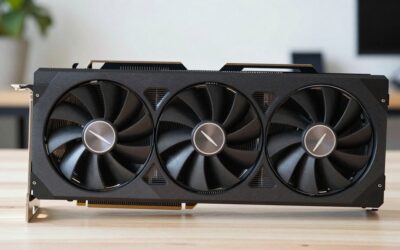
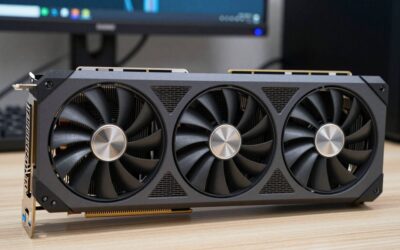
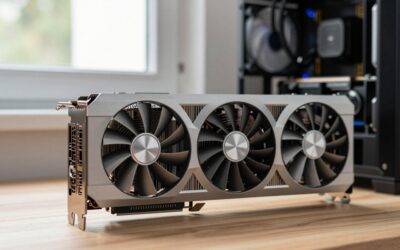
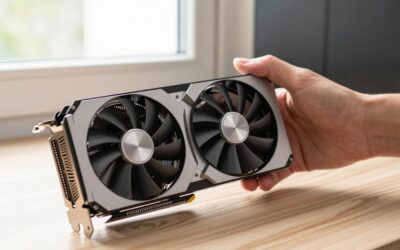
The more useful question is whether you need a faster GPU to make DLSS practical at higher settings. A card such as the ASUS TUF Gaming GeForce RTX 5070 12GB GDDR7 OC Edition can provide substantially more rendering headroom than a Gigabyte RTX 4060 Gaming OC 8G, but that benefit matters most at 1440p and above, with ray tracing enabled, or when you want consistently high refresh rates.
As an Amazon Associate we earn from qualifying purchases at no extra cost to you.


What You Actually Get
DLSS renders a game at a lower internal resolution and uses AI-assisted reconstruction to produce an image that looks closer to your display’s native resolution. Depending on the game and supported feature set, it can also generate additional frames or reduce latency. The result can be a major performance increase compared with native rendering, but it is not magic: image quality and responsiveness still depend on the game, mode selected, and your GPU’s baseline performance.
Both RTX 4060 and RTX 5070 graphics cards support DLSS features, so moving from one to the other does not unlock DLSS for the first time. Instead, the upgrade gives DLSS a faster foundation. The RTX 5070’s 12GB of GDDR7 memory is better suited to demanding 1440p settings than the RTX 4060’s 8GB of GDDR6. More memory can also reduce texture-related stuttering in newer games, although it does not guarantee smooth performance by itself.
The RTX 4060 remains a sensible 1080p card. With DLSS enabled, it can make demanding games more comfortable at high settings, particularly when ray tracing is limited or disabled. Its lower power demand also makes it easier to install in a modest system. A typical RTX 4060 build is generally comfortable with a 550-watt power supply, while an RTX 5070 system commonly calls for approximately 650 watts, depending on the rest of the computer and the manufacturer’s recommendation.
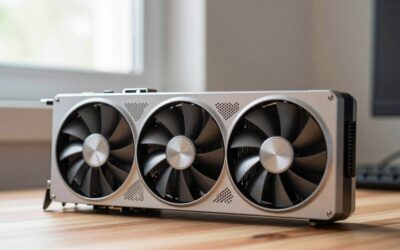
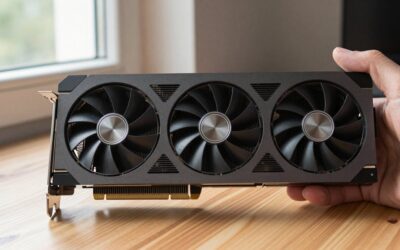
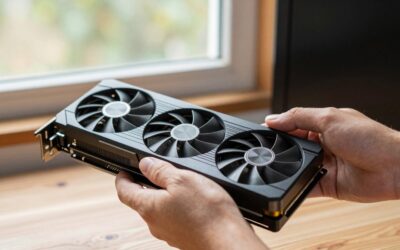
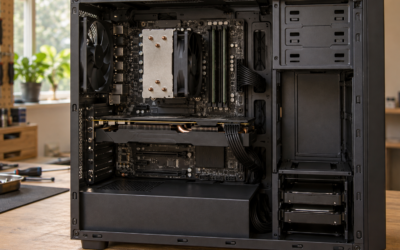
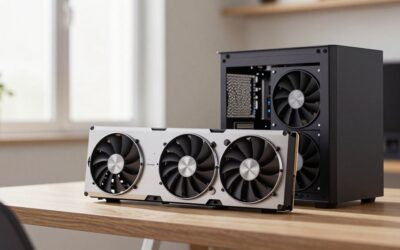
The RTX 5070 is the more compelling choice for a 1440p monitor, a high-refresh display, or regular ray-traced gaming. It costs more and may require a stronger power supply, adequate case airflow, and the correct power connector or adapter. Before buying, check your case’s maximum graphics-card length, available expansion-slot clearance, and power-supply connectors. Exact card dimensions and weights vary by manufacturer, so confirm the listing for the specific ASUS or Gigabyte model rather than assuming all versions are the same.
Pros
- More useful DLSS headroom: A faster GPU can maintain higher frame rates while using quality-focused DLSS modes instead of relying on aggressive performance modes.
- Better for 1440p: The RTX 5070 is a more appropriate match for a 1440p display, especially with ray tracing and high texture settings.
- More video memory: The 5070’s 12GB capacity gives it more breathing room than an 8GB RTX 4060 in memory-heavy games.
- Improved ray-tracing experience: Ray tracing can be demanding even when DLSS is enabled. A faster GPU helps preserve visual settings and frame-rate stability.
- Longer useful life: Extra performance can delay another upgrade as games become more demanding.
- Better high-refresh potential: If you have a 144Hz or faster monitor, the 5070 is more likely to make use of that refresh rate in demanding titles.
Cons
- DLSS is not exclusive to new cards: An RTX 4060 already supports DLSS, so the upgrade does not add the feature itself.
- High purchase cost: The referenced ASUS RTX 5070 listing is under $1,000, which is a substantial investment for a feature that your existing RTX card may already support.
- Potentially poor 1080p value: At 1080p, the CPU, game engine, or display refresh rate may limit the benefit before the GPU does.
- Higher power and installation demands: A 5070 may need a 650-watt-class power supply, additional case space, and careful cable routing.
- Frame generation is not the same as native performance: Generated frames can improve perceived smoothness, but they do not remove the need for adequate base frame rates or eliminate input latency.
- Game support varies: DLSS features must be implemented by each game. A GPU upgrade cannot add DLSS to a title that does not support it.
Who Should Buy It
Buy a GPU upgrade for DLSS if you are currently using an older or entry-level card and still cannot reach a comfortable frame rate after choosing a sensible DLSS mode. The upgrade makes the most sense when several of these conditions apply:
- You play at 1440p or 4K rather than 1080p.
- You use ray tracing and want to keep high-quality lighting effects.
- You own a 120Hz, 144Hz, or faster monitor and want to approach its refresh rate.
- Your current card has 8GB of memory and newer games are showing texture stutter or frequent setting compromises.
- You are replacing an aging GPU rather than buying a new card only for DLSS.
- Your power supply, case, processor, and cooling system can support the replacement.
For an RTX 4060 owner, moving to an RTX 5070 is a performance upgrade, not a DLSS upgrade. It can be worthwhile if you have moved to 1440p, want demanding ray tracing, or find yourself using low settings to maintain smooth play. At the listed prices, however, the value depends heavily on your monitor and game library. A 1080p player may see a more noticeable improvement by upgrading the display, processor, or storage instead.
Who Should Skip It
Skip the upgrade if your current RTX card already reaches your monitor’s refresh rate with DLSS enabled and the settings you actually use. There is little reason to spend hundreds of dollars for a feature that is already available.
You should also wait if your games are primarily competitive 1080p titles that already run well, if your CPU is the performance bottleneck, or if you are considering frame generation to compensate for a very low base frame rate. In those situations, extra GPU power may not solve the underlying problem. Owners of compact PCs should be particularly cautious: a larger triple-fan card may not fit, and a power-supply upgrade can add meaningful cost.
Cheaper Alternatives
| Option | Cost | Trade-off |
|---|---|---|
| Keep an existing RTX 4060 and enable DLSS | $0 | Best value if 1080p performance is already acceptable; limited by 8GB of memory and lower raw performance. |
| Gigabyte RTX 4060 Gaming OC 8G | About $500–$550; referenced listing under $600 | Lower power use and easier system compatibility, but primarily a 1080p choice and much slower than an RTX 5070. |
| Buy a discounted previous-generation RTX card | About $450–$750 | Can offer strong raw performance and DLSS support, but availability, warranty, memory capacity, and power requirements vary. |
| Upgrade the monitor or CPU instead | About $200–$500 | May improve the experience more than a GPU upgrade when the current card already meets your frame-rate target. |
The ASUS RTX 5070 listing for under $1,000 sits well above the referenced RTX 4060 price. That difference is easier to justify when the 5070 replaces an older card, supports a new 1440p display, or prevents repeated compromises with ray tracing. It is harder to justify when your only goal is enabling DLSS.
FAQ
Does DLSS make a GPU upgrade unnecessary?
Sometimes. DLSS can substantially reduce the rendering workload, so an RTX 4060 may remain perfectly adequate at 1080p. It cannot fully compensate for limited hardware at higher resolutions, heavy ray tracing settings, insufficient video memory, or a very low base frame rate.
Is an RTX 5070 worth upgrading to from an RTX 4060?
It can be, especially for 1440p, ray tracing, and high-refresh gaming. The upgrade is less convincing for ordinary 1080p play. Compare the total cost, including any power-supply or case changes, with the actual games and monitor you use.
What DLSS setting should I use?
Start with the Quality mode at your display’s native resolution. Move to Balanced if performance is still inadequate, and use Performance only when necessary. Sharper is not always better: aggressive modes can show softer details, shimmering, or reconstruction artifacts.
Should I upgrade my CPU before my GPU?
If GPU utilization is regularly low while the processor is near full usage, a CPU upgrade may produce a larger improvement. If the GPU is consistently at or near full usage, particularly at 1440p with ray tracing, a faster graphics card is more likely to help. Use in-game performance overlays rather than judging by average frame rate alone.
Ready to decide? Our #1 pick for 2026 is the Keep an existing RTX 4060 and enable DLSS.
Live price & availability on Amazon.

Write Your Review
No reviews yet. Be the first to share your experience!