
The RTX 4090 remains the single most requested consumer card in machine-learning circles in 2026, and for good reason. Its 24GB of GDDR6X, 16,384 CUDA cores, and 512 fourth-generation Tensor cores let you fine-tune 7B-parameter language models, run Stable Diffusion XL batches, and train mid-size vision networks entirely on your desk. For anyone weighing a cloud GPU bill against a one-time purchase, the math often flips in the 4090’s favor after just a few months of heavy use.
This deep dive looks at how the 4090 actually behaves under real ML workloads, where its 24GB memory ceiling starts to bite, and how it compares to the professional Ada cards that share its architecture. We also cover renewed and Founders Edition options on Amazon, since a working-condition 4090 at a discount can be a smart entry point for a home lab.
As an Amazon Associate we earn from qualifying purchases at no extra cost to you.



⚡ Save on Your Next PC — Amazon Prime
Prime members get fast free shipping on the systems above, plus early access to Prime Day & Black Friday PC deals. New members get a 30-day free trial.
Watch: Nvidia RTX 4090 for AI and Machine Learning: A Deep Dive — Video Review
How to Choose
- VRAM headroom: 24GB handles most fine-tuning and inference, but 4-bit quantization is essential once you push past 13B-parameter models. Budget your memory before your compute.
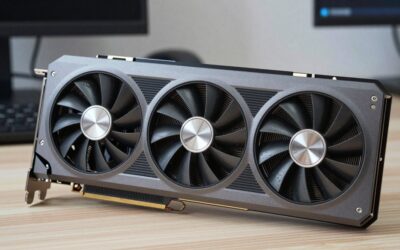
- Cooling and case fit: A triple-fan 4090 like the MSI Gaming Trio is often 336mm long. Measure your case clearance and confirm at least three exhaust fans for sustained training runs.
- New vs. renewed: A Renewed Founders Edition can save several hundred dollars, but verify the seller’s return window and that the card ships with its original 12VHPWR adapter.
- Power delivery: Plan for an 850W-1000W ATX 3.0 PSU with a native 12VHPWR connector to avoid the melted-adapter issues that plagued early adopters.
- Workstation alternative: If you need ECC memory or run compute 24/7, weigh a professional RTX 4000 Ada or RTX 2000 Ada instead, trading raw speed for reliability and lower power draw.
The Best Picks Reviewed
MSI Gaming GeForce RTX 4090 24GB GDDR6X Tri-Frozr
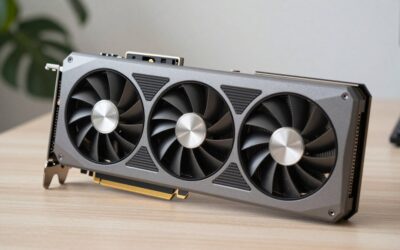
The MSI Gaming Trio is the pick for people who want a brand-new 4090 with a cooler built for hours-long training. Its Boost Clock of 2625 MHz and beefy triple-fan shroud keep the GPU under 70C even during back-to-back Stable Diffusion batches. NVLink is absent on consumer Ada, so treat this as a single-card powerhouse rather than a multi-GPU building block.
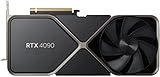
VIPERA NVIDIA GeForce RTX 4090 Founders Edition
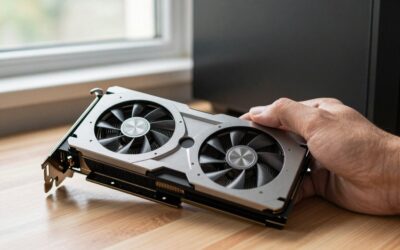
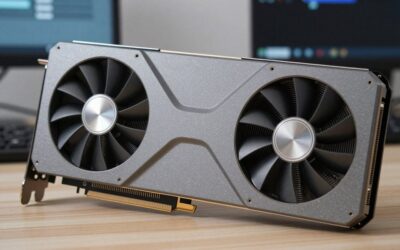
The Founders Edition trades a few MHz for a compact, two-slot-friendly design that fits mini-tower workstations better than most partner cards. For ML users the FE’s vapor-chamber cooler is genuinely excellent, and its cleaner aesthetic suits a quiet home lab. Stock is intermittent, so grab one when a listing appears.
GeForce VIPERA RTX 4090 Founders Edition (Renewed)
The Renewed FE is the value play. You get the same 24GB and 16,384 CUDA cores as new, typically at a meaningful discount, with a professionally inspected card. Confirm the listing includes the power adapter and check the reviewer notes for coil-whine reports before committing.
Nvidia RTX 4000 Ada 20GB
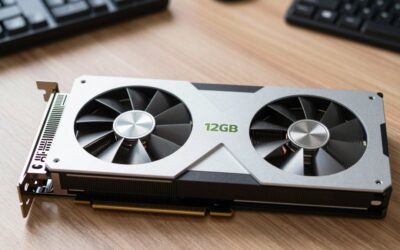
The RTX 4000 Ada is the sensible choice when uptime matters more than peak throughput. It sips roughly 130W, fits in a single slot, and offers 20GB of ECC-protected memory, ideal for a machine that trains overnight without a babysitter. It is slower than a 4090 but far easier to cool in a rack.
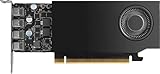
Nvidia RTX 2000 Ada 16GB
For inference-focused labs and smaller vision models, the RTX 2000 Ada packs 16GB into a low-profile, 70W card. It will not train a large diffusion model quickly, but for serving quantized LLMs or running batch inference on a compact build, its efficiency is hard to beat.
Frequently Asked Questions
Is 24GB of VRAM enough for training large language models?
For full-precision training of anything above 13B parameters, no. But with QLoRA and 4-bit quantization, a 4090 comfortably fine-tunes 7B-13B models and runs inference on much larger ones. Memory, not compute, is almost always your first wall.
Can I use a Renewed RTX 4090 safely for daily training?
Yes, provided you buy from a reputable seller with a return policy. Run a stress test like a 30-minute training loop on arrival, monitor temperatures, and confirm memory clocks are stable. Most renewed cards perform identically to new ones.
Do I need the professional Ada cards instead of a 4090?
Only if you require ECC memory, certified drivers, or 24/7 reliability in a rack. For a hobbyist or researcher on a desk, the 4090 delivers far more raw performance per dollar than an RTX 4000 Ada.
What power supply should I pair with an RTX 4090?
An 850W minimum, 1000W recommended, ATX 3.0 unit with a native 12VHPWR cable. This avoids adapter clutter and gives you transient headroom for the card’s brief 600W power spikes.
Final Thoughts
In 2026 the RTX 4090 still hits the sweet spot for desktop machine learning: enough VRAM for serious fine-tuning, enough compute to make cloud rentals feel wasteful, and a healthy secondhand market that keeps entry costs reasonable. Buy new if you want warranty peace of mind, renewed if you want the best value, and step up to a professional Ada card only when reliability outranks raw speed.

Write Your Review
No reviews yet. Be the first to share your experience!