
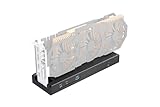
- Top Pick: Razer Core X V2 External Graphics Enclosure (eGPU)
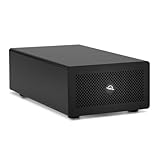
- Best Value: Sonnet Breakaway Box 850 T5 eGPU Enclosure – 80 Gbps Thunderbolt 5 / Thunderbolt 4 / USB4 – External GPU for Windows – 850W Power – Triple-Wide Graphics Cards – 5GbE Port
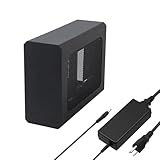
- Premium Choice: 80Gbps eGPU Enclosure Compatible with Thunderbolt 5, JHL9480 External PCIe Dock
External GPU enclosures have quietly become one of the most compelling upgrade paths for laptop and mini PC owners in 2026. Instead of buying a bulky gaming desktop, you can plug a full-size desktop graphics card into a compact aluminum box, connect a single cable to your ultrabook, and suddenly run modern titles at high settings, drive multiple 4K monitors, or accelerate AI and video workloads. The dream of “one thin laptop for travel, a desktop-class GPU on your desk” is more achievable now than at any point in the technology’s history.
- How External GPU Enclosures Actually Work
- Thunderbolt 5 vs Thunderbolt 4: Why Bandwidth Finally Matters
- Compatibility: Laptops, Mini PCs, and Mac
- The Best eGPU Enclosures in 2026
- Performance Overhead: What to Realistically Expect
- Verdict: Which eGPU Enclosure Should You Buy?
- Related Guides
- Frequently Asked Questions
- Related Articles
The big story this year is bandwidth. Thunderbolt 5 has moved from a niche spec sheet promise to shipping hardware, doubling the effective PCIe throughput available to an external card. Combined with maturing USB4 controllers and a fresh crop of enclosures from Razer, ASUS, Sonnet, Aoostar, and Minisforum, buyers finally have real choices at multiple price points. But eGPUs remain a category where the wrong pairing of host, cable, and card can leave performance on the table, so understanding the fundamentals matters before you spend.
As an Amazon Associate we earn from qualifying purchases at no extra cost to you.








This guide breaks down how eGPUs actually work, why the Thunderbolt 5 versus Thunderbolt 4 difference is bigger than the marketing suggests, how to check compatibility for Windows laptops, mini PCs, and Macs, and what performance overhead to realistically expect. Then we rank the best enclosures you can buy today.
As an Amazon Associate we earn from qualifying purchases. Prices and availability are accurate as of publication and may change. We only recommend hardware we believe offers genuine value to our readers.
How External GPU Enclosures Actually Work
An eGPU enclosure is, at its core, a PCI Express slot living outside your computer. Inside the box you install a standard desktop graphics card into a physical x16 slot, power it with the enclosure’s built-in power supply, and the enclosure bridges that PCIe slot to your host through a Thunderbolt or USB4 controller. Your laptop sees the external card almost as if it were installed internally, and your operating system’s driver stack handles the rest.
The catch is the bridge. A desktop motherboard gives a GPU a full PCIe x16 link. An eGPU tunnels PCIe over a Thunderbolt cable, which historically capped the connection at roughly the equivalent of PCIe 3.0 x4. That narrower pipe is why external cards run slower than the same card installed in a desktop, especially in games that stream large amounts of data across the bus. If you want the deeper story on how lane counts affect real-world frame rates, our PCIe bandwidth explainer walks through the numbers in detail.
There are two ways an eGPU can feed your display. You can run games on an external monitor plugged directly into the enclosure’s GPU, which avoids sending frames back across the cable and delivers the best performance. Or you can use “loopback” to display on your laptop’s built-in screen, which is more convenient but sacrifices some frames because rendered images must travel back over Thunderbolt to the internal panel.
Thunderbolt 5 vs Thunderbolt 4: Why Bandwidth Finally Matters
Thunderbolt 4 and USB4 both deliver 40 Gbps of total bandwidth, of which a chunk is reserved for display and protocol overhead, leaving eGPUs the familiar PCIe 3.0 x4-equivalent tunnel. That was fine for mid-range cards but became a real bottleneck once GPUs like the RTX 4080 and 5080 class arrived, because those chips can consume far more data than the pipe delivers.
Thunderbolt 5 changes the equation. It offers 80 Gbps of symmetric bandwidth and can boost to 120 Gbps in one direction for demanding display scenarios. For eGPUs, the practical result is roughly double the PCIe tunnel, closer to a PCIe 4.0 x4 link. In bandwidth-sensitive games, that can translate into a meaningful double-digit percentage improvement over Thunderbolt 4, and it dramatically reduces stutter when a game streams new textures. If you are pairing a high-end card, Thunderbolt 5 is worth prioritizing. Our Thunderbolt 5 laptop roundup lists which 2026 notebooks ship with the new controller.
One important nuance: bandwidth only helps if every link in the chain supports it. You need a Thunderbolt 5 host, a Thunderbolt 5 enclosure, and a certified Thunderbolt 5 cable. Mixing a Thunderbolt 5 enclosure with a Thunderbolt 4 laptop simply falls back to 40 Gbps.
Compatibility: Laptops, Mini PCs, and Mac
Windows laptops with Thunderbolt 4 or Thunderbolt 5 are the sweet spot for eGPUs. Intel-based ultrabooks and most premium AMD laptops with USB4 will work, though AMD’s USB4 implementation occasionally needs BIOS updates for stable eGPU hot-plugging. Always confirm your port carries the Thunderbolt or USB4 logo rather than being a plain USB-C data port, because a standard USB-C connector cannot tunnel PCIe.
Mini PCs have become a surprisingly strong eGPU platform in 2026. Compact machines from Minisforum, Aoostar, and others increasingly ship with USB4 or Thunderbolt, letting you build a tiny, quiet system that still commands a full desktop GPU when you need it. This pairs especially well with proprietary docks that some brands bundle with their own mini PCs.
Mac compatibility is the disappointing story. Apple Silicon Macs do not support external GPUs for graphics acceleration, and macOS lacks the driver support to render games or 3D apps on a discrete AMD or NVIDIA card over Thunderbolt. eGPU enclosures still function as high-quality Thunderbolt docks on a Mac, but they will not accelerate your workflow. If you are on a Mac and want more GPU power, our Mac GPU upgrade guide covers the realistic alternatives.
The Best eGPU Enclosures in 2026
The market splits into three camps: universal open enclosures that accept any desktop card, proprietary modules tied to a specific laptop or mini PC, and value-focused boxes that undercut the premium brands. Here are our top picks across those categories.
| Enclosure | Interface | GPU Support | Best For | Approx Price (USD) |
|---|---|---|---|---|
| Razer Core X V2 | Thunderbolt 5 | Triple-slot, up to RTX 5090 class, 700W PSU | Premium universal pick | $449 |
| ASUS ROG XG Mobile (2026) | Proprietary + Thunderbolt 5 | Integrated mobile-class GPU module | ROG laptop owners wanting portability | $1,299 |
| Sonnet eGPU Breakaway Box 750 | Thunderbolt 4 | Dual-slot, up to 375W card, 750W PSU | Reliability and pro workloads | $379 |
| Aoostar AG02 | OCuLink + USB4 | Triple-slot, up to RTX 5080 class | Best value / higher bandwidth | $219 |
| Minisforum DEG2 | OCuLink + USB4 | Open frame, up to 3-slot cards | Mini PC pairings | $159 |
Razer Core X V2 — Best Overall
Razer’s updated Core X moves to Thunderbolt 5 and a beefier 700W power supply, letting it comfortably feed even a triple-slot RTX 5090-class card. The tool-less sled, clean aluminum shell, and near-silent operation make it the enclosure to beat if budget is not your primary concern. The extra Thunderbolt 5 bandwidth meaningfully narrows the gap to a native desktop.
Aoostar AG02 — Best Value
The AG02 is the enthusiast favorite because it offers both OCuLink and USB4 connectivity. OCuLink bypasses the Thunderbolt tunnel entirely and delivers a PCIe 4.0 x4 link, which on supported mini PCs and a few laptops with an OCuLink port unlocks noticeably higher frame rates than any Thunderbolt box, at a fraction of the price.
Sonnet Breakaway Box 750 — Most Reliable
Sonnet’s enclosures have long been the choice of creative professionals for their rock-solid drivers and generous power delivery. It sticks with Thunderbolt 4, so it is not the bandwidth champion, but for content creators who value stability over squeezing out every frame, it is dependable.
Performance Overhead: What to Realistically Expect
No eGPU delivers the full performance of the same card in a desktop, and setting expectations correctly prevents buyer’s remorse. Over a Thunderbolt 4 connection, plan for roughly 10 to 25 percent lower frame rates than a native desktop when using an external monitor, and larger losses of 20 to 40 percent when using loopback to your laptop’s internal display. The gap widens for very high-end cards, which are more starved by the narrow tunnel, and shrinks for mid-range cards that never saturate the bus.
Thunderbolt 5 and OCuLink both shrink these penalties considerably. An OCuLink connection on a compatible host can bring a mid-range card within single-digit percentages of native desktop performance, which is why the value-focused enclosures punch above their price. CPU-bound titles and esports games often show almost no difference regardless of interface, because they simply do not push enough data across the bus to notice.
Beyond gaming, eGPUs shine for productivity: video editing exports, 3D rendering, and local AI inference are largely compute-bound and see a smaller bandwidth penalty. For those workloads, an eGPU can transform a thin laptop into a serious workstation. For a deeper breakdown of how different cards scale, see our GPU benchmark database.
Verdict: Which eGPU Enclosure Should You Buy?
For most buyers pairing a modern Thunderbolt 5 laptop with a powerful card, the Razer Core X V2 is the safest premium choice thanks to its bandwidth, power headroom, and build quality. If you own a mini PC or a laptop with an OCuLink port, the Aoostar AG02 delivers the best raw performance per dollar and is our value champion. Sonnet remains the pick for professionals who prize driver reliability, ASUS ROG XG Mobile is compelling if you are already in the ROG ecosystem and want true portability, and the Minisforum DEG2 is a superb budget entry point for mini PC owners experimenting with external graphics.
Whatever you choose, match the interface to your host, use a certified cable, and prefer an external monitor for gaming. Do that, and an eGPU is one of the most flexible upgrades in modern PC hardware.
Frequently Asked Questions
Do external GPU enclosures work with any laptop?
No. Your laptop must have a Thunderbolt 4, Thunderbolt 5, or USB4 port that supports PCIe tunneling. A plain USB-C port, even one that looks identical, cannot carry the PCIe data an eGPU needs. Some enthusiast laptops and mini PCs also offer an OCuLink port, which provides even higher bandwidth than Thunderbolt.
Can I use an eGPU with a MacBook or Apple Silicon Mac?
Not for graphics acceleration. Apple Silicon Macs do not support external GPUs for rendering games or 3D applications, and macOS lacks the necessary drivers. The enclosure will still work as a Thunderbolt dock, but it will not accelerate your GPU workloads. eGPUs remain a Windows and, in limited cases, Linux technology.
How much performance do I lose with an eGPU versus a desktop?
Expect roughly 10 to 25 percent lower frame rates over Thunderbolt 4 when using an external monitor, and more when displaying on your laptop’s built-in screen. Thunderbolt 5 and OCuLink connections reduce this penalty significantly, sometimes to single digits. Productivity and compute workloads lose far less performance than bandwidth-heavy games.
Do I need to buy the graphics card separately?
In most cases, yes. Open enclosures like the Razer Core X, Sonnet Breakaway Box, Aoostar AG02, and Minisforum DEG2 are sold empty, and you install a standard desktop GPU of your choice. Proprietary modules like the ASUS ROG XG Mobile are the exception, shipping with a graphics chip already integrated.










Write Your Review
No reviews yet. Be the first to share your experience!