
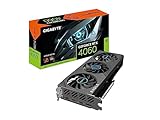
- Top Pick: Gigabyte GeForce RTX 4060 WINDFORCE OC 8G Graphics Card, 2X WINDFORCE Fans, 8GB 128-bit GDDR6, GV-N4060WF2OC-8GD Video Card
- Best Value: ASUS Dual GeForce RTX™ 5070 12GB GDDR7 OC Edition (PCIe 5.0, 12GB GDDR7, DLSS 4, HDMI 2.1b, DisplayPort 2.1b, Compact Dual-Fan Design, Axial-tech Fan Design, 0dB Technology, and More)
- Premium Choice: PNY GeForce RTX™ 4070 Super 12GB XLR8 Gaming Verto™ Epic-X RGB™ OC Triple Fan Graphics Card DLSS 3 (NVIDIA GeForce SFF-Ready, ARGB, 192-bit, PCIe 4.0, GDDR6X, HDMI/Display, Supports 4k, 2 Slot)
Choosing a graphics card for DLSS frame generation is not as simple as buying the newest RTX model. A common mistake is to treat frame generation as a substitute for graphics power. It is not. DLSS Frame Generation creates additional frames between traditionally rendered frames, so the underlying game still needs enough native performance for responsive controls and a stable image.
Other frequent mistakes include buying an 8GB card for demanding 1440p or 4K games, ignoring the power supply, assuming every RTX card supports the same DLSS features, and paying a premium for a large cooler that will not fit the case. Prices can also be misleading: the listed under $500 Gigabyte RTX 4060 Eagle, $530 Gigabyte RTX 4060 Windforce, under $800 ASUS RTX 5070, and $1,095 PNY RTX 4070 Super show how much retailer pricing can vary. Compare actual performance, memory, features, and warranty—not just the sticker price.
As an Amazon Associate we earn from qualifying purchases at no extra cost to you.


Decide These 3 Things First
- Your resolution and refresh rate: A 1080p/144Hz monitor has very different requirements from a 4K/144Hz display. Decide whether you want 1080p, 1440p, or 4K, then identify the frame rate you want to sustain before frame generation.
- The games and DLSS version you will use: RTX 40 cards support DLSS 3 Frame Generation, while RTX 50 cards add newer DLSS 4 features, including Multi Frame Generation in supported games. Game support varies, so check the titles you actually play.
- Your complete hardware budget: Include the graphics card, power supply, case space, and possibly a monitor. A $799 card may require a stronger 750-watt power supply, while an entry-level card may work with a quality 550-watt unit.
Size and Case Compatibility
Graphics cards are not universal in physical size. Before buying, measure the case’s maximum GPU length, maximum card thickness, and clearance around front fans, radiator mounts, and drive cages.
A compact RTX 4060 may measure roughly 200 to 250 millimeters long and occupy two slots. Triple-fan RTX 4070 Super models commonly measure about 300 to 335 millimeters and can occupy 2.5 to 3 slots. A modern RTX 5070 may be approximately 240 to 330 millimeters long, depending on the cooler. Always use the specific manufacturer dimensions rather than relying on the GPU name.
Allow at least 25 to 30 millimeters of practical breathing room in front of the card when possible. A card that technically fits with only a few millimeters to spare can restrict airflow and make installation difficult. Also check whether the power connector bends against the side panel. For newer cards, reserve about 35 to 40 millimeters of side-panel clearance around the connector unless the manufacturer provides a different requirement.
Material and Cooler Design
The GPU chip is only part of the product. Cooler materials and fan design affect noise, temperatures, and long-term consistency. Most cards use an aluminum heatsink, copper contact plate or heat pipes, and a plastic or metal shroud. Copper generally transfers heat efficiently, while a larger aluminum fin stack provides more surface area for dissipation.
Two-fan cards are often a good match for compact cases and moderate-power GPUs. Three-fan cards can spread cooling across a longer heatsink and may run quieter at the same load, but they are heavier and take up more room. Fan-stop or “0dB” modes can keep the card silent during light desktop work, though the fans will still operate during gaming.
Do not assume that more fans always mean better performance. A well-designed two-fan cooler can be preferable to a poorly ventilated triple-fan card. Look for a substantial heatsink, heat pipes, a backplate where appropriate, and clear airflow paths. A card weighing around 1 kilogram is easy to support; models near 1.5 kilograms or more may need a bracket to reduce slot strain.
Construction and Power Requirements
Construction quality matters because frame generation encourages high, sustained GPU usage. Examine the warranty, cooler rigidity, backplate design, connector placement, and recommended power supply.
An RTX 4060-class card typically uses around 115 watts of board power and is commonly paired with a 550-watt power supply. An RTX 4070 Super is generally a higher-power product, commonly around 220 watts, with a recommended system power supply near 650 watts. An RTX 5070-class card can be around 250 watts depending on the model and may call for a 650- or 750-watt supply.
Choose a reputable power supply with sufficient continuous output, the required connector, and independent safety certifications. Avoid running a new graphics card from an old, low-quality unit simply because its wattage appears adequate. Leave roughly 20% to 30% headroom for the CPU, storage, fans, and transient power demands.
Comfort and Performance: Start With the Base Frame Rate
For DLSS frame generation, the most important performance number is not the final displayed frame rate. It is the frame rate produced before generated frames are added. A practical target is approximately 60 rendered frames per second before enabling Frame Generation for a smooth, responsive experience. Around 45 fps can be workable in slower games, but it may feel less responsive in competitive titles.
At 1080p, an RTX 4060-class card can make sense for players who use high settings and DLSS in supported games. Its 8GB of VRAM is more limiting at 1440p with ultra textures and ray tracing. A 12GB RTX 4070 Super or RTX 5070 is a more comfortable choice for 1440p, especially when ray tracing and high-resolution texture packs are involved.
For 4K gaming, consider 12GB the practical starting point, but do not assume it guarantees smooth performance in every new title. Use DLSS Super Resolution, moderate ray tracing settings, and avoid maxed-out texture options if memory usage approaches the card’s limit. Frame generation can raise the displayed number, but it cannot eliminate stutter caused by insufficient VRAM or a weak base frame rate.
Input latency is another consideration. Frame generation adds displayed frames without adding the same amount of game-simulation frames. NVIDIA Reflex, when available, helps reduce latency and should generally be enabled with Frame Generation. For fast competitive shooters, native rendering or standard DLSS may feel preferable even when Frame Generation produces a higher counter reading.
Price Tiers That Make Sense
Pricing changes frequently, but these ranges are useful for comparing value in 2026:
- Budget, roughly $400 to $550: RTX 4060-class cards, including the listed Gigabyte models, suit 1080p gaming and modest 1440p use. Between the under-$500 Eagle and $530 Windforce examples, compare cooler size, warranty, included support bracket, and return policy rather than assuming the more expensive model is faster.
- Midrange, roughly $650 to $850: RTX 5070-class cards offer 12GB of GDDR7 and newer DLSS features. The listed ASUS Dual RTX 5070 for under $800 fits this tier, assuming the price reflects current availability and not a temporary markup.
- Premium, roughly $900 to $1,200 or more: RTX 4070 Super listings such as the $1,095 PNY example can fall here, although that price deserves careful comparison with newer-generation alternatives. Premium pricing should buy a clear performance, memory, cooler, or feature advantage—not merely decorative lighting.
Use price-per-performance comparisons at your target resolution. A discounted previous-generation card can be an excellent choice, while an overpriced older model may be a poor buy even if its specifications remain capable.
Warranty and Retailer Support
Graphics cards are difficult to repair at home, so warranty terms matter more than a small factory overclock. Look for at least a two- or three-year manufacturer warranty, a clear registration process, and support available in your country. Check whether the warranty follows the original purchaser and whether a retailer offers a practical return period.
Buy from a seller that identifies the exact model number. “RTX 5070 12GB” is not enough: different versions can have different dimensions, power connectors, clock speeds, and coolers. Keep the invoice, packaging, and serial number until the card has passed several gaming sessions. Test display outputs, fans, temperatures, and stability during the return window.
Delivery and Assembly
Inspect the package for crushed corners or a damaged anti-static bag before installation. A graphics card should be secured in the case with every required rear bracket screw. If the card is long or weighs more than about 1.2 kilograms, use the supplied support device or a compatible adjustable bracket.
Connect every power plug fully. Do not force a connector at an angle, and avoid sharply bending a newer high-power cable immediately at the plug. Install the latest graphics driver, enable Resizable BAR if supported by the motherboard, and confirm that the monitor is connected to the graphics card rather than the motherboard.
After assembly, run a game for 20 to 30 minutes and watch for crashes, flickering, unusual fan noise, or sudden clock-speed drops. A clean, unobstructed intake path with at least two case fans—one front intake and one rear exhaust—is a sensible baseline.
Spec Checklist
| Spec | Budget | Mid | Premium |
|---|---|---|---|
| Best target | 1080p, some 1440p | 1440p, some 4K | 1440p high refresh, 4K |
| VRAM | 8GB minimum | 12GB preferred | 12GB or more |
| DLSS generation | DLSS 3 Frame Generation | DLSS 4 on RTX 50 | DLSS 3 or DLSS 4, depending on model |
| Typical card length | 200–280mm | 240–330mm | 290–360mm |
| Typical power supply | 550W | 650–750W | 750W or more |
| Useful price range | $400–$550 | $650–$850 | $900–$1,200+ |
Red Flags
- A displayed frame-rate claim without a stated base frame rate or game settings.
- 8GB of VRAM marketed for unrestricted 4K ultra gaming.
- A card that exceeds your case length, slot clearance, or power-supply capacity.
- A price far above comparable current-generation cards without a clear reason.
- No exact model number, unclear warranty, or a seller with a difficult return policy.
- Extreme factory overclocking paired with a minimal cooler and no meaningful support bracket.
FAQ
Do I need an RTX 50-series GPU for DLSS Frame Generation?
No. RTX 40-series cards support DLSS 3 Frame Generation. RTX 50-series cards add newer DLSS 4 capabilities, including Multi Frame Generation in supported games. Choose based on the games you play, target resolution, price, and VRAM—not the feature name alone.
Is a higher generated frame rate always better?
No. The rendered base frame rate still affects responsiveness and smoothness. Aim for about 60 rendered fps when possible, enable NVIDIA Reflex, and treat the generated number as an enhancement rather than a replacement for GPU performance.
Is 8GB enough for a gaming GPU?
It remains reasonable for 1080p, especially with sensible texture settings. For 1440p, ray tracing, and future games, 12GB provides more breathing room. VRAM needs depend on resolution, texture quality, ray tracing, and the individual game.
Should I buy a two-fan or three-fan graphics card?
Buy the design that fits your case and has an appropriate heatsink. Two-fan cards are often shorter and easier to install. Three-fan cards can offer quieter cooling on higher-power GPUs, but they may be longer, thicker, and heavier. Neither layout guarantees better performance by itself.











Write Your Review
No reviews yet. Be the first to share your experience!