
- Top Pick: Ring Alarm 14-Piece Kit (newest model) | Smart home or business security system, Expandable, Easy setup, Mobile app control, 24/7 Professional monitoring
- Best Value: SECURITY CAMERAS AND ALARMS HANDBOOK: A Practical Guide to Choosing, Installing, Maintaining, and Securing Home and Business Systems
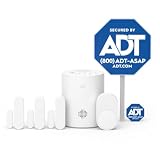
- Premium Choice: ADT Blu Home Security System Starter Kit, DIY Wireless Alarm, Plan Required | Door and window sensors, Motion detector, For house and apartment, Easy install, ADT+ App control
SimpliSafe is the most commonly named best self-installed home security system in 2026 roundups, Ring Alarm is the usual value pick for homes already using Alexa, and Abode is the one reviewers point to for smart-home integration. Wyze, Arlo, Cove and Frontpoint are the other names that come up. All of them are designed to go up with adhesive strips and a base station you plug in, with no technician visit needed.
As an Amazon Associate we earn from qualifying purchases at no extra cost to you.



Self-Install Systems at a Glance
| System | Best for | Reviewer-reported strengths | Limits |
|---|---|---|---|
| SimpliSafe | Simple, standalone setup | Security.org rates it the top pick; easy installation, self-monitoring plus optional professional monitoring, no contract | Less smart-home depth than some rivals |
| Ring Alarm | Alexa households, multi-camera homes | Value kits, tight Alexa integration, no-contract monitoring plan | One tester reported slower alert times than SimpliSafe |
| Abode | Smart-home integrators | Works with Alexa, Google Home, Apple Home, Zigbee, Z-Wave and IFTTT; self-monitoring is possible | Monitoring pricing varies by source |
| Wyze | Tight budget | Reviewers note low-cost monitoring | No cellular backup reported |
| Cove | Straightforward monitored protection | Named by SafeWise alongside the leaders | Fewer ecosystem hooks |
| Arlo | Camera-first households | Camera ecosystem | Sensor focus is lighter |
What Self-Installed Actually Means
A DIY system comes as a kit. A base station sits near a power outlet, and wireless door and window sensors, motion detectors and a keypad connect to it. You peel and stick the sensors, then pair them through an app. Most systems offer both self-monitoring, where your phone alerts you, and optional paid professional monitoring that dispatches emergency services. Reviewers such as Security.org and SafeWise frame the decision as hardware you buy once and monitoring you may or may not add.
How to Choose
Match your smart-home ecosystem
SafeWise and other outlets note that Abode fits households built around Apple Home, Google Home, Alexa, Zigbee or Z-Wave. Ring Alarm suits Alexa-centered homes. If you do not have a smart home yet, SimpliSafe is typically described as the simplest standalone option. Apple users who want native HomeKit support are generally pointed to Abode.
Decide on monitoring
Self-monitoring costs less but depends on you answering alerts. Professional monitoring adds a dispatch center. Most reviewed brands offer month-to-month plans without long contracts, though plan names and rates differ by source and change often, so read the maker’s current plan page before buying.
Look for connectivity backup
If your internet or power goes down, a system with cellular and battery backup keeps working. Reviewers flag Wyze as lacking cellular backup in the roundups that cover it. For a primary home, backup connectivity is worth prioritising.
Think about alert speed
One comparison reported Ring alerts arriving roughly eight to twelve seconds after a trigger versus about five for SimpliSafe. That is a single reviewer’s result, not a maker specification, but it shows that notification time is worth reading about.
Plan sensor count
Count your ground-floor entry doors, accessible windows and key rooms. Starter kits are typically five pieces, with larger kits scaling up to ten or more. Buy a kit that covers entries first, then add motion detectors and cameras later.
Budget Tiers
- Budget: Wyze and promotional Ring Alarm starter kits. Good for apartments and first systems.
- Mid-range: Ring Alarm larger kits, Cove and entry-level SimpliSafe packages.
- Premium: Larger SimpliSafe packages and Abode setups with extra sensors and professional monitoring.
Pick X If You Want Y
| Pick | When |
|---|---|
| SimpliSafe | You want the easiest, most widely recommended all-rounder |
| Ring Alarm | You use Alexa and want several cameras |
| Abode | You run Apple Home, Google Home or Z-Wave devices |
| Wyze | Budget matters most and you accept limited backup |
| Cove | You want simple professionally monitored coverage |
Alternatives
- Camera-only setups: Cheaper, but they detect motion rather than door and window entry, and offer no siren or dispatch in many configurations.
- Professionally installed systems: Better if you want wired sensors or a hands-off setup, with longer contracts typical.
- Frontpoint: Mentioned in reviews as a monitored option.
Common Mistakes
- Buying cameras without entry sensors and expecting alarm-style protection.
- Placing the base station in a basement corner where signal is weak.
- Skipping a battery and cellular backup test after setup.
- Ignoring local rules; some cities require alarm permits or register false alarms.
- Forgetting to review which features sit behind a subscription.
Smoke and carbon monoxide detection should be handled by certified detectors installed to local code. If wiring or a hardwired panel is involved, contact a licensed electrician.
Placement and Setup Notes
Put the base station near the centre of the home and away from large metal objects, since wireless range drops through dense walls. Mount door sensors on the frame side that the door closes against, and keep the gap between sensor and magnet within the maker’s stated distance. Motion detectors work best in hallways and main living areas, mounted at the height the manual lists, and pointed away from heating vents and bright windows that can cause false alerts. If you have pets, look for detectors the maker describes as pet-tolerant and read the weight limit. After setup, walk through each zone with the system armed to confirm every sensor reports, then repeat the check after any battery change. Renters should check whether adhesive mounts are allowed and whether the kit can move with them to the next address.
Frequently Asked Questions
Can I install a home security system without a technician?
Yes. Kits from SimpliSafe, Ring, Abode and others are built for adhesive-mounted sensors and app pairing. Most people finish in an afternoon. Wired alarm panels are a different matter and may need a professional.
Do I need a monthly plan?
Not always. Self-monitoring through the app works with many systems, though some features are limited without a plan. Professional monitoring is a paid add-on that reviewers say is available without long contracts for several brands.
What happens when the internet goes down?
Systems with cellular backup and battery power can continue to alert or call for help. Without them, the system may go quiet. Look at the maker’s specification for backup before buying.
Which system is best with Apple HomeKit?
Reviewers cited by outlets such as SafeWise point to Abode for native Apple Home support. Confirm the current model’s compatibility on the maker’s page.
Are DIY systems as secure as professional ones?
Reviewers rate leading DIY systems well, but the right answer depends on your needs. Professional installs suit complex or large properties. For most apartments and standard homes, a good DIY kit covers the basics.
How many sensors do I need?
Start with every ground-floor door and accessible window, then add motion detectors in main hallways. A five-piece kit suits small spaces; larger homes usually need ten pieces or more.



Write Your Review
No reviews yet. Be the first to share your experience!