
- Top Pick: CyberPowerPC Gaming PC, AMD Ryzen 7 8700F, GeForce RTX 5060 Ti 8GB | Gamer Master, 16GB DDR5, 1TB PCIe 4.0 SSD, WiFi Ready & Windows 11 Home (GMA2900A3)
- Best Value: OKAMUS Pre-Built PC, i5 CPU Up to 3.6GHz, Integrated Graphics Only, 256 GB M.2, 8 GB RAM Cheap Budget Gaming PC, RGB Fans x 3, Win 11 Home,WiFi 6 + BT 5.3, 400W PSU (i5+No GPU+8GB+256GB)
- Premium Choice: ZYNEEX Prebuilt Gaming Desktop PC, AMD Ryzen 5 5500, GeForce RTX 3050 6GB,16GB DDR4 3200MHz RAM, 1TB NVMe SSD, ARGB Air Cooling, Wi-Fi,Tower Computer for Gaming, Streaming, Editing
The best cheap prebuilt gaming PC for most 1080p players is a budget tower built around a Ryzen 5 or Core i5 class processor and a GeForce RTX 5060 class or Radeon RX 9060 XT class graphics card, from a builder such as CyberPowerPC, iBuyPower, Skytech or MSI; buyers who want a quieter, more standard-parts machine should look at HP Victus, Lenovo Legion or Acer Nitro towers. The choice comes down to graphics card tier, power supply quality, upgrade room and warranty, not the case lighting.
As an Amazon Associate we earn from qualifying purchases at no extra cost to you.
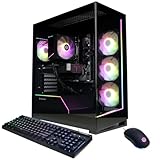


What cheap means for a gaming prebuilt in 2026
In the budget class, prebuilts are normally sold around current entry graphics cards: the GeForce RTX 5050 and RTX 5060 from NVIDIA, and Radeon RX 9060 XT from AMD, with older RTX 40-series and RX 7000-series stock sometimes still offered by builders. Memory is usually DDR5 on newer platforms, and storage is a PCIe NVMe solid state drive. Exact graphics card and memory configurations vary by listing, so read the maker’s specification sheet and not the headline.
Memory and storage prices have shifted through 2025 and 2026, which means kit contents on budget systems can change between batches. Treat the families named below as examples of what each builder tends to sell, and read the product page for the configuration you are considering.
At a glance
| Builder and line | Typical entry setup the maker describes | Best for | Upgrade notes | Limits |
|---|---|---|---|---|
| CyberPowerPC Gamer Xtreme and Gamer Master | Ryzen 5 or Core i5 with RTX 5060 class graphics | Value-focused 1080p and 1440p gaming | ATX or micro-ATX cases, standard parts in most listings | Part brands vary by batch, power supply tiers differ |
| iBuyPower Y-series and Slate | Similar Ryzen or Intel plus RTX 50 or RX 9000 class graphics | Buyers who want an exposed-glass case look | Mostly standard parts, check motherboard size | Some listings use proprietary-looking cooling brackets |
| Skytech Gaming Shiva and Chronos | Ryzen 5 or 7 with RTX 5060 class graphics | Straightforward budget towers | Standard form factors | Basic cooling, entry power supplies on cheaper models |
| MSI Aegis and Infinite | Intel or AMD plus RTX 50 class graphics | Buyers who want a mainstream brand and a clean case | Standard ATX in many models, some use custom brackets | Fewer configuration options |
| HP Victus and Omen towers | Ryzen or Core i5 and RTX 50 or RX 9000 class graphics | Quiet, simple office-and-gaming use | Smaller cases, check power supply wattage | Limited upgrade room on some models |
| Lenovo Legion Tower and Acer Nitro | Ryzen or Core i5 with RTX class graphics | Brand-name support and local service | Proprietary parts on some chassis | Less tweakable than boutique builders |
What to prioritize
The graphics card first
The GPU has the biggest effect on frame rates. Reviewers covering the RTX 5060 and Radeon RX 9060 XT describe them as aimed at 1080p and entry 1440p play, while the RTX 5050 is positioned lower. Check the exact card name and the video memory amount listed by the maker, and avoid listings that say only “RTX graphics”.
The processor second
Ryzen 5 chips in the 7000 and 9000 families and Core i5 chips in the 14th generation and Core Ultra range handle entry gaming well. A processor with a few more cores matters less than a good graphics card at this tier.
Power supply and cooling
A budget prebuilt can hide a weak power supply. Look for a listed wattage, an efficiency rating such as 80 Plus Bronze, and a named brand. The power supply should have headroom above the graphics card maker’s recommended minimum.
Memory and storage
- Memory: 16 GB is the common entry amount. Dual channel (two sticks) is better for gaming performance than one stick.
- Storage: A 500 GB to 1 TB NVMe drive is typical. Modern games are large, so 1 TB is a more comfortable starting point.
Upgrade room
Look for a standard ATX or micro-ATX motherboard, standard power supply size, a spare M.2 slot and free memory slots. Systems from HP, Lenovo and Acer sometimes use proprietary parts, which can limit later upgrades.
Warranty and support
Compare warranty terms the maker lists, including labor and parts coverage and whether shipping is covered. Some boutique builders offer longer parts coverage than mainstream brands, while mainstream brands offer wider service networks.
Pick this if you
| Your situation | Best fit |
|---|---|
| Play esports and popular games at 1080p | An RTX 5060 or RX 9060 XT class budget tower |
| Want the cheapest way into PC gaming | An RTX 5050 class or previous-generation card build, with an upgrade path |
| Want brand-name support | HP Victus, Lenovo Legion or Acer Nitro |
| Plan to upgrade later | A CyberPowerPC, iBuyPower or Skytech tower with standard parts |
| Want a quiet living-room machine | A compact tower with good airflow and a named power supply |
Prebuilt versus building yourself
A prebuilt saves time and gives a single warranty and one support contact, while building yourself usually allows better part choices for the same budget class. At the cheap end, the gap narrows because retailers buy parts in bulk. The main risk is not the PC itself but compromises hidden in the specification: a generic motherboard, a single memory stick or a weak power supply. Read the specification list line by line.
Checks before you buy
- Find the exact graphics card model and its memory size.
- Confirm dual channel memory and the module count.
- Look for a named power supply brand and wattage.
- Check the motherboard chipset and form factor.
- Look at the number of free M.2 slots and memory slots.
- Read the return policy and warranty terms.
- Confirm the operating system is included.
Alternatives
- Gaming laptops from ASUS, Lenovo and Acer for portability, at a higher cost for the same graphics power.
- Mini PCs with discrete graphics from builders such as Minisforum and ASUS for small spaces.
- A self-build using an AMD Ryzen 5 and an RTX 5060 or RX 9060 XT class card, if you are comfortable assembling parts.
- Refurbished prebuilts from the maker’s own outlet, with warranty terms published by the maker.
Common mistakes
- Buying on the processor name and ignoring the graphics card.
- Accepting a single memory stick.
- Overlooking the power supply brand and wattage.
- Paying for lighting and glass panels instead of performance.
- Skipping the warranty details.
- Assuming every case supports a larger graphics card later.
Frequently Asked Questions
Is a cheap prebuilt gaming PC worth it?
It can be, when the graphics card, memory configuration and power supply are clearly listed and the warranty is solid. It is less worthwhile if key parts are hidden or if the system uses a weak power supply.
Which graphics card should a budget prebuilt have?
Reviewers describe the GeForce RTX 5060 and the Radeon RX 9060 XT as aimed at 1080p and entry 1440p. The RTX 5050 is positioned lower, and older cards may appear on clearance.
How much memory do I need?
16 GB in a dual channel configuration is a common baseline for modern games. Some titles benefit from more, and most budget towers allow later memory upgrades.
Can I upgrade a prebuilt later?
Often yes, particularly with standard ATX parts. Branded towers from some makers use proprietary parts, so check the case, motherboard and power supply before buying.
Is a prebuilt better than building my own?
A prebuilt trades some value for convenience and a single warranty. A self-build usually gives more control over parts, but requires time and care during assembly.
What should I look for in the power supply?
A named brand, a listed wattage with headroom above the graphics card maker’s recommendation and an efficiency rating. If the listing does not state the power supply, ask the seller or the maker before buying.


Write Your Review
No reviews yet. Be the first to share your experience!