
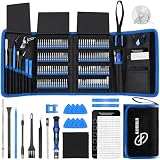
- Top Pick: STREBITO Electronics Precision Screwdriver Sets 142-Piece with 120 Bits | Magnetic Repair Tool Kit for iPhone, MacBook, Computer, Laptop, PC, Tablet, PS4, Xbox, Nintendo, Game Console
- Best Value: JOREST Small Precision Screwdriver Set with Torx Triwing Phillips, Mini Repair Tool Kit for Macbook, Computer, Laptop, PC, iPhone, PS5, Xbox, Switch, Glasses, Watch, Ring Doorbell, Electronics
- Premium Choice: iFixit Pro Tech Toolkit – Electronics, Smartphone, Computer & Tablet Repair Kit
For PC building, laptop repair and general electronics work, the iFixit Pro Tech Toolkit is the most complete single kit, while the iFixit Moebius or Minnow class suits lighter use, a Wiha precision set suits technicians who want premium drivers, and a multi-bit set such as Klein Tools suits desktop PC work only. Pick by the fasteners you meet most, since most desktop builds need little more than a Phillips driver and a few extras.
As an Amazon Associate we earn from qualifying purchases at no extra cost to you.


What a repair kit actually needs
A desktop PC uses a small set of fasteners. Most cases, motherboards, drives and coolers use Phillips screws, often in a common size, plus standoffs. Laptops, phones and consoles bring a wider mix, including Torx, Torx Security, Pentalobe, tri-point and JIS. Without the right bit, forcing a driver rounds the screw head, so a kit’s bit variety decides how many devices you can safely open.
Besides drivers, useful extras include plastic spudgers and opening picks to release clips without scratching, tweezers for small connectors, an anti-static strap to reduce static risk, a suction handle for screens, and a magnetic tray or mat to keep screws sorted. A compact case matters, because loose bits are easy to lose.
At a glance: comparison table
| Kit | Best for | Stated contents | Strengths | Limits |
|---|---|---|---|---|
| iFixit Pro Tech Toolkit (mid-range to premium) | Laptops, phones, consoles and PCs | The maker lists a 64-bit driver kit with S2 steel 4 mm bits, plus spudgers, opening pick, tweezers, suction handle, anti-static wrist strap and flex extension | Very wide fastener coverage, durable bits, good for electronics repair | More than a pure PC builder needs |
| iFixit Moebius or 64-bit driver kit (mid-range) | Fixers who already own pry tools | Large bit set in a driver, per the maker | Same bit coverage idea without the extras | No spudgers or tweezers in the kit alone |
| iFixit Essential Electronics or Minnow class (budget to mid-range) | Occasional phone and laptop repair | Smaller driver and opening tools | Compact and affordable | Fewer bit types |
| Wiha precision screwdriver set (premium) | Technicians who want high-quality drivers | Precision drivers in fitted case, set varies | Comfortable grip, accurate tips | Fewer pry tools, higher cost |
| Klein Tools multi-bit screwdriver (mid-range) | Desktop PC and general home use | Interchangeable bits in one handle | Rugged and simple | Not meant for small laptop or phone screws |
| Generic multi-piece electronics kit (budget) | Casual hobbyists | Many bits, spudgers and tweezers | Wide variety at low cost | Softer bits can strip, quality varies |
The iFixit Pro Tech Toolkit contents come from the maker’s product page. Other entries are described in general terms because sets change between releases, so read the contents list for the exact version.
What to prioritise
Bit steel and tip accuracy
Bits made from S2 steel, such as the iFixit set lists, resist wear. Soft bits round off and damage screws. Reviewers of cheap kits often report that the bits are fine for a few jobs but degrade after repeated use, which is why a good driver is a better investment than a large pile of poor ones.
Fastener coverage
If you build desktops, Phillips and a few hex sizes cover most cases. For laptops and consoles, look for Torx, Torx Security, Pentalobe and tri-point. For game consoles and controllers, security bits and gamebits are common. A kit should state the bit types in its listing.
Driver ergonomics
A swivel top and a grip that rotates smoothly help in tight spots. Long sessions with a stubby driver cause hand fatigue, and a fine-pitch driver lets you apply controlled pressure.
Opening and pry tools
Plastic spudgers and picks protect plastics and connectors. Metal spudgers are useful for glue and clips but can mark cases. A kit that includes both gives options.
Anti-static and ESD practice
An anti-static wrist strap reduces the chance of static discharge when handling components. Makers of motherboards and drives recommend grounding yourself by touching bare metal on an unplugged case if you have no strap. Always disconnect power before touching internals.
Case and organisation
A fitted case keeps bits visible, and a magnetic mat keeps screws where they belong. Photograph screw locations as you disassemble, since different lengths matter.
Safety notes
- Unplug the computer and, for laptops, disconnect the battery connector when the maker’s guide says to.
- Never open a power supply. It can hold dangerous charge even when unplugged.
- Do not use metal tools to pry lithium batteries or puncture them, because damaged cells can overheat or catch fire.
- Opening a device can affect its warranty, so check the maker’s terms first.
- If you are unsure about a repair, contact the maker or a qualified technician.
Decision table: pick X if
| Pick this | If you |
|---|---|
| iFixit Pro Tech Toolkit | repair laptops, phones and consoles, and want everything in one case |
| iFixit 64-bit driver kit | already have pry tools and tweezers |
| iFixit smaller kit | do occasional repairs and want a compact, budget tier set |
| Wiha precision set | work often and value drivers over bundled extras |
| Klein Tools multi-bit | mainly build and service desktop PCs |
| Generic multi-piece kit | want low cost for rare jobs and accept variable bit quality |
Fit and compatibility notes
- M.2 SSD screws are tiny and often supplied with the motherboard. A precise driver and a magnetic tip help avoid dropped screws.
- Some PC cases use thumbscrews, and tool-free designs need no driver at all.
- Thermal paste, isopropyl alcohol and lint-free wipes are separate consumables and are not included in most kits.
- A 1/4 inch adapter, which the iFixit kit lists, lets the bits be used with common handles and some drills at low torque. Take care, because power tools strip small screws quickly.
- Check bit sizes against your device before buying, especially for older consoles and unusual brands.
Alternatives to consider
A basic Phillips driver and a few bits
For a desktop build, a single magnetic Phillips driver and a few spare screws may be enough. It is the cheapest route and often the one most builders actually use.
Cable and connector tools
If you work on network or data cabling, a separate crimper and tester are better than a bigger screwdriver set.
Professional service
For soldering, board-level repair or sealed devices, a repair shop may be safer and cheaper than buying tools you will use once.
Common mistakes
- Buying a huge bit count of poor steel instead of a smaller set of reliable bits.
- Using the wrong size driver and rounding a screw head.
- Working on carpet without grounding.
- Prying with metal tools where plastic would do.
- Losing screws by not using a tray.
- Skipping the maker’s disassembly guide on a sealed laptop.
Frequently Asked Questions
What screwdriver do I need to build a PC?
Most builds need a magnetic Phillips driver in a common size. Some motherboards and drives use small screws that a precision driver handles better.
Do I need an anti-static wrist strap?
It lowers static risk but is not strictly required if you ground yourself on an unplugged metal case and avoid synthetic clothing. Many builders use a strap for peace of mind.
Is the iFixit Pro Tech Toolkit worth it for a PC builder?
It covers far more than a desktop needs, so it suits those who also repair laptops, phones or consoles. If you build desktops only, a smaller kit is enough.
Can I open a laptop with a standard kit?
Often yes, but laptops can use Torx or tri-point screws and glued parts. Follow a repair guide for your model and check the warranty first.
Are cheap multi-piece repair kits any good?
They can work for occasional jobs, but bit quality varies and soft bits round off. A quality driver with fewer bits tends to last longer.
Is it safe to open a power supply?
No. Power supplies can hold dangerous voltage even when unplugged, so replace the unit instead and contact the maker if it fails.



Write Your Review
No reviews yet. Be the first to share your experience!