
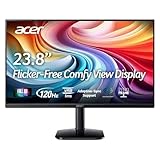
- Top Pick: Acer 23.8in FHD 1920×1080 IPS 120Hz Office Monitor KA242Y G0bi | 1ms, AdaptiveSync, sRGB 99%, HDMI, VGA, VESA Mountable, Bluelight Filter, Flickerless Technology
- Best Value: Acer 27in FHD 1920×1080 IPS 120Hz Gaming Monitor | Office KB272 G0bi | 1ms, AdaptiveSync, sRGB 99%, HDMI, VGA, VESA Mountable, Bluelight Filter
- Premium Choice: Acer 23.8in FHD 1920×1080 IPS 120Hz Office Monitor KB242Y G0bi | 1ms, AdaptiveSync (FreeSync Compatible), sRGB 99%, HDMI, VGA, VESA Mountable, Bluelight Filter, Flickerless Technology
Most 24-inch to 34-inch gaming monitors from the big makers, including Dell, LG, ASUS, Samsung and Alienware, support a VESA 100×100 mm mount pattern, so the real task is not finding a “VESA compatible” model but confirming the pattern, the weight limit and the neck design before you buy a monitor arm or wall bracket.
As an Amazon Associate we earn from qualifying purchases at no extra cost to you.


What VESA compatible actually means
VESA is the standards body whose Flat Display Mounting Interface defines the square or rectangular pattern of four screw holes on the back of a display. The pattern is named by the distance between holes in millimetres: 75×75, 100×100, 200×100 and 200×200 are the common ones. A monitor that is VESA compatible has those holes, either on the panel or hidden behind a stand plate you remove. It does not guarantee that an arm will fit every part of your setup, so you still check weight and clearance.
At a glance: monitor types and typical mount traits
| Monitor type | Example lines | Mount pattern the maker commonly lists | Best for | Watch for |
|---|---|---|---|---|
| 27-inch 1440p fast IPS | LG UltraGear, ASUS ROG Strix, Dell Alienware | 100×100 mm in most cases | All-round gaming | Some models need an adapter plate when the panel back is recessed |
| 24-inch esports panel | ASUS TUF Gaming, BenQ Zowie | 100×100 mm usually | Competitive FPS desks | Light weight means a gas-spring arm may need tuning |
| 34-inch curved ultrawide | Alienware AW3425DW, Samsung Odyssey G5 | 100×100 mm commonly; confirm on the spec sheet | Immersion and productivity | Width pushes limits of single arms; check weight range |
| 49-inch super ultrawide | Samsung Odyssey G9 | Large or specific patterns per maker | Sim racing | Heavy and wide; may need a heavy-duty arm or a stand only |
| 32-inch 4K gaming | Dell, LG, Gigabyte | 100×100 mm commonly | High resolution and console use | Weight can exceed light arms |
The pattern entries show the common practice, but the only authoritative source is the maker’s specification page for your exact model, since revisions and regional variants differ.
How to confirm compatibility
Find the pattern
Look in the spec sheet under “VESA mount” or “wall mount interface”, or measure the screw holes centre to centre. Brands like Dell and LG list it in their product data, and some monitors with a recessed back need a spacer. Samsung curved models sometimes use a thick plastic housing that requires screws longer than the standard set.
Match weight
Arms list a monitor weight range, and the monitor’s weight without its stand is the figure to use. Gas-spring arms need monitors in that range to hold position, and a lighter monitor may drift upward or need the tension turned down.
Check the screen size and curvature
Arms also specify a maximum size, such as up to 32 inches for a typical single arm, and ultrawides may need a model rated for 34 inches or more. Curved panels sit further from the wall and may clash with desk-mounted clamps.
Look at the ports
Some monitors have downward-facing ports that a tight wall mount can block. Leave room for the DisplayPort cable bend.
Safety
Use the screws that come with the monitor or arm. Mount to a stud or a rated anchor for wall mounts, and follow the arm maker’s installation guide. If you are not confident, hire a qualified installer. A desk clamp needs a sturdy desktop; hollow or thin tops can crack.
Features that matter on a gaming monitor
- Refresh rate: 144Hz is a common entry point; higher refresh suits competitive play on a capable GPU.
- Panel type: IPS, VA and OLED each trade colour, contrast and response differently.
- Adaptive sync: look for G-Sync compatible or FreeSync Premium listings.
- Ergonomic stand: if the stand already gives height and tilt, an arm may be unnecessary.
- Cable access: a thin, light monitor is easier to move across a desk on an arm.
Pick this if you…
| You… | Pick |
|---|---|
| Want a dual-monitor desk | Two 27-inch 1440p monitors that list 100×100 mm, plus a dual arm |
| Play competitive shooters | A 24-inch esports monitor, mounted on a lower-profile arm for height control |
| Prefer ultrawide immersion | A 34-inch ultrawide with listed 100×100 mm and an arm rated for ultrawide weights |
| Need a wall mount | A fixed or tilting wall bracket sized to the monitor’s weight and pattern |
| Have a small desk | A single arm that moves the monitor closer and frees desk area |
Budget tiers
| Tier | What to expect |
|---|---|
| Budget | 24-inch to 27-inch 1080p or 1440p IPS or VA at 144Hz to 165Hz; VESA 100×100 usually listed |
| Mid-range | 27-inch to 34-inch 1440p at 165Hz to 240Hz with better stands and HDR support |
| Premium | OLED or mini-LED 27 to 34 inch, high refresh, thin bodies; check the mounting section carefully |
Alternatives
- Use the included stand: premium monitors often have height-adjustable stands that suit many desks.
- Wall mount for a living-room PC: pair a large TV-style gaming display with a wall bracket.
- Adapter plates: if the monitor has a recessed or non-standard back, an adapter can bridge the gap; follow its weight rating.
Common mistakes
- Choosing an arm without checking its weight range.
- Assuming every curved panel uses the same screws.
- Mounting an ultrawide on an arm rated for 27-inch screens.
- Forgetting cable length once the monitor moves on its arm.
- Ignoring desk thickness when buying a clamp mount.
Frequently Asked Questions
How do I know if my monitor is VESA compatible?
Check the maker’s spec sheet for a VESA mount line, or look for four screw holes on the back, often behind a stand cover. Measure the spacing in millimetres to identify the pattern.
What does 100×100 mean?
It means the four mounting holes sit 100 mm apart horizontally and vertically. It is the most common pattern on mainstream monitors.
Can I use a VESA mount on a curved monitor?
Often yes, but check the maker’s page for any special screw length or spacer. Curved models can be heavier and may need an arm rated for ultrawide displays.
Is a monitor arm better than the stand?
It frees desk space and offers more positioning, though a good stand with height and tilt can be enough. If you do not need to move the screen often, the stand may be fine.
What if my monitor has no VESA holes?
Some thin or all-in-one monitors lack them. Adapter brackets exist for some models, but check the weight and the maker’s guidance, and consider choosing a different model if mounting matters.
Can a wall mount hold a gaming monitor safely?
It can when the mount rating exceeds the monitor weight and it is fixed into a stud or suitable anchor. If you have doubts about the wall, use a qualified installer.





Write Your Review
No reviews yet. Be the first to share your experience!