
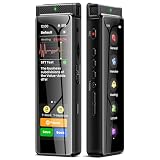
- Top Pick: Portable Digital Voice Recorder, 4-in-1 New Upgraded Noise Sound Recorder | 3072Kbps Audio Activated Voice Recorder for Your Lectures, Meetings, and Classes
- Best Value: 8GB Digital Voice Recorder with Playback, Innioasis R1 Full Touchscreen Voice Recorder with Bluetooth, Voice Activated Sound Audio Recorder Device with Mic Black
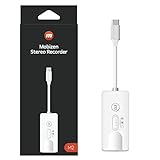
- Premium Choice: All New Upgraded Mobizen Stereo Recorder (M2) – World's First Internal Sound Recording Device for Android Phones and Tablets Only
For most Android users, the easiest good recording setup is a USB-C microphone or wireless mic system that plugs straight into the phone, while a standalone handheld recorder like the Zoom H1essential suits anyone who wants a dedicated device that does not depend on the phone at all. The built-in Android recorder apps are enough for casual notes and lectures.
As an Amazon Associate we earn from qualifying purchases at no extra cost to you.


Three Ways to Record on Android
Built-in apps
Samsung phones include Voice Recorder, and Pixel phones include the Recorder app, which the maker describes as offering transcription and search. These are free, quick and fine for meetings, lectures and quick memos.
USB-C and wireless microphones
These improve the sound dramatically compared with the phone microphone, because the mic sits closer to the speaker and has better capture. Options include the Rode Wireless Micro and Wireless GO line, the DJI Mic 2 and DJI Mic Mini, and the Rode VideoMic Me-C. Check each maker’s compatibility notes for Android and USB-C audio support.
Standalone recorders
Handheld recorders have their own microphones, storage and batteries. Examples include the Zoom H1essential, which the maker describes as supporting 32-bit float recording, and Tascam’s DR-05X. They avoid phone interruptions and calls, and they are often more reliable for long sessions.
Comparison Table
| Option | Best for | Key points from makers and reviewers | Limits |
|---|---|---|---|
| Samsung Voice Recorder or Pixel Recorder | Notes, lectures, quick interviews | Free and already installed; Pixel’s app is known for transcription features | Phone mic quality; features differ by phone |
| Rode Wireless Micro or Wireless GO | Creators who film and interview | Clip-on transmitters with a receiver that connects to the phone | Needs charging and pairing; check Android support per model |
| DJI Mic 2 or Mic Mini | Vlogging, interviews, content on the move | Compact transmitter-receiver kits with USB-C options | Features vary by kit; read compatibility details |
| Rode VideoMic Me-C | Direct plug-in shotgun-style capture | Powered by the phone, no batteries | Fixed to the phone; limited placement |
| Zoom H1essential | Music, field audio, safety-minded recording | Maker lists 32-bit float recording so levels are less likely to clip | Separate device and files to transfer |
| Tascam DR-05X | Straightforward handheld recording | Dedicated recorder with its own mic and storage | Basic controls; files copied off manually |
What to Look For
- Android compatibility: USB-C audio class support varies by phone and by accessory. Confirm in the maker’s compatibility list that your model works.
- File format and quality: WAV is lossless and better for editing, while MP3 or AAC saves space. Many apps let you choose.
- Microphone position: distance to the speaker has more effect on quality than any spec.
- Battery and storage: long interviews need reliable power and space. Standalone recorders with SD cards help here.
- Wind noise: outdoors a windscreen is important, and many wireless kits include one.
- Recording interruptions: calls and notifications can interrupt phone recordings, so enable Do Not Disturb.
Apps Worth Trying
Beyond built-in apps, third-party options such as Easy Voice Recorder and Dolby On are commonly mentioned by reviewers for adjustable formats and clean interfaces. Features and availability vary, so read the app listing for current options such as transcription or cloud backup.
Budget Tiers
Budget: built-in recorder apps, a simple wired lavalier mic, or an entry handheld. Mid-range: compact wireless kits or the Zoom H1essential class. Premium: multi-channel wireless kits and recorders with higher-end preamps for professional use.
Pick X If
| Pick this | If |
|---|---|
| Built-in app | You record lectures or personal notes only |
| Rode or DJI wireless kit | You make videos or interview people |
| VideoMic Me-C | You want a simple plug-in upgrade with no charging |
| Zoom H1essential | You want a dedicated device that is hard to clip |
| Tascam DR-05X | You want an easy handheld for music or field audio |
Alternatives
- Sony ICD series voice recorders for office and lecture use.
- Lavalier microphones with a USB-C adapter for a low-cost improvement.
- Bluetooth earbuds as a convenient mic, though quality is typically below a dedicated mic.
Mistakes to Avoid
- Recording too far from the source.
- Skipping a test recording before an important interview.
- Forgetting to check phone storage.
- Using Bluetooth microphones where audio quality matters.
- Not asking permission where local law requires consent to record.
Getting Cleaner Audio
Good recordings come mostly from technique. Hold or place the microphone close to the speaker, ideally a hand-width or two away, and aim it at the mouth rather than the chin. Record a short test and listen with headphones before the real session. Turn off phone alerts and battery saver modes that could stop a long recording, and keep an eye on available storage. If you edit afterward, record in a lossless format when possible and export a smaller file only at the end. For group conversations, place the recorder in the middle of the table and keep it away from laptops and fans, which add steady noise that is hard to remove later.
Storing and Sharing Files
Recordings add up quickly, especially in lossless formats. Copy important files to a computer or cloud storage soon after a session, and name them with a date and topic so they are easy to find later. Standalone recorders typically use SD cards that you read on a computer or transfer over USB, while phone apps can share files directly to cloud drives. Keep a second copy of anything irreplaceable.
Frequently Asked Questions
What is the best free recorder on Android?
The built-in app on your phone, such as Samsung Voice Recorder or Google Recorder on Pixel, is a sensible starting point. Third-party apps add formats and editing tools.
Will a USB-C microphone work with any Android phone?
Not always. Support depends on the phone and the accessory, so check the maker’s compatibility list.
What does 32-bit float recording mean?
It is a recording format that keeps a very wide dynamic range, so loud peaks are much less likely to distort. The Zoom H1essential is listed by its maker as supporting it.
Is a standalone recorder better than a phone?
For long or critical sessions, many reviewers find a dedicated recorder more dependable. For convenience and notes, the phone is enough.
How do I reduce background noise?
Move the microphone closer to the speaker, use a windscreen outdoors, and record in a quieter room if possible.
Is it legal to record conversations?
Laws differ by location. In many places consent is required, so check local rules and ask permission.



Write Your Review
No reviews yet. Be the first to share your experience!