
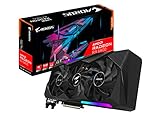
- Top Pick: GIGABYTE AORUS Radeon RX 6800 Master 16G Graphics Card, MAX-Covered Cooling, 16GB 256-bit GDDR6, GV-R68AORUS M-16GD Video Card
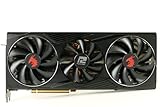
- Best Value: PowerColor Red Dragon AMD Radeon RX 6800 Gaming Graphics Card with 16GB GDDR6 Memory, Powered by AMD RDNA 2, Raytracing, PCI Express 4.0, HDMI 2.1, AMD Infinity Cache (Renewed)
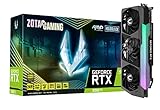
- Premium Choice: ZOTAC Gaming GeForce RTX™ 3090 Ti AMP Extreme Holo 24GB GDDR6X 384-bit 21 Gbps PCIE 4.0 Gaming Graphics Card, HoloBlack, IceStorm 2.0 Advanced Cooling, Spectra 2.0 RGB Lighting, ZT-A30910B-10P
The RTX 3090 Ti is much faster, roughly 35-55% ahead at 1440p and 4K and further ahead with ray tracing on, so it suits 4K ray-traced gaming or work that needs 24 GB of VRAM. The RX 6800 is the better value for 1440p raster gaming, and it runs on a mid-range power supply in an ordinary case. These cards come from different price classes, and it shows: the Radeon launched at $579 and the GeForce at $1,999. On the used market today the gap is much smaller than those launch prices.
- Two Very Different Launch Positions
- Spec Sheet Side by Side
- Gaming Performance: Raster and Ray Tracing
- Upscaling and Frame Generation in 2026
- VRAM Headroom: 16 GB vs 24 GB
- Worked Numbers: Cost, Power and PSU
- Power Connectors and Case Fit
- Driver and Platform Notes
- Pick by Resolution and Budget
- Frequently Asked Questions
As an Amazon Associate we earn from qualifying purchases at no extra cost to you.

Two Very Different Launch Positions
AMD released the RX 6800 in October 2020 as the entry point to its RDNA 2 high end. It had 16 GB of memory, which was generous for its price, and a large 128 MB Infinity Cache to make up for a 256-bit bus. NVIDIA’s RTX 3090 Ti came in January 2022 as the final, fully enabled Ampere flagship. It used every bit of the GA102 chip, very fast GDDR6X, and a 450 W power budget that needed the then-new 16-pin connector. One card is a sensible upper-mid-range part. The other is a halo product that later dropped hard in price once the RTX 40 series arrived.
Today neither card is current. RTX 50 and Radeon RX 9000 cards are on shelves, and both of these are previous-previous generation. So the question is usually which one to buy used, or whether a current card makes more sense.
Spec Sheet Side by Side
| Specification | Radeon RX 6800 | GeForce RTX 3090 Ti |
|---|---|---|
| Architecture | RDNA 2.0 (7 nm) | Ampere (8 nm) |
| Release date | 28 October 2020 | 27 January 2022 |
| Launch MSRP | $579 | $1,999 |
| Shaders / CUDA cores | 3,840 | 10,752 |
| Boost clock | 2,105 MHz | 1,860 MHz |
| Memory | 16 GB GDDR6 | 24 GB GDDR6X |
| Memory bus | 256-bit | 384-bit |
| Bandwidth | 512.0 GB/s | 1.01 TB/s |
| Cache | 4 MB L2 + 128 MB Infinity Cache (L3) | 6 MB L2 |
| TDP | 250 W | 450 W |
| Power connectors | 2x 8-pin | 1x 16-pin |
| Length / width | 267 mm, 2-slot | 336 mm, 3-slot |
| Interface | PCIe 4.0 x16 | PCIe 4.0 x16 |
| Outputs | 1x HDMI, 2x DisplayPort, 1x USB Type-C | 1x HDMI 2.1, 3x DisplayPort 1.4a |
AMD shader counts and NVIDIA CUDA core counts can’t be compared directly, because the two architectures do different amounts of work per unit. Memory is the more useful line. The RX 6800 has 16 GB and leans on its Infinity Cache. The 3090 Ti has 24 GB and roughly double the raw bandwidth, and that advantage grows as resolution rises.
Gaming Performance: Raster and Ray Tracing
Rasterized games
Published reviews put the RX 6800 roughly level with or a little ahead of the RTX 3070 in traditional rendering. TechSpot’s launch review measured it about 14-15% faster than the 3070 and about 7% behind the original RTX 3080 at 1440p. The RTX 3090 Ti sits about two tiers above the 3080. TechPowerUp’s review data and the major outlets’ relative-performance charts generally have the 3090 Ti roughly 35-45% ahead of the RX 6800 at 1440p and about 45-55% ahead at 4K. At 1080p the gap shrinks a lot, because a 450 W flagship is often limited by the CPU at that resolution.
As rough frame rates, a demanding modern game at 1440p high settings might land in the 60-90 fps range on the RX 6800 and 90-130 fps on the 3090 Ti. These numbers move a lot with settings, CPU, and game patches, so treat them as a sense of scale rather than benchmarks.
Ray tracing
The gap widens sharply here. RDNA 2’s first-generation ray accelerators are clearly weaker than Ampere’s second-generation RT cores, and reviews often show the 3090 Ti 60-100% ahead in ray-traced games, sometimes more in path-traced titles. On the RX 6800, ray tracing at 1440p usually needs upscaling and lower RT settings to stay smooth. The 3090 Ti handles 1440p RT comfortably and 4K RT with DLSS.
Upscaling and Frame Generation in 2026
- RTX 3090 Ti: Supports DLSS Super Resolution, including the newer transformer-based model from DLSS 4, plus Ray Reconstruction. DLSS Frame Generation is limited to RTX 40 and RTX 50 cards, but the 3090 Ti can still use FSR 3 frame generation in games that offer it.
- RX 6800: Uses FSR 2 and FSR 3 upscaling and FSR 3 frame generation, plus XeSS in its DP4a mode. FSR 4’s machine-learning upscaler is officially aimed at RDNA 4 (RX 9000), so RDNA 2 owners are left with the older, softer FSR paths.
Image quality from upscaling is now one of the clearest differences between these cards. DLSS in Performance or Balanced mode on the 3090 Ti generally looks better than FSR 2/3 at the same internal resolution, so the GeForce’s real-world lead is often bigger than the native-resolution numbers suggest.
VRAM Headroom: 16 GB vs 24 GB
Both cards have more memory than most current 8 GB and 12 GB models, which is a big reason they still hold up. For gaming, 16 GB is enough for 1440p ultra textures and most 4K settings. A few heavily ray-traced or path-traced games at 4K can go past it, but at those settings the RX 6800 runs out of GPU power before it runs out of VRAM. The 3090 Ti’s 24 GB mostly matters outside gaming: large Blender scenes, 8K video timelines, and local AI models where memory capacity decides what fits at all.
Worked Numbers: Cost, Power and PSU
Cost per performance at launch
Put the 3090 Ti at 100 on a 4K performance index and the RX 6800 at about 65, the middle of the review range. At launch MSRP, the RX 6800 cost about $8.90 per index point ($579 / 65) and the 3090 Ti about $20.00 per point ($1,999 / 100). That’s more than twice the cost for each unit of performance, which is normal for a flagship.
Used-market reality
Used prices tell a different story. The RX 6800 usually sells for around $250-$330 used, while the RTX 3090 Ti usually goes for $700-$900 depending on model and condition. The ratio is still about 2.5-3x in price for roughly 1.5x the performance, but the 24 GB and DLSS support help the 3090 Ti hold its value.
PSU sizing
A simple rule is GPU TDP plus CPU power plus about 150 W of headroom:
- RX 6800: 250 W + 125 W (typical gaming CPU) + 150 W = 525 W, so a quality 550-650 W unit is enough.
- RTX 3090 Ti: 450 W + 125 W + 150 W = 725 W, so use an 850 W unit. With a high-power CPU, 1000 W is the safer target, because Ampere flagships are known for short power spikes.
Power Connectors and Case Fit
The RX 6800 uses two standard 8-pin connectors that any decent power supply provides. It’s 267 mm long and two slots thick, so it fits most mid-tower cases, and many compact cases too. The RTX 3090 Ti needs a 16-pin connector. Owners of older PSUs rely on the bundled adapter, which usually takes three or four 8-pin cables. It’s 336 mm long and three slots thick, and partner versions are often bigger, so check your case’s GPU clearance and make sure the 16-pin cable has room to bend without strain. Small-form-factor builds rarely take a 3090 Ti.
Driver and Platform Notes
AMD moved RDNA 1 and RDNA 2 cards to a “maintenance mode” driver track in late 2025, then said they would still get game-specific fixes as needed. RDNA 2 cards keep working with new games, but new features target RDNA 3 and RDNA 4 first. Ampere remains on NVIDIA’s main driver branch along with all RTX cards. Both cards use PCIe 4.0 x16, so neither loses meaningful performance on a PCIe 3.0 motherboard.
Pick by Resolution and Budget
| Situation | Better pick | Reason |
|---|---|---|
| 1080p high refresh, tight budget | RX 6800 | The 3090 Ti is often CPU-limited here, so its premium buys little |
| 1440p raster, 550-650 W PSU | RX 6800 | Strong frame rates, 16 GB, no PSU upgrade needed |
| 1440p with heavy ray tracing | RTX 3090 Ti | Much stronger RT plus DLSS image quality |
| 4K gaming | RTX 3090 Ti | About 45-55% faster before upscaling |
| AI, 3D rendering, large video projects | RTX 3090 Ti | 24 GB and CUDA support across creative apps |
| Small case or older PSU | RX 6800 | Two slots, 267 mm, two 8-pin connectors |
Current cards change the picture. A new RX 9070-class or RTX 5070-class card offers modern features (FSR 4 or DLSS frame generation) and warranty coverage, with performance that rivals or beats the 3090 Ti in many games. Buyers looking at a used 3090 Ti mainly for gaming should compare it with those first. The 24 GB is the one thing those current mid-range cards don’t match.
Frequently Asked Questions
Is the RTX 3090 Ti worth it over the RX 6800 for 1440p gaming?
Only if ray tracing matters to you. In raster games at 1440p the 3090 Ti leads by roughly 35-45%, but it costs far more used and needs a much bigger power supply. For raster-focused 1440p play the RX 6800 is the better value.
What power supply does the RTX 3090 Ti need?
Plan on 850 W from a reputable brand as a minimum, and 1000 W with a high-power CPU. The card is rated at 450 W and can spike above that briefly. It uses a 16-pin connector, either through a native cable or an adapter that takes several 8-pin leads.
Can the RX 6800 use FSR 4?
FSR 4 is officially built for RDNA 4 Radeon RX 9000 cards, so the RX 6800 relies on FSR 2 and FSR 3 upscaling and FSR 3 frame generation. Those still work in many games, but image quality at low internal resolutions trails DLSS and FSR 4. XeSS is another option where games support it.
Is 16 GB on the RX 6800 enough in 2026?
Yes, for gaming at 1440p and most 4K settings, 16 GB is still comfortable. The card usually runs short of raw GPU power before it runs short of memory. Only extreme 4K path-traced settings tend to go past 16 GB.
Does the RTX 3090 Ti support DLSS frame generation?
No. DLSS Frame Generation requires an RTX 40 or RTX 50 series card. The 3090 Ti does support DLSS Super Resolution, including the transformer model, and Ray Reconstruction, and it can use FSR 3 frame generation in games that include it.
Will the RX 6800 fit in a small case?
Often, yes. The reference design is 267 mm long and two slots thick, and many partner cards are similar. Always compare the specific model’s length and thickness with your case’s listed GPU clearance before buying.
Ready to decide? Our #1 pick for 2026 is the Architecture.
Live price & availability on Amazon.








Write Your Review
No reviews yet. Be the first to share your experience!