
- Top Pick: Gigabyte AORUS GeForce RTX 5090 Xtreme WATERFORCE 32G Graphics Card – 32 GB GDDR7, 512 Bits, PCI-E 5.0, 2655 MHz Core Frequency, 3 x DP 2.1a, 1 x HDMI 2.1b, NVIDIA DLSS 4, GV-N5090AORUSX W-32GD
- Best Value: ASUS TUF Gaming GeForce RTX 5090 32GB GDDR7 OC Edition Gaming Graphics Card
- Premium Choice: VIPERA NVIDIA GeForce RTX 4090 Founders Edition Graphic Card
Choosing between the RTX 5090 and RTX 4090 is less about buying the “best” graphics card and more about deciding how much space, power, noise, and budget your home setup can comfortably absorb. Both are oversized, high-end components that can anchor a powerful gaming or creative workstation, but they suit different households.
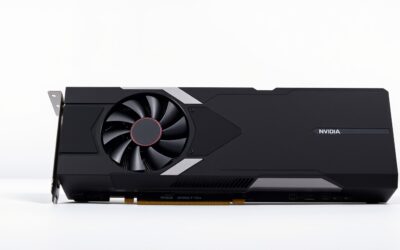
The RTX 5090 is the newer flagship, with 32GB of GDDR7 memory, a 512-bit memory interface, PCIe 5.0 support, and DLSS 4 features. The RTX 4090 remains a formidable option with 24GB of GDDR6X memory and a broad selection of mature cards. In practical terms, the 5090 is aimed at buyers who want maximum headroom for demanding 4K gaming, AI-assisted workloads, and future software. The 4090 is often the more sensible choice when the computer already meets your needs and the savings can go toward a better monitor, quieter case, or larger storage drive.
As an Amazon Associate we earn from qualifying purchases at no extra cost to you.


Quick Verdict
Choose the RTX 5090 if you want the strongest available option, expect to use demanding AI or content-creation software, or plan to keep the same graphics card for many years. Its 32GB of VRAM and newer architecture give it more room for large textures, high-resolution projects, and emerging rendering features.
Choose the RTX 4090 if you want exceptional 4K performance without paying flagship pricing. It is also the better fit for a home office where power consumption, case compatibility, and total system cost matter more than having the newest feature set.
For most people, either card is more GPU than necessary for casual gaming, streaming, or everyday productivity. A less expensive RTX 5080-class card may be the better-balanced choice. For example, the GIGABYTE GeForce RTX 5080 Gaming OC 16G is listed for under $1,600 and may leave substantially more room in the budget for the rest of the system.
Side by Side
| Consideration | RTX 5090 | RTX 4090 |
|---|---|---|
| Comfort in a home office | Requires excellent ventilation and can make a compact desk setup feel warm or loud | Still demanding, but easier to integrate into an established high-end PC |
| Durability | Premium construction varies by model; plan for careful support because cards are large and heavy | Mature card designs with many established cooling and support options |
| Price range | Reference listings here run from about $6,700 to under $7,000 | The reference listing here is under $4,400; actual availability can vary considerably |
| Maintenance | Needs clean filters, unobstructed airflow, and careful power-cable routing | Needs the same maintenance, with more case and power-supply guidance available |
| Space needed | Allow roughly 12–14 inches of card length, three to four expansion slots, and generous cable clearance | Many cards are roughly 12 inches long and three to four slots wide |
| Look | Usually a dramatic centerpiece with large coolers, lighting, or external radiator hardware | More understated Founders Edition and custom designs are available |
| Resale outlook | Newer generation and larger memory capacity may support stronger long-term interest, though flagship depreciation is unpredictable | Established reputation helps, but its older generation can weigh on future resale value |
| Best for | 4K enthusiasts, professional creators, AI workloads, and long upgrade cycles | High-end gaming, editing, and buyers seeking excellent performance at a lower entry cost |
Where RTX 5090 Wins
The RTX 5090’s clearest advantage is capacity. Its 32GB of GDDR7 memory gives demanding applications more room for large scenes, high-resolution assets, and complex models. That matters if your home computer doubles as a video-editing workstation, 3D-rendering system, or local AI machine. It also makes the card more comfortable for future software that may assume users have more graphics memory.
Newer feature support is another reason to consider it. The RTX 5090 supports DLSS 4, along with PCIe 5.0 and DisplayPort 2.1a connectivity on appropriate partner cards. These specifications are most valuable when paired with a high-refresh 4K display or other new equipment. They will not automatically improve every game or application, but they provide more modern options for a system intended to last.
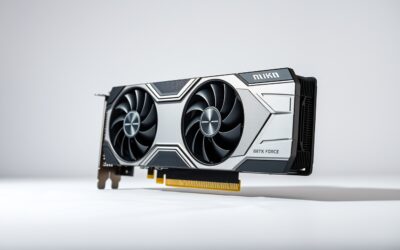
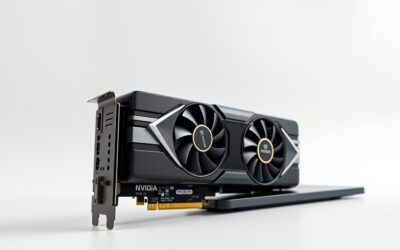
Physical design is where buyers need to be realistic. A flagship RTX 5090 can occupy approximately three to four expansion slots and may measure about 12 to 14 inches long, depending on the manufacturer. A water-cooled model can add radiator-placement decisions. The Gigabyte AORUS GeForce RTX 5090 Xtreme WATERFORCE 32G, for example, is a 32GB GDDR7 card with a listed price of under $7,000 and an integrated liquid-cooling approach. It is not simply a component to drop into any compact tower; your case must have room for the radiator and tubing.
The ASUS TUF Gaming GeForce RTX 5090 32GB GDDR7 OC Edition is listed for under $6,700. That price illustrates the premium attached to current flagship hardware. Before buying, confirm the power-supply recommendation, connector arrangement, card length, and side-panel clearance. A support bracket is also sensible because a heavy card can place stress on the motherboard slot over time.
Where RTX 4090 Wins
The RTX 4090 remains a powerful choice for a home gaming or creative PC. Its 24GB of VRAM is enough for demanding 4K gaming and many professional applications, while its long market history means builders have more experience choosing compatible cases, power supplies, cooling systems, and drivers.
It can also be the more rational purchase when the rest of your computer needs attention. Spending less on the graphics card may let you upgrade to 64GB or 128GB of system memory, add a larger solid-state drive, or purchase a color-accurate monitor. Those changes can improve the daily experience more than moving from already-excellent performance to flagship performance.
The tradeoff is generation age. The RTX 4090 has 24GB of GDDR6X rather than the 5090’s 32GB of GDDR7, and it does not offer the same newest-generation feature set. Its power draw is also substantial, so it still requires a quality power supply, careful airflow, and a case designed for large graphics cards.
The VIPERA NVIDIA GeForce RTX 4090 Founders Edition is listed for under $4,400. That is still a major expense, but it is below the two listed RTX 5090 examples. Confirm that any 4090 listing includes the condition, warranty, accessories, and exact model information you expect, especially when buying an older or unusually priced card.
Cost Over 5 Years
Purchase price is only the first part of ownership. Using the listed examples, the initial difference is about $2,320 to $2,590 between the RTX 4090 reference listing for under $4,400 and the RTX 5090 examples priced for under $6,700 and under $7,000. That gap can cover a complete monitor, a high-quality case, or a substantial storage upgrade.
Both cards also call for a strong power supply. A practical high-end system may use a power supply in the roughly 1,000- to 1,200-watt class, depending on the processor, factory overclock, and other components. The exact recommendation should come from the card manufacturer. Over five years, electricity costs depend on hours of use, local utility rates, game settings, and whether the computer is left rendering or training models for long periods.
Maintenance costs are modest but not zero. Budget for dust filters, occasional cleaning, and possibly replacement case fans. A larger case may cost more initially but can reduce frustration and improve serviceability. If a water-cooled RTX 5090 is used, also account for radiator compatibility and the inconvenience of a more involved installation.
The 5090 may preserve more useful capacity over a long ownership period, while the 4090 may deliver better value if you replace the card before its memory becomes limiting. Resale value is impossible to guarantee, so do not justify the higher price on resale alone.
Which One for Your Home
Small apartment
Choose the RTX 4090, or reconsider whether either flagship is necessary. A smaller room makes heat and fan noise more noticeable, and compact cases often have limited clearance. The 5090 is appropriate only if you have a well-ventilated full-size case, a strong power supply, and a clear reason to need its extra capacity.
Family with kids or pets
The RTX 4090 is the easier recommendation. Put the tower on a stable surface with an accessible dust filter, keep cables away from curious hands and paws, and use a support bracket for the graphics card. The 5090 can work, but its higher price makes accidental damage especially painful. A closed desk compartment is not ideal for either card because restricted airflow raises heat.
Rental
Favor the RTX 4090 if you may move soon. It is still large, but avoiding a liquid-cooled 5090 can simplify transport and installation. Measure your desk, elevator or stairway route, and available outlets before building a heavy workstation. Keep the original box and protective materials for future moves.
Long-term home
The RTX 5090 makes the strongest case here. If you have a permanent office, a full-size case, reliable cooling, and a 4K high-refresh display, its extra VRAM and newer features may extend the useful life of the system. Still, buy it for a workload you actually have—not simply because it is the fastest option.
FAQ
Is the RTX 5090 worth upgrading from an RTX 4090?
Usually only if you need more graphics memory, newer features, or substantially more headroom for a specific workload. For owners who are happy with current 4K gaming or creative performance, waiting may be financially wiser.
Will either card fit in a standard desktop case?
Not necessarily. Check the exact card’s length, height, slot thickness, power connector clearance, and radiator requirements. Many RTX 5090 and RTX 4090 models need a large mid-tower or full-tower case.
What power supply should I use?
Plan around a quality unit in the 1,000- to 1,200-watt range for many high-end builds, then verify the manufacturer’s exact recommendation for your model and processor. Use the proper native cable where provided and avoid sharply bending the connector near the card.
Is an RTX 5080 a better home choice?
For many households, yes. A card such as the GIGABYTE RTX 5080 Gaming OC 16G listed for under $1,600 can provide a more balanced system budget. Choose the 5090 or 4090 when you have a clear need for their higher tier of performance and memory capacity.

Write Your Review
No reviews yet. Be the first to share your experience!