
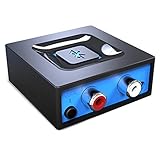
- Top Pick: Bluetooth Transmitter Receiver for TV, with RCA 3.5mm AUX & Display Audio Adapter for Home Stereo, Bluetooth Transmitter for Headphones/Speakers/Airplane/Home Theater/PC/Car, TF Card Output
- Best Value: Esinkin Bluetooth Audio Adapter for Music Streaming Sound System | Wireless Audio Adapter Works with Smartphones and Tablets, Bluetooth Receiver for Home Stereo
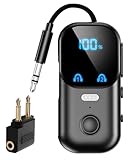
- Premium Choice: 2-in-1 Bluetooth Transmitter Receiver with 3.5mm AUX for TV/Car/Airplane | Bluetooth 5.4 Low Latency,Dual Pairing,Portable Travel Audio Adapter, TX/RX Mode,Quick 2-hour Recharge,Hands-Free Call
For most gamers and TV users, a 2-in-1 transmitter and receiver with aptX Low Latency or aptX Adaptive, such as the 1Mii B03 family, is the safest all-round pick; a USB dongle like the Sennheiser BTD 700 suits PC and console players who want the premium route; and a TV-focused unit such as the Avantree Oasis Plus 2 suits living-room setups with a remote. The deciding factor is not Bluetooth version but codec support on both ends.
As an Amazon Associate we earn from qualifying purchases at no extra cost to you.


Why codec support matters more than the Bluetooth number
A transmitter sends audio from a device that has no Bluetooth (a TV, a console dock, an older PC) to wireless headphones. A receiver does the reverse, feeding a Bluetooth source into a speaker or amplifier with a wired input. Latency is the main concern for gaming and video. Roundup sites report that aptX Low Latency uses a fixed delay of about 40 ms, while aptX Adaptive adjusts its bitrate (roughly 276 to 420 kbps in one summary) depending on signal conditions. Both ends must support the same codec; if your headphones only handle SBC or AAC, the transmitter falls back to that codec and delay rises.
At a glance
| Model | Type | Stated codecs / features (per reviewers and makers) | Best for | Limits |
|---|---|---|---|---|
| 1Mii B03+ / B03Pro | 2-in-1 transmitter and receiver | aptX LL, HD and Adaptive; display; bypass mode (B03+); Bluetooth 5.3 and dual-headphone streaming listed for B03Pro | Most buyers, flexible setups | Headphones need matching codec support |
| 1Mii B06TX+ | Transmitter only | aptX LL, Adaptive and HD; screen for pairing | TV and PC | No receive mode |
| Sennheiser BTD 700 | USB dongle | aptX Adaptive and aptX Lossless; 30 ms latency listed; USB-C or USB-A | PC, laptop, console with USB audio | Needs a USB port, premium tier |
| Avantree Oasis Plus 2 / Audikast Plus | TV transmitter | aptX Adaptive and Low Latency listed; remote on Oasis Plus 2 | Living-room TV | Fixed to home use, mains-powered styles |
| 1Mii ML300 | 2-in-1 portable | 18 hours battery in both modes per roundup | Travel and battery life | Check codec support in the manual for your headphones |
| SOOMFON aptX-LL 5.3 unit | Travel transmitter and receiver | 40 ms delay claimed | Flights, gym screens | Maker claim only, weaker sourcing |
These specs come from maker listings summarized by roundup outlets, which are largely affiliate-style lists rather than lab measurements, so treat rankings as indicative.
How to choose
1. Decide the direction
Transmit-only adapters suit TVs and consoles. A 2-in-1 model costs a little more but also works as a receiver for hi-fi gear or a car aux input. If you only ever need one direction, a single-purpose unit is simpler.
2. Match the codec to your headphones
Look at the headphones first. If they list aptX Low Latency, buy a transmitter that lists it too. If they list aptX Adaptive, an Adaptive-capable transmitter such as the Sennheiser dongle or the 1Mii B03 family fits. If they support only SBC or AAC, extra codec features add little, and a basic unit is enough.
3. Consider the input
Check whether the TV or console offers optical, 3.5 mm or RCA output, and whether the adapter includes the matching cable. USB dongles rely on the host device supporting USB audio output; consoles differ here, so consult the console manual.
4. Power and battery
Mains or USB-powered units suit fixed TVs. Battery models like the 1Mii ML300 suit travel; a listed battery life of 18 hours is a maker figure and real use varies.
5. Dual streaming and range
Some models send to two headphones at once, handy for shared viewing, but codec support often drops to a common denominator when two devices connect. Range figures are ideal-condition numbers; walls shorten them.
Pick X if you …
| You want | Choose | Why |
|---|---|---|
| One adapter for TV, PC and a stereo | 1Mii B03+ or B03Pro | Transmit and receive, multiple aptX modes listed |
| Premium PC audio with a plug-and-play stick | Sennheiser BTD 700 | aptX Adaptive and Lossless, 30 ms listed |
| Easy TV use with a remote | Avantree Oasis Plus 2 | Named TV pick in roundups |
| Long battery on the move | 1Mii ML300 | 18 hours claimed |
| Flight entertainment | Travel-oriented unit such as SOOMFON | Compact, low-latency claim |
Alternatives
- Headphones with their own wireless dongle: many gaming headsets ship with a 2.4 GHz USB dongle, which can beat Bluetooth for lag and needs no separate transmitter.
- Built-in TV Bluetooth: some TVs pair directly, though codec support is often limited to SBC.
- Wired audio: the lowest-latency choice for competitive play.
Common mistakes
- Buying aptX LL hardware while owning headphones that lack aptX LL.
- Assuming Bluetooth 5.3 or 5.4 automatically means lower latency; the codec decides.
- Forgetting the TV output type and ending up without a compatible cable.
- Leaving the unit in the wrong mode (TX vs RX) after switching use cases.
- Expecting stereo music quality from a mic-enabled headset profile, which switches to a lower-quality call mode.
Setup notes for gamers
Put the adapter in transmit mode when it feeds headphones and in receive mode when it feeds a speaker or amplifier, then pair the headphones while the adapter is in pairing mode. If a TV offers a digital optical output, that input is commonly preferred over the headphone jack because it avoids an extra analog stage, though the maker’s manual for your adapter is the final word on supported inputs. Some TVs disable their speakers or output when a cable is connected, and others have a menu entry for audio output format, so if there is no sound, check the TV audio settings for PCM output. For a PC, a USB dongle can appear as a sound device in the operating system, letting you choose it per application. Keep the adapter away from USB 3.0 ports and Wi-Fi routers where possible, since crowded 2.4 GHz space can cause dropouts. Firmware updates, where the maker offers them, may change codec behaviour, so read the maker’s notes. For a mic during voice chat, remember that many Bluetooth links drop to a call profile with lower audio quality, so players who chat often sometimes keep a wired or dongle headset for communication.
Frequently Asked Questions
Do I need aptX Low Latency for gaming?
It helps if your headphones support it, since reviewers cite a fixed delay of about 40 ms. Casual and single-player games tolerate more delay than competitive shooters, where wired or 2.4 GHz connections are common.
Can one device be both transmitter and receiver?
Yes. 2-in-1 models like the 1Mii B03 family have a mode switch. They send audio out in TX mode and accept audio in RX mode, but only one role is active at a time.
Will it work with my console?
It depends on the console’s audio outputs. Optical or 3.5 mm adapters work through those ports, while USB dongles require USB audio support, so read your console manual before buying.
Why is there lip-sync delay on my TV?
The codec in use is the usual cause. If either device falls back to SBC, delay increases; some TVs also offer an audio delay setting to compensate.
Is a more expensive unit always better?
Not necessarily. Premium models such as the Sennheiser BTD 700 list wider codec support, but a mid-range unit is enough if your headphones only use common codecs.
Can I connect two headphones at once?
Some models list dual-stream support, such as the B03Pro. Both headphones usually need to share a codec, and latency may rise compared with a single connection.


Write Your Review
No reviews yet. Be the first to share your experience!