
Searching for the best X-Men games for tablets quickly reveals a confusing picture. Unlike console generations that produced a steady line of dedicated X-Men titles, tablet gaming has never had a single, long-running X-Men series built only for touchscreens. Instead, Wolverine, Storm, Cyclops, Magneto, and the rest of the mutant cast have mostly appeared inside larger Marvel games, in collections that also feature the Avengers, Spider-Man, and other heroes, and in older titles that may no longer be listed in every app store. That does not mean tablet owners have nothing to play. It means the honest answer to this search is a guided tour of where the X-Men actually show up on tablets, what kind of play each option offers, and how to check whether a title is still available and appropriate before downloading it.
This article takes that practical approach. Rather than inventing a tidy list of tablet-only X-Men releases that does not exist, it explains the main categories of games where X-Men characters appear, how those games play on a larger touchscreen, and what to look for in controls, performance, offline access, and age ratings. It also covers why some once-popular titles disappear, how cloud and subscription services change the options, and how parents can judge a game for younger mutant fans. By the end, you should be able to open your tablet store, search with confidence, and tell the difference between a genuine X-Men experience, a Marvel game with a small X-Men corner, and a listing that only uses the characters in its artwork.
As an Amazon Associate, we earn from qualifying purchases.
Why There Is No Simple Tablet-Only X-Men List
The first thing to understand is how licensing shapes this corner of gaming. X-Men games are developed under Marvel licensing, and for many years the publishing strategy favored broad Marvel rosters over single-team releases. A game that includes dozens or hundreds of Marvel characters is easier to support with regular updates, seasonal events, and new character releases than a narrow title that can only draw on one team. As a result, the X-Men became regular guests in ensemble games rather than the sole stars of their own tablet releases.
The second factor is history. Several well-known X-Men console games were made long before modern tablets existed, and they were designed for controllers, arcade cabinets, or handheld systems with physical buttons. Some of those classics have been re-released in collections on other platforms, but a re-release on a console or computer does not automatically mean the same collection is available as a tablet app. Store listings change by region and over time, and older apps are sometimes removed when an operating system update breaks compatibility or when a publisher ends support.
The third factor is naming. App stores are full of unofficial guides, wallpaper apps, trivia apps, and fan-made mini-games that use X-Men imagery in their icons. Those are not official games, and their quality and safety vary widely. A careful search should always check the publisher name, the description, and recent reviews, and should treat any app that promises a famous console game for free with strong suspicion. Official Marvel games come from recognized publishers, carry clear age ratings, and explain their in-app purchases openly.
The Main Ways to Play With X-Men Characters on a Tablet
Ensemble action and role-playing games
The most common home for the X-Men on tablets is the ensemble action role-playing game. In this format, players collect or unlock a roster of Marvel heroes and villains, build a small team, and take that team through missions, battles, or story chapters. X-Men members typically appear as unlockable characters within that larger roster, each with abilities inspired by their powers. A weather-controlling character might have area attacks, a character with claws might focus on fast close-range strikes, and a telepath might offer control or support abilities. The exact roster differs from game to game and can grow or change with updates, so checking the current character list inside the game or in its store description is more reliable than relying on an old article.
On a tablet, this format has real advantages. The larger screen makes it easier to read ability descriptions, manage a roster, and follow busy battles than on a small phone. Touch controls in these games are usually designed for tapping targets, activating abilities with on-screen buttons, and navigating menus, all of which translate naturally to a tablet held in two hands or resting on a stand. Sessions can be short, which suits portable play, but progression systems often reward returning regularly, so players who prefer a self-contained story with a clear ending should read the description carefully before committing time.
Turn-based and card-style battlers
A second category is the turn-based battler, including games built around collecting cards or figures and using them in planned, step-by-step contests. Here the appeal is strategy rather than reflexes. Players choose which characters to field, in what order to use their abilities, and how to respond to an opponent team that may include familiar villains. X-Men characters fit this format well because their powers are distinct and easy to express as contrasting abilities: flight, strength, energy projection, healing, and psychic control all create clear tactical roles.
Tablets suit this style particularly well. There is time to think, so the lack of physical buttons rarely matters, and the bigger display helps when comparing character statistics or reading card text. These games are also often gentler on older hardware, since they do not demand constant fast rendering. The trade-off is pace. A player looking for direct, real-time control of Wolverine in a brawling level may find menu-driven battles slow, while a player who enjoys planning a team around favorite mutants may find this the most satisfying format of all.
Family and LEGO-style adventures
For younger players, and for families who want something lighter, the friendliest X-Men appearances have often come through playful, family-oriented Marvel adventures, including LEGO-style games on various platforms where heroes are presented in a humorous, toy-like form. In those adventures, characters are usually unlocked as the story progresses, puzzles are solved by switching between characters with different abilities, and combat is forgiving. A mutant who can move metal objects, for example, might be the key to opening a path, while a strong character clears heavy obstacles.
Availability of these specific adventures as tablet apps varies, and some versions that once existed on mobile stores have been withdrawn or replaced. The practical lesson is to search the official store on your own tablet, confirm the publisher, and read whether the listing describes a full game or a short companion app. For children, also check whether the game is a single purchase, a subscription title, or a free download supported by advertising and in-app purchases, because those models create very different experiences in a family setting.
Classic games through collections, cloud, and streaming
A fourth route is not a tablet app at all in the traditional sense. Classic X-Men arcade and console games sometimes return through licensed collections, subscription libraries, or cloud gaming services that stream a game to a tablet from a remote server. In that case the tablet acts as the screen and, often, as a device paired with a separate controller. This can be the only legal way to revisit certain older titles, and the experience can be excellent on a stable connection, but it depends heavily on your region, your subscription, and whether the service currently lists the game.
Touch controls are the weak point here. Fast arcade action designed for a joystick and buttons rarely feels right with an on-screen overlay, so a compatible controller is strongly recommended for this route. Latency also matters more in action games than in turn-based ones. Anyone considering cloud play should test with a short session first, ideally on home Wi-Fi, before relying on it during travel. Finally, library catalogs rotate. A game included this season may leave later, so cloud access is best treated as rental-like access rather than permanent ownership.
How to Choose the Right Option for Your Tablet
Start with the kind of play, not the character art
Store artwork naturally leads with the most famous faces, but a cover image of a favorite mutant does not tell you how much of the game actually features that character. Read the full description and look for details about the roster, the story mode, and how new characters are unlocked. In some ensemble games, a featured character may be available early. In others, the same character may appear only after extended play or during a limited event. Neither approach is automatically wrong, but knowing which one you are getting prevents disappointment, especially when the download is for a child who expects to play as a specific hero right away.
Also decide whether you want a story, a collection habit, or quick battles. Story-driven adventures give context and a sense of progress toward an ending. Collection-driven games offer variety and regular new content, but they can continue indefinitely and may encourage daily check-ins. Quick-battle games are easy to pick up for a few minutes, yet they may offer little narrative. Matching the format to the player matters more than chasing the title with the longest character list.
Check controls before downloading
Good tablet games are designed for touch from the start. Look for descriptions that mention tap, swipe, or drag controls, customizable button placement, or support for an external controller if you plan to use one. Screenshots can help: a clean interface with a few large buttons usually works better on a tablet than a crowded screen copied from a phone layout. If a game was originally designed for a controller, check whether the tablet version offers a genuine touch scheme or only a virtual overlay, and read recent player comments about responsiveness.
Performance, storage, and battery
Tablets vary widely in age and power. Before installing a large game, check its download size, its minimum operating system version, and any stated device requirements in the store listing. Ensemble games with frequent updates can grow considerably over time as new characters, events, and visual assets are added. Leaving spare storage space helps updates install smoothly and keeps the tablet responsive.
Offline play and travel
Not every tablet game works offline, and the difference matters on flights, car journeys, and connections with data limits. Some games allow certain modes without a connection after the initial download, while others require a sign-in or a constant server connection for almost everything. Store listings and help pages usually state this, but the safest test is simple: install the game at home, open it once so any extra files download, then try it briefly in airplane mode before you travel. That short check avoids discovering the requirement at the worst moment.
Age ratings, purchases, and privacy
X-Men stories span a wide range, from light team adventures to darker conflicts, and game ratings reflect that spread. Always check the age rating in the store and read its content notes, which may mention fantasy violence, language, or in-game purchases. A rating is a better guide than the cartoon style of the artwork, because a bright, animated game can still include intense scenes or competitive features aimed at older players.
Free-to-download games deserve extra attention. Common purchase types include cosmetic items, extra characters, in-game currency, and passes that unlock rewards over a season. None of these are necessary to understand before a first short session, but purchase settings should be reviewed before a child plays unsupervised. Use the tablet system controls to require a password or biometric approval for purchases, turn off one-tap buying where possible, and talk about spending limits in plain terms. It is also wise to check whether a game includes open chat, user names, or links that leave the app, and to adjust privacy settings accordingly.
A Smart Way to Search Your App Store
Because listings change, a repeatable search method is more valuable than a frozen list of names. Start by searching for Marvel together with a term such as action, RPG, card, or family, then filter the results by the official publisher and by games rather than guides or wallpaper apps. Open the most promising listings and read four things in order: the publisher name, the age rating and purchase information, the description of how characters are unlocked, and the most recent reviews. Recent reviews reveal whether an older game still runs on current tablet software, whether servers are still active for online titles, and whether a recent update changed the experience.
Next, check the update history. A game updated within recent months is more likely to support current devices and security standards than one untouched for years. If a beloved older title has not been updated and its reviews mention crashes on new systems, treat it as a legacy app that may stop working at any time. Where possible, choose titles that are still maintained.
Common Disappointments and How to Avoid Them
The most frequent disappointment is expecting a dedicated X-Men story and finding a general Marvel game where the team is only one part of a much larger cast. The fix is expectation-setting: ensemble games can still deliver many hours with favorite mutants, but the story will usually involve other heroes and villains as well. If a pure X-Men narrative is the priority, classic collections and older story adventures, where legally available through current services, come closer than most modern ensemble apps.
A second disappointment is removal. Mobile games that depend on servers can be shut down, and licensed titles can be withdrawn when agreements end. Purchases tied to a closing server may not transfer elsewhere. To reduce risk, be cautious about heavy spending in any live game, and favor maintained titles from established publishers. For games bought outright, keep receipts and remember that even a downloaded app can lose compatibility after a major system update.
Accessories That Make X-Men Games on a Tablet Better
Touch controls are fine for many games, but action titles feel more precise with a proper gamepad and a tablet that holds up to heavier games. These picks suit Android tablets in particular.
GameSir X5 Lite Mobile Gaming Controller

A lightweight clamp-style controller with Hall effect sticks for Android phones and small tablets. It gives action and fighting games real buttons without a heavy setup.
Razer Kishi V3 Pro XL Controller for Tablets

A full-size controller made for tablets up to 13 inches that connects over USB-C. It suits players who want a console-like grip on a large screen.
BKELHS Bluetooth Mobile Game Controller
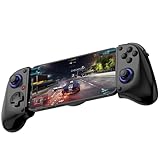
A budget Bluetooth grip that works with Android and iOS devices, including tablets. A simple way to try controller play before spending more.
Samsung Galaxy Tab A11+ 8GB RAM 256GB
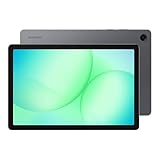
More memory and storage than the base model, which helps with larger game downloads and smoother multitasking. A sensible pick if the tablet will be your main gaming screen.
FAQ
Are there any tablet games that star only the X-Men?
Dedicated X-Men releases have been far more common on consoles and computers than as tablet-only apps. On tablets, the X-Men most often appear inside broader Marvel ensemble games, family adventures, or classic collections and streaming libraries. Search official stores by publisher, read how the roster is described, and treat any listing that promises a famous console title as a free unofficial download with caution.
Which type of X-Men tablet game is best for young children?
Family-oriented adventures with simple controls, forgiving combat, and a clear age rating are usually the best fit. Check the rating and its content notes rather than relying on artwork, review whether the game contains advertising, chat, or in-app purchases, and set purchase approval in the tablet settings before play. A short supervised first session shows the tone and reading level better than a description alone.
Can X-Men games on tablets be played offline?
Some can, at least in certain modes, but many modern ensemble games require a connection for sign-in, events, or saving progress, and cloud-streamed games always need one. The store listing or help section may state the requirement. A reliable check is to install the game at home, launch it once to finish extra downloads, and then test it briefly in airplane mode before traveling.
Do I need a controller to play these games on a tablet?
Usually not for games designed for touchscreens, such as ensemble role-playing games and turn-based battlers, which use tapping and on-screen buttons. A controller becomes valuable when playing classic arcade or console titles through a collection or streaming service, because those games were built for physical controls and fast inputs. If controller support matters to you, confirm it in the game description before downloading or subscribing.
Conclusion
The best X-Men games for tablets are not a single neat shelf of dedicated releases, and any guide that pretends otherwise is likely to mislead you. The real picture is more interesting: mutants woven through large Marvel rosters, tactical battlers where their distinct powers create clear team roles, family adventures that use character-switching puzzles, and classic titles that resurface through collections and streaming. Each route offers a different kind of fun, and the right choice depends on the player, the tablet, and whether the game will be played at home or on the move.
Use the method in this article and the search becomes manageable. Confirm the official publisher, read how and when X-Men characters are unlocked, check controls, performance, offline access, and the age rating, and scan recent reviews for signs that the game is still maintained. Start with one well-matched title, try its opening session, and let that experience guide the next download. Done that way, a tablet can be a genuinely good place to enjoy these characters, even if the path to them is less direct than the keyword suggests.






Write Your Review
No reviews yet. Be the first to share your experience!