
- Top Pick: GIGABYTE GeForce RTX 3050 WINDFORCE OC V2 6G Graphics Card, 2X WINDFORCE Fans, 6GB GDDR6 96-bit GDDR6, GV-N3050WF2OCV2-6GD Graphics Card
- Best Value: msi Gaming GeForce RTX 3060 Ventus 2X 12G OC V1 Graphics Card – 15 Gbps GDRR6 Boost Clock: 1807 MHz 192-Bit HDMI/DP PCIe 4 Torx Twin Fan Ampere
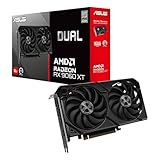
- Premium Choice: ASUS Dual Radeon RX 9060 XT 16GB GDDR6 Gaming Graphics Card | PCIe 5.0, HDMI 2.1b, DisplayPort 2.1a, 2.5-slot design, Axial-tech Fans, 0dB Technology
A graphics card for VR has a harder job than one for a monitor. A headset draws two slightly different views at once, and it needs those frames delivered steadily, because dropped frames in VR feel like a stutter inside your head, not just on a screen. That changes how you read a spec sheet: memory capacity, memory bus width and the age of the architecture matter at least as much as a boost clock.
This guide is for buyers putting together or upgrading a PC for a VR headset in 2026, from a first entry-level setup to a card that should stay comfortable across several headset generations. The eight cards below range from older VR-ready models, some of them renewed, to newer 16GB parts. They are judged only from the details in each listing, with no frame-rate figures, so confirm your headset requirements before you buy.
Quick Picks
As an Amazon Associate we earn from qualifying purchases at no extra cost to you.




| Product | Best for | Key feature |
|---|---|---|
| GIGABYTE RTX 3050 WINDFORCE OC V2 6G | Entry-level VR on a tight plan | 6GB GDDR6, 96-bit, two WINDFORCE fans |
| MSI RTX 3060 Ventus 2X 12G OC V1 | Balanced mid-range VR | 12GB, 192-bit, twin Torx fans |
| ASUS Dual Radeon RX 9060 XT 16GB | Newer, memory-rich builds | 16GB GDDR6, PCIe 5.0, DisplayPort 2.1a |
| GIGABYTE RTX 3060 Gaming OC 12G | Cooler-running mid-range | 12GB 192-bit, 3X WINDFORCE fans |
| XFX Radeon RX 580 GTS XXX Edition | Legacy or very budget builds | 8GB GDDR5, VR Ready, dual BIOS |
| MSI RTX 2060 Gaming Z 6G (Renewed) | Older VR-ready value | 6GB GDDR6, ray tracing, VR Ready |
| PNY Quadro P5000 16GB | Professional VR work | 16GB memory, VR Ready |
| ASUS RTX 2060 EVO OC 6G (Renewed) | Compact older VR-ready option | 6GB GDDR6, dual fans, VR Ready |
How to Choose
Match the card to the headset
Check the minimum and recommended graphics requirements published by your headset maker, because they differ widely between older headsets and newer high-resolution ones. A card that clears the minimum may still struggle with a sharper display. If you plan to upgrade the headset in a year or two, buy for the headset you want, not the one you own.
Memory size and bus width
VR scenes can use a lot of video memory, especially with high-resolution textures. Cards with 12GB or 16GB give more headroom than 6GB. Bus width matters too: a narrow 96-bit bus, as listed on the RTX 3050, moves data more slowly than a 192-bit design. Budget cards often cut corners here, so read the bus width as carefully as the memory size.
Ports, power and size
Confirm that your headset connects through a port the card offers, such as DisplayPort or HDMI. Check the power supply wattage and connectors, and measure your case for the card length and slot thickness. A 2.5-slot design needs more room than a compact dual-fan card. Ignore boost clocks as a headline number, because they differ by only a small amount between similar models.
New, renewed or older generation
Renewed cards can lower the entry cost but come with variable condition and warranty terms, so read the return policy. Older generations lack some newer features, but may still meet a headset’s minimum. Newer cards usually offer more memory and efficiency. If you buy renewed, plan for the cooling fans and thermal paste to be the first things to show age.
The 8 Best Options
GIGABYTE RTX 3050 WINDFORCE OC V2 6G
This is the entry point: a 6GB GDDR6 card on a 96-bit bus with two WINDFORCE fans. It fits a first VR build or a small desktop where power and space are tight.
- Strength: A two-fan design is simpler to house than the big three-fan coolers.
- Strength: An overclocked V2 variant from a familiar maker.
- Trade-off: The 96-bit bus and 6GB memory limit it with demanding headsets.
Skip it if you want headroom for a high-resolution headset.
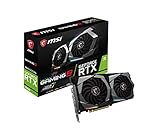
MSI RTX 3060 Ventus 2X 12G OC V1
A 12GB card with a 192-bit interface, 15 Gbps GDDR6 and a boost clock listed at 1807 MHz. The twin Torx fans and PCIe 4 interface point to a straightforward mid-range design for most current headsets.
- Strength: 12GB of memory gives room for large VR textures.
- Strength: HDMI and DisplayPort outputs cover common headset connections.
- Trade-off: A twin-fan layout may run warmer than three-fan cards.
Skip it if you plan a long-term build and want newer architecture.
ASUS Dual Radeon RX 9060 XT 16GB
The newest design here, with 16GB GDDR6, PCIe 5.0, HDMI 2.1b and DisplayPort 2.1a, plus a 2.5-slot design and 0dB fan technology. It suits buyers who want a long-lived card with plenty of memory.
- Strength: 16GB memory offers the most headroom among the mainstream picks.
- Strength: Newer outputs and 0dB mode suit a modern, quiet build.
- Trade-off: The 2.5-slot cooler needs more case space.
Skip it if your headset or software ecosystem favors another vendor’s tools.
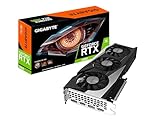
GIGABYTE RTX 3060 Gaming OC 12G
A revision 2.0 card with 12GB of 192-bit GDDR6 and three WINDFORCE fans. The larger cooler points to steadier temperatures over long VR sessions, which are often longer than a typical flat-screen game.
- Strength: Three fans suit sustained sessions.
- Strength: Same 12GB memory class as the MSI 3060.
- Trade-off: A larger body needs a roomier case.
Skip it if you have a compact case.
XFX Radeon RX 580 GTS XXX Edition
An older 8GB GDDR5 card marketed as VR Ready, with dual BIOS and multiple outputs. It is a legacy option for very modest builds or older headsets.
- Strength: 8GB of memory is generous for its generation.
- Strength: Dual BIOS adds a fallback option.
- Trade-off: GDDR5 and an older architecture trail newer cards.
Skip it if you want to run recent headsets at higher settings.
MSI RTX 2060 Gaming Z 6G (Renewed)
A renewed 6GB GDDR6 card with a 192-bit interface, ray tracing support and a VR Ready label. It suits buyers who want a proven design on a smaller outlay.
- Strength: 192-bit bus offers more bandwidth than the 3050 here.
- Strength: The VR Ready label confirms the intended use.
- Trade-off: Renewed condition varies, and 6GB is limited for newer headsets.
Skip it if you want a full retail warranty.
PNY NVIDIA Quadro P5000 16GB
A professional workstation card with 16GB of memory and a VR Ready label. It suits people who use VR for design or visualization work as much as for play.
- Strength: 16GB of memory is large for older-generation hardware.
- Strength: Workstation lineage suits professional software.
- Trade-off: It is not tuned around gaming features the way consumer cards are.
Skip it if gaming is your main goal.
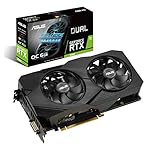
ASUS RTX 2060 EVO OC 6G (Renewed)
A renewed overclocked 6GB GDDR6 card with a dual-fan EVO design and outputs including HDMI, DisplayPort and DVI. It is a compact way into VR with an older, still capable architecture.
- Strength: Dual-fan design with HDMI, DisplayPort and DVI outputs.
- Strength: VR Ready label and multiple ports.
- Trade-off: 6GB limits future headroom, and renewed condition varies.
Skip it if you want newer memory capacity.
Which One Fits Your Situation
You are building your first VR setup
The MSI RTX 3060 Ventus 2X 12G is the balanced choice: 12GB of memory and common outputs. The GIGABYTE RTX 3050 works if the plan is tighter and the headset is modest.
You want a card that lasts several headsets
The ASUS Dual Radeon RX 9060 XT 16GB offers the most memory and the newest outputs in the group. Check your power supply and case before ordering.
You use VR for professional work
The PNY Quadro P5000 targets that world. Pair it with software that benefits from workstation drivers, and expect it to behave differently from a gaming card.
One more note on budget versus longevity: older VR Ready cards, including the renewed RTX 2060 models, lower the cost of entry but have the least memory headroom. If you expect to keep the card for several years, the 12GB and 16GB options are the safer bet, even if they stretch the budget tier you had in mind.
Common Mistakes
- Choosing by boost clock instead of memory and bus width.
- Ignoring the headset’s published graphics requirements.
- Buying a renewed card without reading the return policy.
- Forgetting to check case length, slot thickness and power connectors.
- Assuming a VR Ready label guarantees comfort with every headset.
Related guides
- What Does Manage Gpu Performance Counters Mean On Nvidia Hardware
- Low Profile Nvidia Graphics Cards For Small Form Factor Pcs
- Nvidia App Error Your System Configuration Is Not Supported
Frequently Asked Questions
How much video memory do I need for VR?
More is safer. Cards with 12GB or 16GB handle larger textures and higher headset resolutions more comfortably than 6GB models, which are better for lighter VR.
Is a renewed graphics card a good idea for VR?
It can be, if the seller offers a clear warranty and returns. Fans and thermal paste are the usual wear points, so check how the renewed units are described.
Does a Radeon card work as well as a GeForce card for VR?
Both brands make VR-capable cards. Check that your headset and favorite games support the vendor you choose, and read compatibility notes from the headset maker.
Do I need a new power supply?
Possibly. Compare the card’s power connector and recommended wattage with your current unit. Newer cards sometimes need different connectors than older builds provide.


Write Your Review
No reviews yet. Be the first to share your experience!