
The best mini ITX build for most gamers pairs a Ryzen 7 9800X3D with a compact RTX 5070 or Radeon RX 9070 class card in a roughly 15 to 20 litre case, while buyers who want a flagship GPU should choose a roomier small-form-factor case with proper mesh airflow. The right answer depends less on parts speed than on whether everything physically fits and stays cool, so this guide starts with the constraints that decide a small build.
What Makes a Mini ITX Build Different
A mini ITX motherboard measures 170 by 170 mm, which limits you to two memory slots, usually one M.2 slot on top and one beneath, and a single PCIe x16 slot. The trade-off is that you must check four measurements before ordering anything: graphics card length and thickness, CPU cooler height or radiator size, power supply format, and the case’s fan and drive mounting. A part that is normal in a mid-tower can simply not fit here.
Roundups of small cases from sites such as Gaming PC Guru, Mercury PC and Who Is McAfee name a similar set of enclosures. These are mostly affiliate-style lists rather than lab reviews, so treat the rankings as a starting shortlist and read each maker’s specification page for clearance numbers.
At a Glance: Cases Commonly Named
| Case | Best for | Notes from roundups and makers | Limits |
|---|---|---|---|
| Cooler Master NR200 / NR200P | Budget small build | Named as a budget pick; supports SFX power supplies and air or small liquid cooling | Tight cable room; thicker GPUs need a clearance check |
| Fractal Design Terra | Quiet, living-room look | Called the best overall mini ITX case in one 2026 roundup | Mesh and wood styling; confirm GPU length against its listed limit |
| SSUPD Meshroom S V2 | Flagship GPU in a small footprint | Picked for high-end graphics cards in one roundup | Higher cost tier; assembly is fussy |
| Jonsbo T6 / T9 | Compact builds with a standout look | Shown in builder videos with a Ryzen 7 9800X3D and RTX 5070 class cards | Narrow internal space; cooler choice is restricted |
| Lian Li A3-mATX | Flexibility between mATX and ITX | Named for hybrid use | Larger than true ITX cubes |
| SilverStone SG13 | Lowest-cost small case | Listed as a budget option | Very small; limited GPU and cooler choices |
The Core Parts
Processor
The Ryzen 7 9800X3D is the common gaming choice in compact builds because its large cache delivers high frame rates without needing extreme power. Builders often pair it with a modest air cooler or a 240 mm all-in-one liquid cooler. If budget is the priority, an earlier X3D part or a non-X3D Ryzen 9000 chip lowers cost and heat, while Intel Core Ultra 200S is an alternative for productivity-heavy users.
Graphics card
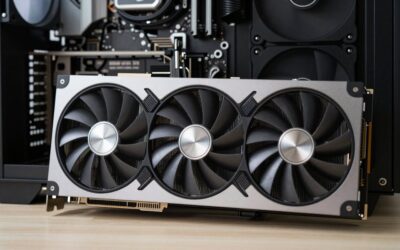
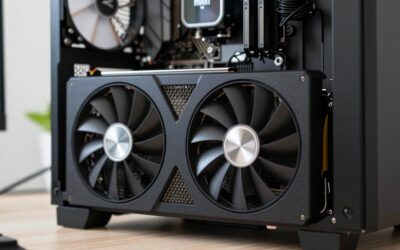
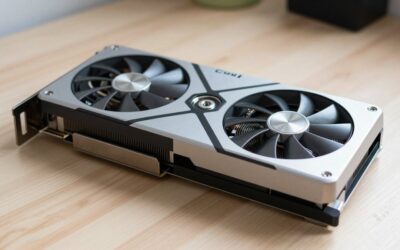
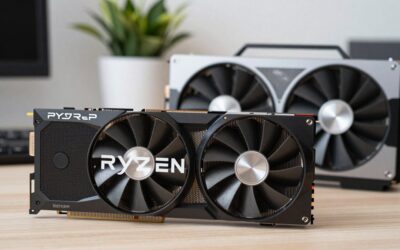
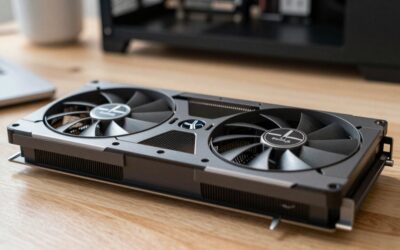
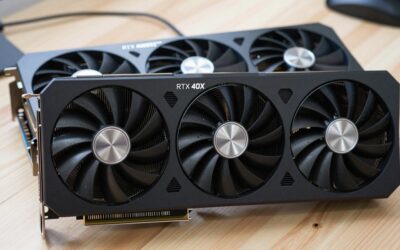
Two-slot, shorter cards are the easiest fit. Builders and reviewers have shown RTX 5070 models, including a single-fan version, and RTX 5070 Ti models inside compact Jonsbo and Deepcool cases. Roundups cite 1440p ultra as the main target for a 5070 class card, with Radeon RX 9070 XT and RTX 5070 Ti models stretching toward 4K. Always compare the maker’s listed card length and slot thickness against the case’s maximum.
Motherboard
A B850 or X870 mini ITX board covers AM5. Look for the M.2 count, USB ports, WiFi 7 support, and whether the second M.2 slot sits on the back, where airflow is poor. PCIe 5.0 storage runs warm in a tiny case, so a PCIe 4.0 drive is a reasonable choice for a compact build.
Memory and storage
Only two slots exist, so a 32GB DDR5-6000 CL30 kit is the ideal fit. Pick low-profile modules if you plan to use a big air cooler. Add a single 1TB or 2TB NVMe drive, and a second only if the board has room.
Power supply
Most true mini ITX cases use SFX or SFX-L units. One roundup says a 650W SFX unit is enough for a mid-range card with a Ryzen 7, and another names the Cooler Master V750 SFX for an RTX 5070 budget build. Check the graphics maker’s recommended power rating, and confirm the cable fits the connector on your card.
Cooling Reality in a Small Case
Heat is the trade-off every compact build pays. A mesh-sided case with direct fan paths will usually run cooler than a sealed cube. One roundup reports an RTX 5080 with a 9800X3D holding about 68 degrees Celsius under sustained load in a case it favored, but that figure comes from a single outlet and your results will vary with room temperature and fan settings. Plan for slightly louder fans than a mid-tower, set a custom fan curve, and leave space at intake panels.
Budget Tiers
| Tier | Typical parts | Trade-off |
|---|---|---|
| Budget | NR200 or SG13, Ryzen 5 or Ryzen 7 non-X3D, RTX 5060 Ti or RX 9060 XT class card, 650W SFX | Strong 1080p and 1440p; limited upgrade headroom |
| Mid-range | NR200, Terra or Jonsbo T6, Ryzen 7 9800X3D, RTX 5070 or RX 9070, 32GB DDR5-6000 | Best balance; careful with GPU thickness |
| Premium | Meshroom S V2 or similar, 9800X3D, RTX 5070 Ti, 5080 or RX 9070 XT, 750W SFX or higher | Fastest, but costs more, runs warmer and needs tidy cable work |
Pick X If… Decision Table
| Pick this | If you… |
|---|---|
| Cooler Master NR200 build | Want the most widely supported small case and a tight budget |
| Fractal Terra build | Want a quiet, furniture-friendly PC |
| SSUPD Meshroom S V2 build | Plan a flagship card and enjoy detailed assembly |
| Jonsbo T6 or T9 build | Want a compact tower look with an RTX 5070 class card |
| Prebuilt compact desktop | Prefer a ready-made machine and accept less part choice |
Assembly Tips
- Install the CPU, cooler bracket, memory and M.2 drive on the board before it goes in the case.
- Use short, flat or sleeved cables, and route them before the graphics card is seated.
- Update the BIOS first so the board recognizes a Ryzen 9000 processor without a boot error.
- Run a stress test and watch temperatures before closing the case for the last time.
Alternatives
- Micro ATX build: Slightly larger, with more slots, cheaper parts and easier airflow.
- Small prebuilt: One roundup names the Cooler Master NR2 Pro configuration with a 9800X3D and RTX 5070 Ti as a strong ready-made option, at about 18 litres.
- Compact mid-tower: If your desk has space, a regular case gives much better cooling for the same parts.
Fit Checklist Before You Order
- Write down the case’s maximum graphics card length, thickness and height from the maker’s specification sheet.
- Compare those numbers with the exact card model’s dimensions, since partner cards differ widely even within one GPU family.
- Check the maximum CPU cooler height, or the radiator size and thickness if using liquid cooling.
- Confirm the power supply format (SFX or SFX-L) and the maximum length the case allows.
- Count the fan and drive mounts you need and see where they sit relative to the graphics card.
- Read the motherboard manual for the M.2 positions, since the rear slot may not clear the case’s panel.
Noise and Daily Use
Small cases concentrate heat, so fans tend to run at higher speeds than in a roomy tower. Choosing a quieter cooler, setting a gentle fan curve and capping the graphics card power slightly are common tactics that reviewers mention. Undervolting a GPU often lowers temperatures and noise with little loss in performance, but it takes time to tune. Dust is also a factor; mesh panels need regular cleaning, and a removable filter on the intake side makes this easier. If the PC sits on a desk near your ears, prioritize a case with large, slow fans and a sound-conscious cooler.
Upgrade Path
The most flexible approach is to pick a case with room for a thicker graphics card than you need now, a power supply with spare capacity, and an AM5 board, which keeps processor upgrades possible. Memory can be raised later by replacing a pair of modules. Storage is the weakest point, so an external drive or a second M.2 slot on the board helps with growing game libraries.
Frequently Asked Questions
Is a mini ITX build worth it compared with a normal tower?
It is worth it if size or looks matter. You pay in tighter fitting, more careful part selection and usually higher cost for equal performance. If space is not a concern, a standard case is easier and cooler.
Can a 9800X3D run cool in a small case?
Many builders do it with a good air cooler or a 240 mm liquid cooler. The processor draws moderate power for gaming, and the case’s airflow design matters more than the cooler brand alone. Check the case’s cooler height limit first.
What power supply do I need?
Most compact cases take an SFX or SFX-L unit. Roundups suggest 650W for mid-range cards and 750W or more for faster ones, but follow the graphics card maker’s recommended rating. Confirm the case supports the length you choose.
Which graphics card sizes fit?
Two-slot, shorter cards fit most easily, and many cases publish a maximum length and thickness. Single-fan and mini models of the RTX 5070 appear in compact builds. Compare your card’s measured dimensions with the case specification.
Is PCIe 5.0 storage a good idea in a tiny build?
It runs hotter and has little real-world gaming benefit, so many compact builders choose PCIe 4.0 drives. If you do use a faster drive, make sure it has a heatsink and a bit of airflow.
Can I upgrade a mini ITX PC later?
You can swap the GPU, memory and storage within the case limits. The motherboard has few slots, so large expansion is limited. Buying a slightly larger case and stronger power supply at the start leaves more room for later changes.


Write Your Review
No reviews yet. Be the first to share your experience!