
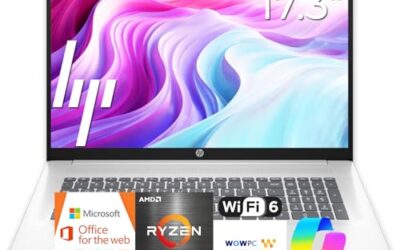
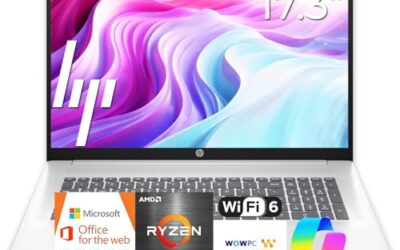
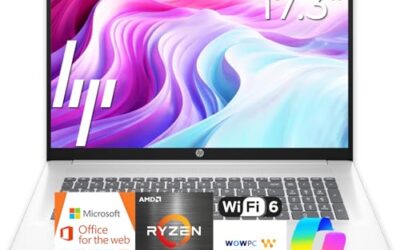
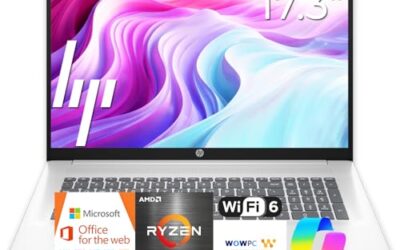
- Top Pick: HP 17 inch Business Laptop Computer • 2026 Edition • Latest AMD Ryzen 5 CPU • 16GB RAM • 512GB SSD • 17.3" FHD Display • Numeric Keypad • Long Battery Life • Windows 11 with Office 365 for The Web
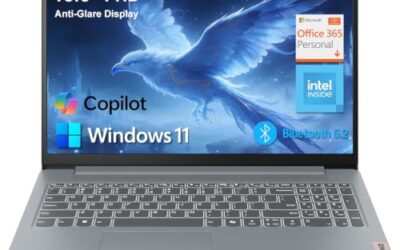
- Best Value: Lenovo Business 15.6" FHD Laptop, Intel Processor, 8GB DDR5, 128GB Storage | Office 365, Copilot AI, WiFi 6, USB-C, Anti-Glare Screen, Long Battery Life, Windows 11, Arctic Grey
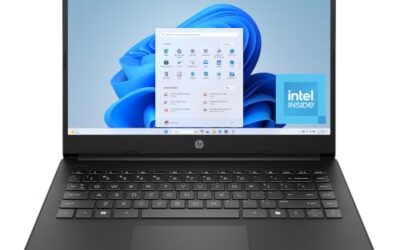
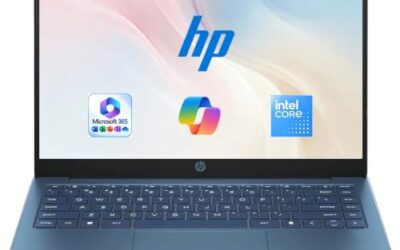
- Premium Choice: 2026 Laptops Computer,15.6" Windows 11 Pro Laptop with Office 365 included,8GB RAM 256GB SSD,Intel Pentium Process,6H Battery,Mini HDMI,cam|Mic,Portable Thin Lap Top for College Student Business Work
A small business owner shops differently from an enterprise buyer. There is no IT department to image machines, no volume contract, and often just one or two laptops that must handle invoicing, payroll software, customer calls, and the occasional proposal deck. The decision behind “best laptop for small business” is really about avoiding expensive mistakes: a machine too weak for accounting software, a Windows edition that cannot be managed, or a screen too small to read a ledger comfortably.
The seven laptops below suit solo founders, shop owners, and teams of up to a handful of employees. In 2026 the field ranges from a renewed Latitude to larger 17.3-inch workhorses and a 16-inch Dell Pro. Each pick is judged only on facts in its product title, such as processor, memory, storage, ports, and operating system. Where a title is silent, the guide says so and tells you what to confirm before buying.
Quick Picks
As an Amazon Associate we earn from qualifying purchases at no extra cost to you.




| Product | Best for | Key spec from the title |
|---|---|---|
| HP 17.3-inch Ryzen 5 Business Laptop | Bookkeeping at a fixed desk | 17.3″ FHD, 16GB RAM, 512GB SSD, numeric keypad |
| Lenovo Business 15.6-inch (8GB DDR5) | Light office tasks and tight setups | 8GB DDR5, 128GB storage, WiFi 6, USB-C |
| Lenovo V15 Gen 4 | Shops with wired networks | Core i5-13420H, RJ45, HDMI, Windows 11 Pro |
| HP 255 G10 | Shared front-counter machine | 16GB RAM, 512GB SSD, W11 Pro, webcam shutter |
| Dell Latitude 5420 (Renewed) | Owners who travel to job sites | 14″ FHD, Core i5-1145G7, 16GB DDR4, 256GB SSD |
| HP Ryzen 5 7430U 17.3-inch | Owners who keep many windows open | Ryzen 5 7430U, 17.3″ FHD, 16GB RAM, 512GB PCIe |
| Dell Pro 16 PC16250 | Larger screen with a business-line name | Core 5 120U, 16GB DDR5, 512GB SSD, 16″ FHD+ anti-glare |
How to Choose
Match the machine to the software you actually run
Accounting packages, point-of-sale software, and a browser with a dozen tabs rarely need a fast graphics card, but they do need memory. Sixteen gigabytes of RAM is the level to aim for if the laptop will run two or three business apps at once. Eight gigabytes can work for a single-task worker, while 4GB is too tight for modern Windows.
Storage you can live with
Business files are small, but mail archives, scanned receipts, and backups add up. A 512GB SSD gives space for several years of normal use. A 128GB drive is workable only if you save documents to cloud storage and keep few local programs, and a 256GB drive sits in between.
Operating system edition and security features
Windows 11 Pro supports disk encryption management and remote administration, which matter once a laptop holds customer records. Home editions are fine for a sole proprietor but limit later options. A webcam shutter, a fingerprint reader, or an infrared camera for face sign-in are small extras worth noticing.
Ports, screen, and where cheaper models cut corners
Count the ports you need: HDMI for client presentations, USB-C for modern docks, and RJ45 if your shop depends on wired internet. A 15.6-inch FHD screen is the usual standard, while 17.3 inches helps with spreadsheets. Cheap listings often hide low storage, slow processors, or a Home edition behind a long list of marketing words.
The 7 Best Options
HP 17.3-inch Ryzen 5 Business Laptop
For an owner who handles books at a desk, this HP offers a large 17.3-inch full HD screen, a dedicated numeric keypad, 16GB of RAM, and a 512GB SSD. The title also names an AMD Ryzen 5 processor and long battery life, though it gives no hours.
- Strength: the numeric keypad and big display make ledger work comfortable.
- Strength: 16GB of memory and 512GB of storage cover the common small-office workload.
- Trade-off: the size makes it awkward to carry between job sites.
It suits a home-office founder or a back-room bookkeeper who rarely moves the laptop, especially anyone who reconciles accounts for hours at a stretch and values a keyboard with a full number pad. Pair it with an external monitor only if you need a second screen. Skip it if you present to clients away from your desk or need an ultralight carry.
Lenovo Business 15.6-inch (8GB DDR5)
This Lenovo is the entry-level option on the list. The title shows a 15.6-inch FHD anti-glare screen, an Intel processor, 8GB of DDR5, 128GB of storage, WiFi 6, USB-C, and Office 365 along with Copilot AI features.
- Strength: bundled Office access and USB-C reduce first-day setup work.
- Strength: an anti-glare screen is friendlier under shop lighting.
- Trade-off: 128GB of storage is small, so cloud syncing becomes essential.
A part-time owner who mostly writes email and edits documents could use it as a low-commitment starter, or a second laptop for a seasonal helper. Read the listing closely for the processor model, since the title says only “Intel Processor.” Skip it if you run accounting software with large company files or keep years of attachments on the drive.
Lenovo V15 Gen 4
The V15 Gen 4 appeals to shops that depend on cabling. The title lists a 15.6-inch FHD display, an Intel Core i5-13420H, HDMI, an RJ45 Ethernet port, a webcam, a numeric keypad, and Windows 11 Pro.
- Strength: Ethernet and HDMI sit on the body, which saves buying adapters.
- Strength: Windows 11 Pro leaves room for encryption and management tools.
- Trade-off: the title does not list memory or storage, so verify both before purchase.
Retail counters, small clinics, and service desks with wired networks will get the most from the port list, since a cable is often steadier than shared Wi-Fi during a busy day. The title’s “beats a pricier chip” line is promotional, so judge the Core i5 on its own. Skip it if you want a premium thin-and-light design or a touchscreen.
HP 255 G10
Built around a quad-core AMD processor, the 255 G10 lists 16GB of RAM, a 512GB SSD, Windows 11 Pro, a 15.6-inch Full HD display, a numeric keypad, and a webcam with a shutter. It reads like a standard issue office laptop.
- Strength: Pro edition plus 16GB and 512GB covers the key business requirements.
- Strength: the shutter helps in rooms where customers walk by.
- Trade-off: the title gives no exact processor model, which makes comparison harder.
Salons, repair shops, and small law offices that share a laptop between staff will appreciate its predictability, because nothing about the spec list is exotic. Setup is straightforward when every employee needs the same basic tools. Skip it if you want a named, newer-generation processor on the label.
Dell Latitude 5420 (Renewed)
This renewed Latitude is a compact 14-inch business laptop with an Intel Core i5-1145G7 quad-core processor, 16GB of DDR4 RAM, a 256GB SSD, a camera, HDMI, and Windows 11 Pro. For a budget-conscious owner, renewed stock stretches money further.
- Strength: a 14-inch body is easy to carry between sites and clients.
- Strength: 16GB of RAM with Windows 11 Pro is a strong value on paper.
- Trade-off: renewed condition and warranty depend on the seller.
Contractors, consultants, and estimators who mix office and field work are the likely buyers, since they can write a quote on site and print it back at the office. Order it from a seller with a clear return window and check the battery right away. Skip it if you require a brand-new box with a full manufacturer warranty.
HP Ryzen 5 7430U 17.3-inch
This one spells out its brain: the AMD Ryzen 5 7430U, paired with a 17.3-inch FHD display, Wi-Fi 6, 16GB of RAM, and a 512GB PCIe SSD. The title also notes long battery life without giving a figure.
- Strength: a named chip makes it easier to check against reviews and spec sheets.
- Strength: the large screen suits multiple windows side by side.
- Trade-off: the oversized chassis limits portability.
An owner who juggles inventory sheets, email, and a customer database at once will like the screen space, and the PCIe drive points to quick file opening. Compare it with the other HP above, which shares the same screen size and memory. Skip it if your work happens in a van, at a client desk, or in cafes.
Dell Pro 16 PC16250
Carrying a newer business-line name, the Dell Pro 16 lists an Intel Core 5 120U, 16GB of DDR5, a 512GB SSD, and a 16-inch FHD+ anti-glare display. The title also refers to a Latitude lineage and a business AI PC, and mentions an IR feature.
- Strength: DDR5 memory and a taller FHD+ screen suit document-heavy work.
- Strength: an anti-glare finish keeps text readable near windows.
- Trade-off: the title is long and partly truncated, so confirm the exact configuration.
Professional-services firms that want a business-line product with room to grow fit this profile, such as accountants or architects who read plans and long reports on screen. The taller 16:10-style FHD+ panel is a plus for scrolling. Skip it if you need the lowest possible cost per seat or a very small laptop.
Which One Fits Your Situation
You run a solo bookkeeping or tax practice
The HP 17.3-inch Ryzen 5 model or the Ryzen 5 7430U variant fits best, thanks to the large display and numeric keypad on the first. Pick the second if you want the processor named.
You staff a small front counter
The HP 255 G10 combines Windows 11 Pro, 16GB of RAM, and a webcam shutter, making it a sensible shared machine. Staff can sign in one after another without worrying about the camera, and the Pro edition lets you create separate user accounts with their own permissions.
You split time between office and job sites
The renewed Dell Latitude 5420 is the portable choice, with a 14-inch body and 16GB of memory.
You have a wired shop or clinic
The Lenovo V15 Gen 4 brings Ethernet and HDMI built in, which helps with printers, switches, and wall displays. Confirm the memory and storage amounts on the full listing, since the title leaves them out, and make sure they meet the 16GB and 512GB targets above.
Common Mistakes
- Buying 4GB of RAM to save money, then replacing the laptop within a year.
- Overlooking the Windows edition when the business later needs encryption or remote management.
- Choosing the biggest screen for a role that requires constant travel.
- Skipping the return and warranty terms on renewed hardware.
- Trusting titles that stack many buzzwords but omit core specs such as storage size.
Related guides
- Low Profile Nvidia Graphics Cards For Small Form Factor Pcs
- Why Is My Gpu Benchmark Score Lower Than Others
- Travel Backpack With Laptop Compartment
Frequently Asked Questions
How much RAM does a small business laptop need?
Sixteen gigabytes is the comfortable choice for running accounting software, a browser, and video calls together. Eight gigabytes can handle lighter, single-purpose use.
Is a renewed laptop a safe pick for a business?
It can be, especially with business-line models like the Latitude. Review the seller’s warranty and return window, and inspect the screen and battery on arrival.
Do I need Windows 11 Pro?
If you want disk encryption management, remote administration, or domain features, yes. A single owner with no shared network can often manage on Home.
Is a 17-inch laptop too big?
Not for desk work, where the extra screen space helps. It becomes a burden if you carry the laptop daily.


Write Your Review
No reviews yet. Be the first to share your experience!