
- Top Pick: HP 2027 Everyday Laptop, Intel CPU, 128GB Storage, Copilot AI, Office 365 | 1TB Cloud Storage, Windows 11, Fast Charge, WiFi 6, Long Battery Life, Lightweight & Portable, Study & Work, Modern Silver
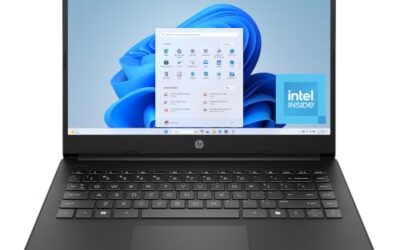
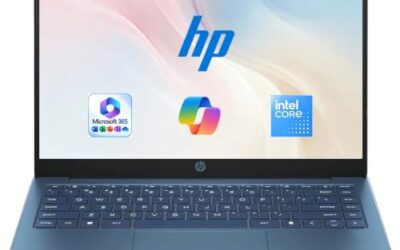
- Best Value: HP 14 inch Laptop, HD Display, Intel N150, 4 GB RAM, 128 GB UFS, Intel Graphics, Windows 11 Home, Includes a 1-Year Microsoft 365 Personal Subscription. Jet Black, 14-dq6199nr
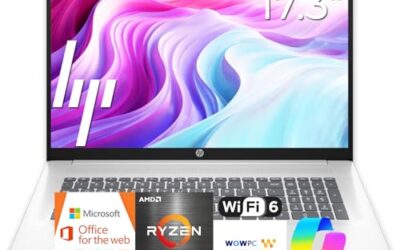
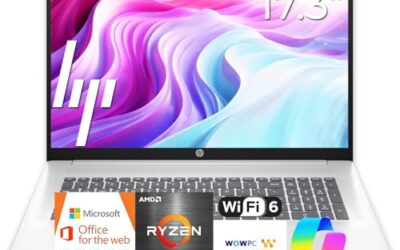
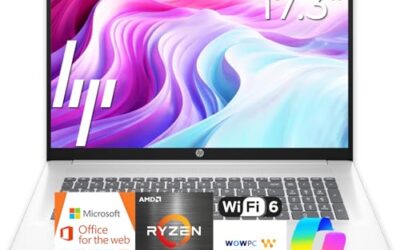
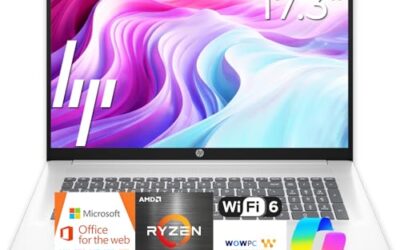
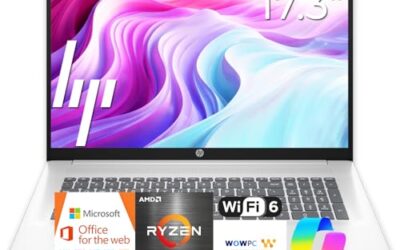
- Premium Choice: HP 17 inch Business Laptop Computer • 2026 Edition • Latest AMD Ryzen 5 CPU • 16GB RAM • 512GB SSD • 17.3" FHD Display • Numeric Keypad • Long Battery Life • Windows 11 with Office 365 for The Web
HP sells laptops in nearly every tier, and that is exactly what makes choosing one confusing. The same brand name covers a plain 14-inch machine with 4 GB of RAM, a 17-inch business notebook with 16 GB, and the newer OmniBook line with current Intel and AMD chips. Two HP laptops can share a name and still behave nothing alike, so the useful question is not which HP is best but which HP tier matches the work you do.
This guide is for buyers who have already decided on the HP brand, whether for familiarity, service options, or a retail relationship, and now need to separate the lean entry models from the roomier ones. It compares seven HP laptops by the specifications in their listings, flags where each one economizes, and keeps the focus on screen size, memory, storage, and processor class rather than brand loyalty. If you are shopping for a household machine, the biggest gap between these listings is not speed on paper but how much memory and storage are included from the start.
Quick Picks
As an Amazon Associate we earn from qualifying purchases at no extra cost to you.


| Product | Best for | Key spec from the title |
|---|---|---|
| HP Everyday Laptop (Intel, 128 GB) | Light everyday use with software included | Copilot AI, Office 365, Wi-Fi 6, fast charge |
| HP 14-inch Laptop (Intel N150) | Basic browsing and email | 4 GB RAM, 128 GB UFS |
| HP 17-inch Business Laptop | Spreadsheets and big-screen office work | Ryzen 5, 16 GB RAM, 512 GB SSD, 17.3-inch FHD |
| HP Everyday Slim (AMD) | Light use with newer DDR5 memory | AMD processor, 4 GB DDR5, 128 GB SSD |
| HP OmniBook 3 17.3-inch | Roomy modern Intel laptop | Core Ultra 5 225U, 8 GB RAM, 512 GB SSD |
| HP OmniBook 3 16-inch | Touchscreen with a sharp display | 2K touchscreen, Ryzen 3, 512 GB SSD |
| HP 15.6-inch Laptop (Intel N200) | Entry-level portable office work | Intel N200, 4 GB RAM, 128 GB SSD |
How to Choose
Decide the screen size and weight you can live with
HP offers 14-inch, 15.6-inch, 16-inch, and 17.3-inch models in this group. A 14-inch laptop is easiest to carry. A 15.6-inch body adds a number pad and a more comfortable screen. The 16- and 17-inch models give you the most room for spreadsheets and side-by-side windows, but they are better treated as desk machines than daily travel companions.
RAM and storage tell you more than the processor name
Several of these models come with 4 GB of RAM, which is workable for light browsing and little else. 8 GB is a more realistic target for a multi-year laptop, and 16 GB suits heavy spreadsheets or many open windows. For storage, an SSD is the better choice over UFS flash, and 128 GB should be viewed as a minimum rather than a comfortable size.
Display quality and touch
Plain HD displays, noted on some entry models, look soft. FHD is the sensible baseline for a laptop you will use for hours, and a 2K touchscreen adds sharpness and the option to tap and scroll. Touch is handy for presentations and quick note-taking, though it can reduce battery life, so check what matters more to you. Battery claims such as long battery life appear in several titles without numbers, so treat them as intentions, not measured hours.
Bundled extras and what to ignore
Several listings advertise cloud storage, Office 365, and AI assistants. A year of office software has value, but large cloud allowances do not replace local storage. S Mode, mentioned on one model, restricts you to apps from the Microsoft Store unless you switch out of it. Focus on the memory, drive, and screen first and treat the extras as a bonus.
The 7 Best Options
HP Everyday Laptop (Intel, 128 GB)
This model is for buyers who want a simple laptop with software bundled in. The title lists an Intel CPU, 128 GB of storage, Copilot AI features, Office 365, 1 TB of cloud storage, Windows 11, Wi-Fi 6, fast charging, and a long battery life claim.
- Strength: fast charging and a long battery claim suit people who are often away from an outlet.
- Strength: Office 365 and cloud storage are included for everyday documents.
- Trade-off: the title does not state RAM or the exact processor, so verify those details first.
It reads as a convenience pick for someone who wants to open the box and start working. Skip it if you want clear memory and processor specs before buying.
HP 14-Inch Laptop (Intel N150)
A basic, compact HP for browsing, email, and video calls. The listing includes an Intel N150 processor, 4 GB of RAM, 128 GB of UFS storage, Intel Graphics, Windows 11 Home, an HD display, and a one-year Microsoft 365 Personal subscription.
- Strength: it is compact and simple, with a bundled productivity suite.
- Strength: the Intel N150 is a recent entry-level chip aimed at low-power use.
- Trade-off: 4 GB of RAM, UFS storage, and an HD display make it the leanest spec in this group.
It makes the most sense as a secondary or very light-use computer. Skip it if you plan to run many programs or want a crisp screen.
HP 17-Inch Business Laptop
This is the strongest all-around spec sheet of the seven. It targets people who spend long sessions in spreadsheets or documents and want a large screen. The title lists a 17.3-inch FHD display, a Ryzen 5 processor, 16 GB of RAM, a 512 GB SSD, a numeric keypad, and a long battery life claim.
- Strength: 16 GB of RAM and a 512 GB SSD give it the best memory and storage balance here.
- Strength: a 17.3-inch FHD screen with a numeric keypad suits data entry and office work.
- Trade-off: a 17-inch body is bulky for frequent travel.
For a home office or a shared family desk it is a practical anchor machine. Skip it if you carry your laptop in a small bag every day.
HP Everyday Slim (AMD)
A slim everyday laptop for light work. The listing lists an AMD high-performance processor, 4 GB of DDR5 RAM, a 128 GB SSD, 1 TB of cloud storage, a long battery claim, and Windows 11.
- Strength: an SSD and DDR5 memory feel more modern than UFS and older RAM types.
- Strength: the slim design suits light carrying.
- Trade-off: only 4 GB of RAM limits multitasking despite the faster memory type.
The 1 TB of cloud storage can back up documents, though it needs an internet connection. Skip it if you want more than light browsing and office work.
HP OmniBook 3 17.3-Inch
The OmniBook 3 17.3 is for people who want a larger modern HP with current Intel silicon. The title lists an FHD display, an Intel Core Ultra 5 225U processor, 8 GB of RAM, a 512 GB SSD, Intel Graphics, and Windows 11 Home.
- Strength: a Core Ultra 5 processor is a clear step above entry-level chips.
- Strength: a 512 GB SSD gives comfortable local storage.
- Trade-off: 8 GB of RAM is less than the 16 GB of the HP 17-inch business model.
It fits households that want a big screen for streaming and documents with more speed than a basic chip. Skip it if you want more memory in the same size.
HP OmniBook 3 16-Inch
This OmniBook adds touch and a sharper panel to a 16-inch frame. The title lists a 2K touchscreen, an AMD Ryzen 3 processor, 8 GB of RAM, a 512 GB SSD, AMD Radeon 610M graphics, and Windows 11 Home.
- Strength: a 2K touchscreen is the sharpest display in this lineup.
- Strength: a 512 GB SSD and 8 GB of RAM form a balanced base.
- Trade-off: a Ryzen 3 chip is entry-level, so heavy workloads may feel slow.
Touch input is handy for annotating documents and presentations. Skip it if you want a faster processor at the same size.
HP 15.6-Inch Laptop (Intel N200)
A portable, entry-level business laptop. The listing lists an Intel 4-core N200 processor, 4 GB of RAM, a 128 GB SSD, a long battery claim, and Windows 11 Home in S Mode.
- Strength: a 15.6-inch screen is easier to read than a 14-inch panel.
- Strength: an SSD is a better base than flash storage.
- Trade-off: S Mode limits app installation to the Microsoft Store unless you switch out of it.
The four-core design is meant for light office tasks and web use. Skip it if you rely on software that is not in the Microsoft Store.
Which One Fits Your Situation
You work in spreadsheets all day
The HP 17-Inch Business Laptop, with 16 GB of RAM, a 17.3-inch FHD screen, and a numeric keypad, is the best fit.
You want a modern, mid-range laptop
The HP OmniBook 3 17.3-inch gives you a Core Ultra 5 processor and a 512 GB SSD, while the OmniBook 3 16-inch adds a 2K touchscreen.
You need a basic laptop for a relative
The HP 14-Inch Laptop with an Intel N150 keeps things compact and includes a one-year Microsoft 365 subscription.
You want an easy, bundled setup
The HP Everyday Laptop with Office 365 and fast charging is aimed at buyers who want software included from day one.
Common Mistakes
- Assuming every HP laptop with the same brand name shares the same performance tier.
- Overlooking that 4 GB of RAM leaves little room for modern multitasking.
- Treating bundled cloud storage as a replacement for the internal drive.
- Not noticing S Mode, then being unable to install a favorite program.
- Buying a 17-inch laptop for daily travel when a 14-inch would carry better, then leaving it at home because it is a chore to carry.
Related guides
- Low Profile Nvidia Graphics Cards For Small Form Factor Pcs
- Why Is My Gpu Benchmark Score Lower Than Others
- Travel Backpack With Laptop Compartment
Frequently Asked Questions
Is HP a good laptop brand in 2026?
HP covers a wide range, from entry-level models to current OmniBook designs. Quality varies by tier, so judge each model by its specs rather than the logo.
What is the difference between OmniBook and regular HP laptops?
OmniBook is a model line that appears twice in this group, once with an Intel Core Ultra 5 chip and once with a Ryzen 3. Both pair 8 GB of RAM with a 512 GB SSD, which is a more balanced base than the 4 GB entry models, though the regular HP listings still follow their own configurations.
Is 4 GB of RAM enough?
It can run basic tasks, but it leaves little headroom, and a browser with several tabs can use most of it. 8 GB or more is a better choice for a laptop you plan to keep for several years.
What does S Mode mean?
S Mode restricts Windows to apps from the Microsoft Store for security and simplicity. You can switch out of it if you need other software, but the change is generally one-way, so decide before you switch.

Write Your Review
No reviews yet. Be the first to share your experience!