
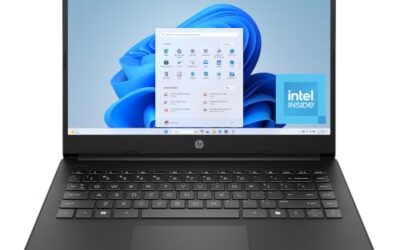
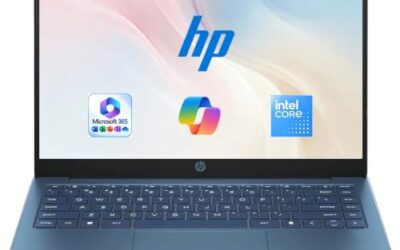
- Top Pick: HP 14 inch Laptop, HD Display, Intel N150, 4 GB RAM, 128 GB UFS, Intel Graphics, Windows 11 Home, Includes a 1-Year Microsoft 365 Personal Subscription. Jet Black, 14-dq6199nr
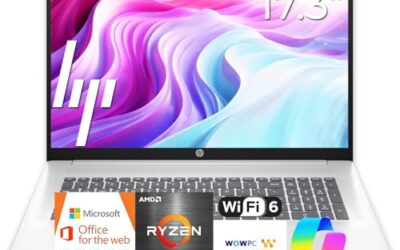
- Best Value: HP 14" Ultra-Light Laptop for Student & Home (1-Year Office 365, Intel Celeron N4500, 4GB RAM, 64GB eMMC + 64GB SD Card), 12-Hr Long Battery Life, Webcam, Fast Charge, Wi-Fi 6, Win 11 Home in S, White
- Premium Choice: Dell 15.6 Laptop, FHD, Intel Core 3 100U, 8 GB RAM, Windows 11 Home | Anti-Glare IPS WVA, 250 nits, Intel UHD Graphics, DDR4, 512GB SSD, Wi‑Fi 6 & Bluetooth, DC15250
Not everyone needs a laptop that edits video or runs the latest games. If your list of daily tasks is email, web research, online banking, video calls, streaming, and the occasional document, a basic laptop is the right category, and the money you save by not overbuying is real. The risk runs the other way: the cheapest models trim memory, storage, and screen quality so aggressively that even simple chores start to feel slow. A good basic laptop should boot in reasonable time, hold a handful of tabs without stalling, and last an afternoon of use; anything beyond that is a bonus, not a requirement.
This guide is for people buying a straightforward, no-frills machine for a parent, a first-time user, a home office corner, or a household spare. It compares five models strictly on what each listing states, such as processor, memory, storage, screen, and wireless, and it points out where each one cuts corners so you can pick the trade-off you can live with in 2026. Think of it as a decision between three paths: a cautious 4 GB machine for very light use, a more comfortable 8 GB machine that will age better, and an upgradeable design that lets you improve things later on your own schedule.
Quick Picks
As an Amazon Associate we earn from qualifying purchases at no extra cost to you.





| Product | Best for | Key spec from the title |
|---|---|---|
| HP 14-inch Laptop (Intel N150) | Simple browsing and email | Intel N150, 4 GB RAM, 128 GB UFS |
| HP 14-inch Ultra-Light (Celeron N4500) | A light carry-around spare | 12-hour battery claim, 64 GB eMMC plus SD card |
| Dell 15.6-inch Laptop (Core 3 100U) | Most capable everyday basic | 8 GB RAM, 512 GB SSD, FHD anti-glare IPS |
| OTVOC 15.6-inch Laptop | Upgrading RAM and storage later | Upgradeable RAM and SSD, FHD IPS |
| Acer Aspire 3 (A315-24P) | Fast storage in a slim body | Ryzen 3 7320U, 8 GB LPDDR5, NVMe SSD |
How to Choose
Memory is the first line to read
Basic laptops live or die on RAM. 4 GB is the bare minimum for Windows 11 and shows its limits as soon as you keep more than a few tabs open. 8 GB is the comfortable target for a machine that has to last several years. Pay attention to the memory type too: DDR4 and LPDDR5 are both fine, but LPDDR5 is usually soldered in place and cannot be replaced later, while some models expose a SO-DIMM slot for an upgrade.
Storage speed matters more than size
An NVMe or standard SSD makes boot-up and app launches feel quick. UFS and eMMC flash storage are slower, and capacities of 64 GB or less leave little room after system updates. A 128 GB drive is a workable minimum if you rely on cloud storage, and 256 GB or 512 GB is a better fit for photos and downloads. A memory card slot is a helpful backup for documents, but programs should live on the main drive because card speeds vary widely.
Screen and keyboard basics
Choose FHD resolution (1920×1080) and an IPS panel whenever you can, because a plain HD display looks soft and has narrower viewing angles. A brightness figure around 250 nits is adequate indoors but dim near a window. If you type a lot, look for a full-size keyboard with a number pad, which usually comes with 15.6-inch bodies. Wi-Fi 6 support is a quiet plus for a laptop you expect to keep for years, since it handles busy home networks better than older standards.
What to ignore and where budgets cut corners
Ignore bundled extras that sound valuable but do little for performance, such as large cloud storage allowances and trial subscriptions. Cheaper models most often cut corners on memory, storage type, screen resolution, and battery capacity. Look at the processor class last, because the model name tells you less than the memory and drive do. For basic tasks, an Intel N-series or Celeron chip is enough if the memory and drive are not also at the minimum. A cooling fan, as listed on one model here, can help a processor hold its speed during long video calls, while fanless designs trade that for silence.
The 5 Best Options
HP 14-Inch Laptop (Intel N150)
This HP is for buyers who want a small, simple laptop for email, video calls, and web browsing. The title lists an Intel N150 processor, 4 GB of RAM, 128 GB of UFS storage, Intel Graphics, Windows 11 Home, and a one-year Microsoft 365 Personal subscription.
- Strength: the Intel N150 is a newer entry-level chip than the older Celeron in the other HP listed here.
- Strength: a bundled Microsoft 365 subscription covers office apps for the first year.
- Trade-off: 4 GB of RAM and UFS storage limit multitasking and file speed, and the display is listed as plain HD.
Its one-year office suite makes it a convenient starting point for someone who has never owned a laptop. Skip it if you run many apps at once or want a sharp screen for reading.
HP 14-Inch Ultra-Light Laptop (Celeron N4500)
Aimed at students and home users, this lightweight HP leads with a 12-hour battery claim. It pairs a Celeron N4500 processor with 4 GB of RAM and 64 GB of eMMC storage, expandable with a 64 GB SD card, and includes a one-year Office 365 subscription.
- Strength: the long battery claim suits couch, kitchen-table, and travel use without a charger.
- Strength: the SD card slot provides extra space for photos and documents.
- Trade-off: it has the smallest internal storage here, and 64 GB of eMMC fills up quickly after Windows updates.
It is a gentle fit for browsing recipes, reading news, or video chatting with family. Skip it if you plan to install many programs or store a large photo library.
Dell 15.6-Inch Laptop (Core 3 100U)
The Dell is the strongest basic option on paper, for buyers who want a larger screen without paying midrange prices. It lists a 15.6-inch FHD anti-glare IPS display at 250 nits, an Intel Core 3 100U processor, 8 GB of DDR4 RAM, a 512 GB SSD, Intel UHD Graphics, and Wi-Fi 6.
- Strength: 8 GB of RAM and a 512 GB SSD give it the most balanced memory and storage in this group.
- Strength: the anti-glare FHD IPS screen is easier on the eyes for long sessions.
- Trade-off: a 250-nit panel is only adequate in bright rooms, and a 15.6-inch body is bulkier to carry.
Wi-Fi 6 and Bluetooth support round out a sensible everyday feature set. Skip it if you want the lightest possible laptop for daily travel.
OTVOC 15.6-Inch Laptop
OTVOC is for tinkerers and cautious spenders who like the idea of improving a laptop later. The title lists a Core 8100Y processor, 4 GB of SO-DIMM RAM, a 128 GB SSD, a 15.6-inch FHD IPS display, a 2 MP webcam, a cooling fan, and a Type-C port, and it says both RAM and SSD are upgradeable.
- Strength: upgradeable RAM and SSD mean you can add memory later instead of replacing the laptop.
- Strength: an FHD IPS screen and a cooling fan stand out at this level.
- Trade-off: it ships with only 4 GB of RAM, so you may need to buy an upgrade to be comfortable.
That flexibility is rare among thin laptops and is the main reason to consider it over similarly priced models with sealed memory. Skip it if you do not want to open the laptop or buy extra parts.
Acer Aspire 3 (A315-24P-R7VH)
The Aspire 3 is the pick for buyers who want a slim 15.6-inch laptop with modern internals. The title lists a Full HD display, an AMD Ryzen 3 7320U quad-core processor, AMD Radeon Graphics, 8 GB of LPDDR5 memory, a 128 GB NVMe SSD, and Wi-Fi 6.
- Strength: 8 GB of LPDDR5 memory and an NVMe drive give it a snappier feel than the 4 GB models.
- Strength: a Ryzen processor with Radeon graphics handles everyday video and light photo work.
- Trade-off: only 128 GB of storage fills up quickly, and LPDDR5 memory is typically not user-upgradeable.
Its slim profile and Full HD screen make it a comfortable pick for desk work. Skip it if you store lots of files locally and do not want to rely on cloud or external drives.
Which One Fits Your Situation
You are buying for a parent who browses and video calls
The Dell 15.6-inch laptop is the safer choice, with 8 GB of RAM, a roomy SSD, and a larger anti-glare screen that is easier to read.
You need a light spare for the couch and travel
The HP 14-inch Ultra-Light, with its 12-hour battery claim, fits short trips and casual use, as long as you accept its small drive. Keep documents in the cloud or on the SD card and it can work as a dependable second computer.
You want to stretch the laptop's life
The OTVOC lets you add RAM and swap in a bigger SSD later, which suits buyers who prefer to upgrade gradually. Bear in mind that the listing says RAM and SSD are upgradeable, so confirm compatible part types before you buy any.
You want the quickest feel in a slim body
The Acer Aspire 3 combines LPDDR5 memory with an NVMe SSD, which should feel more responsive than the 4 GB machines. It is also the only listing here that names a Ryzen processor, a useful option for buyers who prefer AMD.
Common Mistakes
- Choosing the lowest storage option and running out of space after the first round of updates, then relying on slow external drives to cope.
- Accepting 4 GB of RAM without planning for an upgrade or lighter usage.
- Paying attention to bundled subscriptions and cloud storage instead of memory and drive speed.
- Buying a plain HD screen for a laptop that will be used for hours of reading and typing.
- Overlooking that some memory is soldered, which makes later upgrades impossible.
Related guides
- Low Profile Nvidia Graphics Cards For Small Form Factor Pcs
- Why Is My Gpu Benchmark Score Lower Than Others
- Travel Backpack With Laptop Compartment
Frequently Asked Questions
What is a basic laptop good for?
Email, web browsing, streaming, video calls, and office documents. It is not meant for video editing, modern gaming, or heavy multitasking, and expecting more is the fastest route to disappointment.
Is 4 GB of RAM enough?
It can run Windows 11 for light use, but it leaves almost no headroom. If your budget allows, 8 GB makes a noticeable difference in everyday responsiveness, especially once a browser and a video call are running together.
Should I worry about eMMC or UFS storage?
They are slower than SSDs and often come in small capacities. They work for simple tasks, but an SSD gives a better experience for the same everyday use.
Are the bundled Microsoft 365 subscriptions permanent?
No, the listings describe a one-year subscription. After that, you would need to renew or switch to a free alternative such as a browser-based office suite, which is enough for most simple documents.

Write Your Review
No reviews yet. Be the first to share your experience!